
Target Standard & Premium Capabilities - #2 of 7 – Multivariate (MVT) Testing [Tuesday Tech Bytes]
Adobe Target Capabilities
#2 of 7 – Multivariate (MVT) Testing
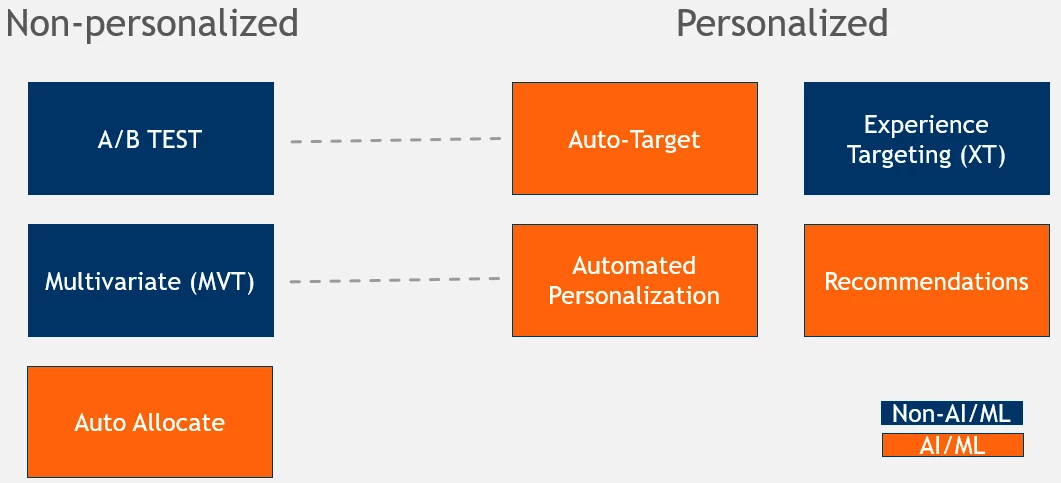
Adobe Target offers many different testing & personalization options. I’ve outlined them here, and separated them into several categories – Non-personalized vs. personalized and Non-AI/ML vs. AI/ML. Note that the categories can overlap. The dotted lines represent the corresponding Personalized/AI version of the non-personalized/non-AI category. So Automated Personalization is to Multivariate what Auto-Target is to A/B testing.
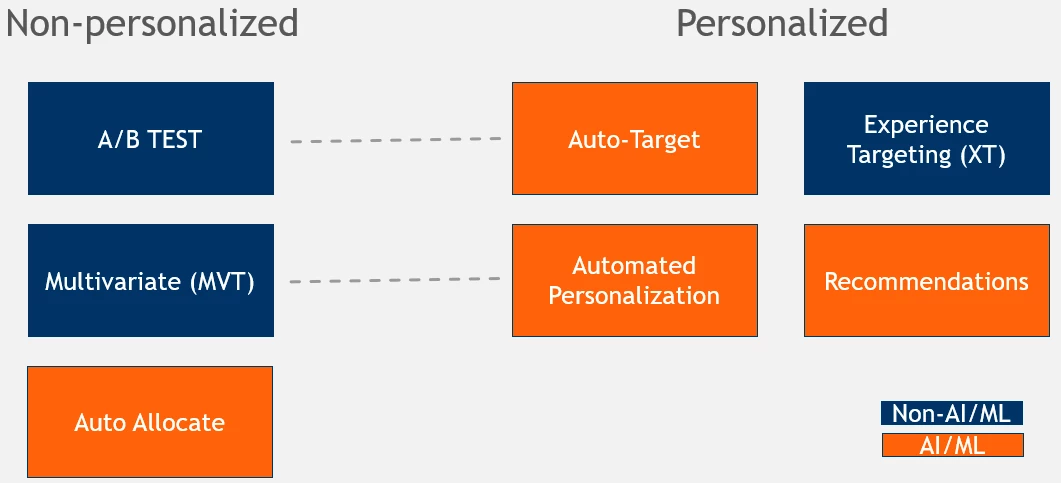
This post will cover Multivariate (MVT) Testing! MVT Testing falls into the non-personalized, non-AI/Machine-learning suite of capabilities in the Adobe Target Premium capabilities package, although this option is also available in Target Standard. In future posts, I’ll cover the other categories! Stay tuned!
What is MVT testing?
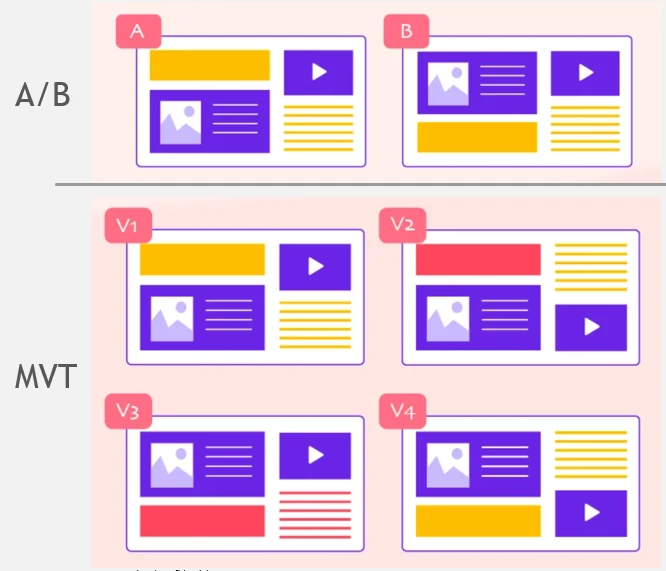
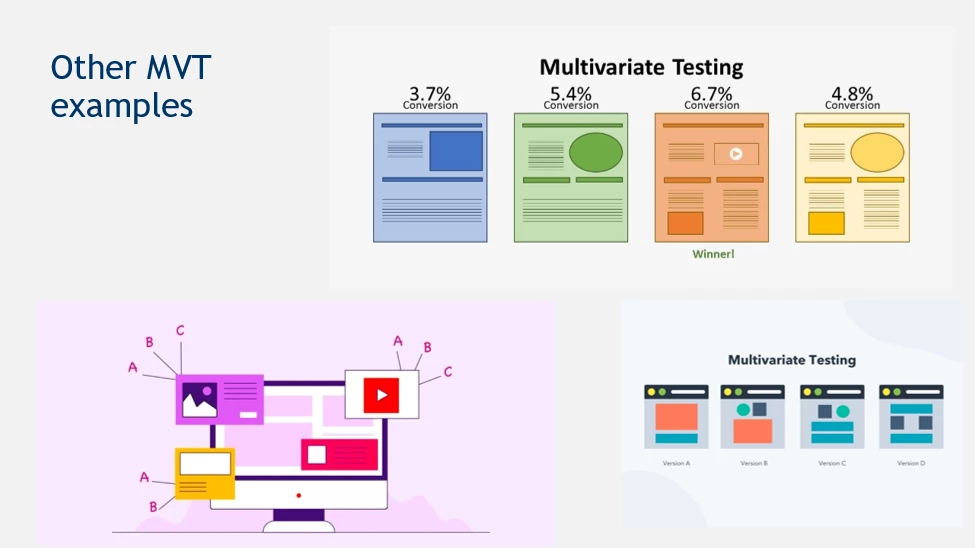
Used for testing which combination of elements works the best together
Like:
- Title
- Image
- Placement
- Copy
- Color
- Shape
When to use MVT testing
- Want to test changing several different elements
- You can set these up as an A/B test with a lot of variants – one for each combination, but the out of box MVT Target option will do this for you/reduce manual work
- No need for personalization
- Time is not a big factor
- Decent amount of traffic to the page
- Narrow down winners (via evidence test) to do a value-driving test (sales read)
Examples:
- You want to change the hero banner on a page and test several elements like title, copy, image, color, placement, etc.
- The search team might want to change several elements on the product tile on the search results page, like the font size, product image, the badges that appear, and copy.
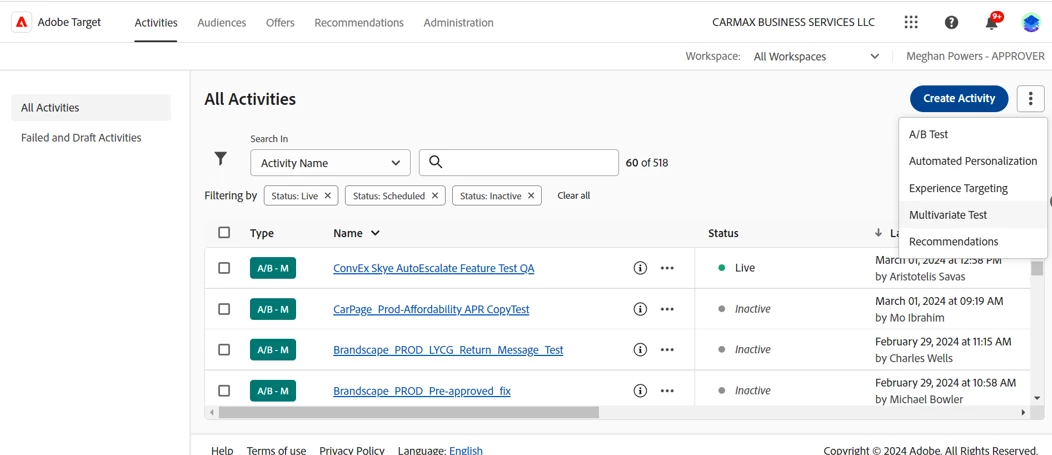
How to access MVT testing in Adobe Target
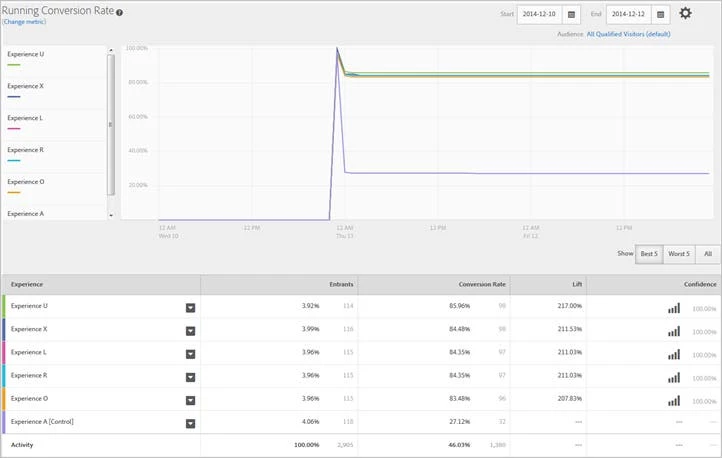
Choosing a winner:
Helpful Resources:
- Differences between a/b and mvt:
https://vwo.com/blog/difference-ab-testing-multivariate-testing/ - Multivariate Test: https://marketing.adobe.com/resources/help/en_US/target/mvt/c_multivariate_testing.html
- Multivariate Test Best Practices: https://marketing.adobe.com/resources/help/en_US/target/mvt/r_best_practices.html
- Plan a Multivariate Test: https://marketing.adobe.com/resources/help/en_US/target/mvt/c_plan_mvt.html
- Create a MVT Test (plus more sub-articles): https://marketing.adobe.com/resources/help/en_US/target/mvt/t_create_multivariate_test.html
- Analyze Results: https://marketing.adobe.com/resources/help/en_US/target/mvt/c_mvt_reporting.html
Please see the first post in the series about A/B testing
https://experienceleaguecommunities.adobe.com/t5/adobe-target-blogs/target-standard-amp-premium-capabilities-1-of-7-a-b-testing/ba-p/694285
And the 3rd post in the series about Auto-Allocate:
https://experienceleaguecommunities.adobe.com/t5/adobe-target-blogs/target-standard-amp-premium-capabilities-3-of-7-auto-allocate/ba-p/702858
Stay tuned to the next posts which will cover each category on its own – what it is, when to use it, and how to access it in Adobe Target. Next up is Auto Allocate.
This article is part of the Tuesday Target Tech Bytes series. The introductory article can be found here:
https://experienceleaguecommunities.adobe.com/t5/adobe-target-blogs/welcome-to-adobe-target-tuesday-...
@Gokul_Agiwal , @Rajneesh_Gautam_