Tracking button clicks using alloy.sendEvent not increasing conversions | Community
Skip to main content
Employee
December 21, 2022
Solved

Tracking button clicks using alloy.sendEvent not increasing conversions

  • December 21, 2022
  • 1 reply
  • 1514 views

Hi All,

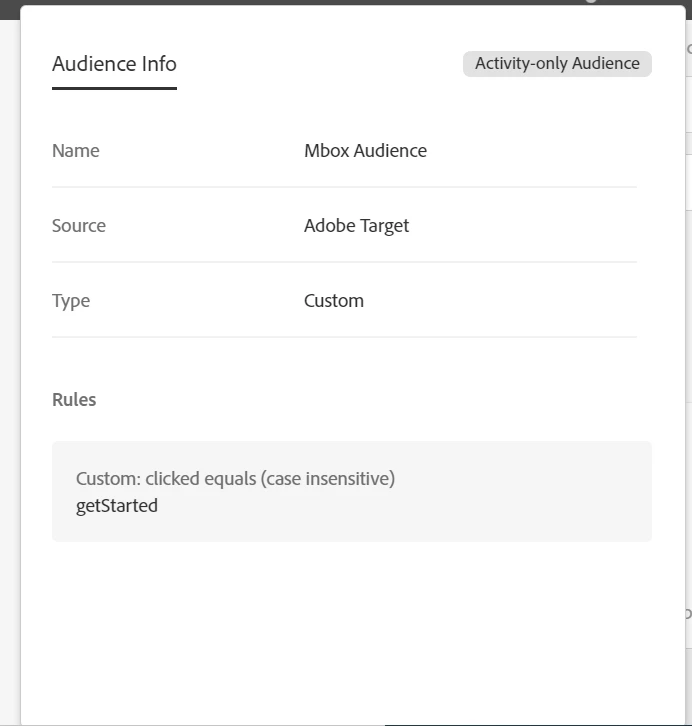
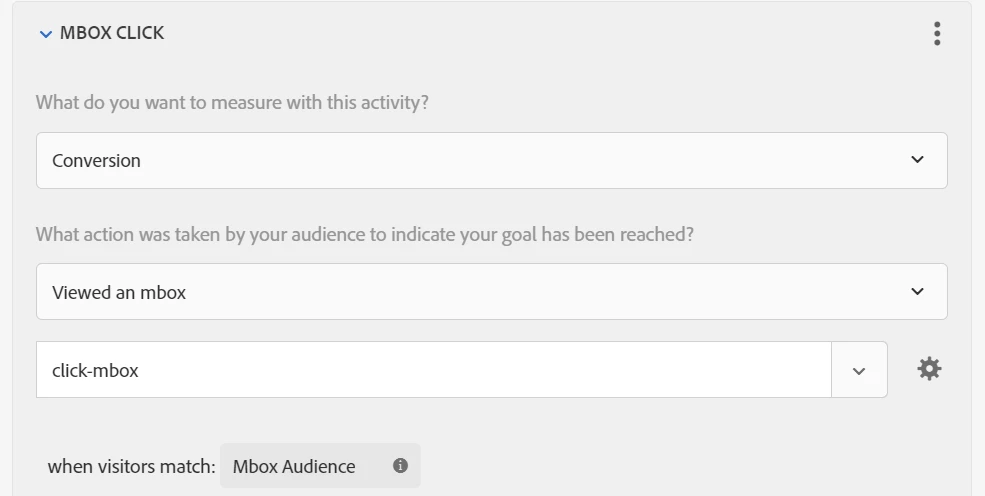
I have setup a custom code in one of the activities to fire a custom mbox and I am trying to track that in the conversion settings as viewed an mbox and selecting the parameters passed in audience refinement and checking the value. But it does not increase any conversions for the clicks happening , but If i try by clicked an element and set that as a metric the conversion does happen.

the custom architecture 

<script>

var btn = document.querySelector('button.efe-cta-primary');
  btn.addEventListener('click', function(){
  try{
  alloy("sendEvent", {
  renderDecisions: false,
  data: {__adobe: {target: {"clicked": "getStarted"}}},
  decisionScopes: ["click-mbox"]
  });
  }catch(err){
   //console.log("Error",err);
  }
  })
  </script>
and this is the settings in the conversions 
and I also see the interact call firing and the data being sent as payload in the network tab 
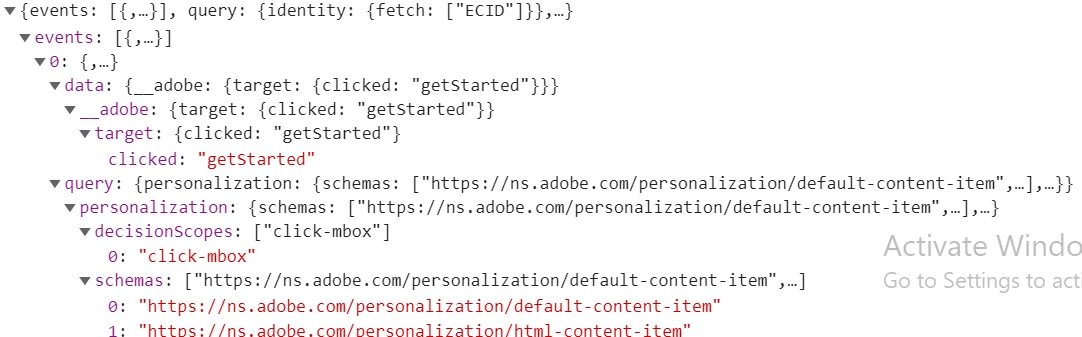
can anyone help me with why the conversions are not incrementing. Thanks in Advance

This post is no longer active and is closed to new replies. Need help? Start a new post to ask your question.
Best answer by Perrin_Ennen

What else I notice about the script. I don't know when exactly it is executed. But what can also be possible is that the script executes right at the page load via target - but at this time the button does not yet exist in the DOM.

1 reply

Perrin_Ennen
New Participant
January 4, 2023

Hi @tarun_jamana8469,

How is the HTML markup structured? Does the button have an href attribute? Maybe this is already the problem from the timing point of view.

Employee
January 4, 2023

Actually it is a button inside a form which has an onclick event on it which has some function which which gathers all the fields from it and then takes some time to redirect to the other page

Perrin_Ennen
Perrin_EnnenAccepted solution
New Participant
January 4, 2023

What else I notice about the script. I don't know when exactly it is executed. But what can also be possible is that the script executes right at the page load via target - but at this time the button does not yet exist in the DOM.