
[Workfront Coffee Break] 10/26; 8:30AM - 9:30AM PDT: Communication Methods for Adoption | Community
Skip to main content
jon_chen
Community Manager
September 25, 2023

[Workfront Coffee Break] 10/26; 8:30AM - 9:30AM PDT: Communication Methods for Adoption

  • September 25, 2023
  • 11 replies
  • 8700 views

There are many avenues for communication in Workfront. Whether it’s through email notifications, sending reports, announcement center messages, layout templates, or native integrations, the ultimate goal is keeping your users informed of what’s happening and making it as easy as possible for them to find their work.

In this upcoming Coffee Break scheduled for Thursday, October 26 at 8:30am PT, join the Adobe Workfront Scale Customer Success team Cynthia Boon, Leslie Spier, and Nichole Vargas (@cynthiaboon , @lesliespier , @nicholevargas) for an exclusive opportunity to ask questions related to communication.  

This text-only event takes place here in the Workfront Experience League Community. Post your burning questions, hot tips, key takeaways, and let’s chat about them! Our experts will be interacting live for that hour, but the conversation can continue!  


For some guidance, here are sample questions you can ask the team: 

  • Are there any specific email notifications that I should have activated (or deactivated) in Setup? How can I make sure users have the correct notifications turned on in their profile?  
  • How do I surface important information to my users? 
  • How can Workfront Native Integrations help make my users' lives easier? 
  • What’s the benefit of a layout template? Should all users have one?  


We also strongly recommend the following resources to get you up to speed with this topic: 


Ground Rules and Guidelines: 

  • All content pertaining to this Coffee Break topic will occur solely on this thread. There will be NO live webinar link or recorded video call. 
  • If you CANNOT attend the live Coffee Break session due to an existing obligation, you can ask your questions in advance by replying to this event at the bottom of the page. Your question will be answered in the order that it was received.  
  • Add your questions below by posting a comment on this thread.  
  • Make sure to refresh this Coffee Break page periodically to catch new questions and responses.  
  • Clarify your questions 
  • Ask follow-up questions and provide additional details 
  • View Questions posted by your Community peers and upvote or comment on replies that you find interesting 
  • Discuss further with your Workfront Community peers  
  • To disable email notifications for this thread, click the Options menu on the top right and select "Unfollow the conversation." This will prevent notifications from being sent to your email every time there is a new reply to the thread or comment. 

Coffee Break Session Leaders: 
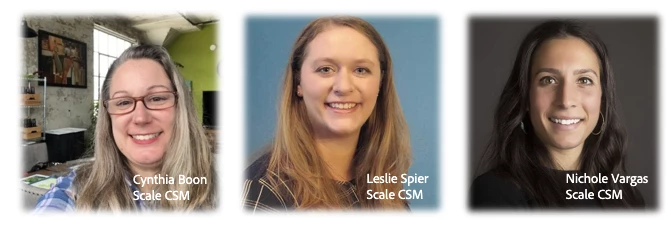


The Workfront Scale Customer Success Team has over 20 years of combined Workfront experience as former customers, system admins, and members of technical support. They host regular events (be sure to check the Events page), engage in the Community and most importantly, love talking about all things Workfront! They are a trusted resource for all customers, so if you have questions and aren’t sure where to go, send them an email at csatscale@adobe.com.  

This post is no longer active and is closed to new replies. Need help? Start a new post to ask your question.

11 replies

jon_chen
jon_chenAuthor
Community Manager
October 26, 2023

The Coffee Break is now OVER. Thanks to everyone who attended - we hope to host more Coffee Breaks in the future so stay tuned!

New Participant
October 26, 2023

The email about this event included a mention of, "messages in the announcement center".  Can someone please elaborate on what this is and how it works (and / or provide links to more info.)?

Employee
October 26, 2023

@roryrh The announcement center is a centralized location for System Admins to receive communications from Workfront (ex: release updates, upcoming events, etc.) or send announcements to all or specific users within your organization. Since in-app notifications are not customizable, you can guarantee that users receive a notification within Workfront from these communications. Our team wrote the blog, You can send custom messages to your users with the Announcement Center, that I'd recommend you check out. 

Keep in mind, when it comes to user adoption, it's always best to meet you users where they are. So, while the Announcement Center is a great option, you may want to consider leveraging the tools your users are already familiar with (Slack, MS Teams, email, etc.) to ensure that communications are being read. 

AndersonDeLima
New Participant
October 26, 2023

I wonder if there is a tip or trick (not trick-or-treat) on how to quickly find out what is the specific field name. Possibly by using browser inspect or right-clicking… I know that inside the Form it will show the Field name, but I wonder if there is a quicker way to find it.

Employee
October 26, 2023

@andersondelima Would you mind sharing more details to elaborate on this? When you talk about being able to find a field name, are you referring to knowing which field to select in a list or report? 

AndersonDeLima
New Participant
October 27, 2023

Hi @nicholevargas Let’s say I am on the Issue Details page, and I want to find what is the specific Field Name of a particular area. Is there a quick way to do this right on that page/location? This will help me create Reports, Troubleshoot, and work with Fusion faster since I will know exactly the field I am looking for.  Thanks!

MonicaDi4
New Participant
October 26, 2023

Can we expect the work delegation feature to be on the new home page soon? Will it start to integrate with proof approvals too or does that still need to be set in proofing seperately?

LeslieSpier
Employee
October 26, 2023

Hey @monicadi4 - we're very interested in the future of this, too, but we don't have any direct insight. There's an event that just started (happening now) on YouTube Live about the New Home with the product manager and there's a discussion thread. I will add your question there and tag you!

Lyndsy-Denk
New Participant
October 26, 2023

@monicadi4 Work delegation is in this quarter's release. Depending on your cluster it's available now or tomorrow. I suspect proof delegations is still a separate function.

Camiloconsultant
New Participant
October 26, 2023

Hi. Thanks for this space. Is there a way to comment on locked stages on proofs? That would be helpful even if it is just for a job role or a group. That's a request I recently have had from clients. Thanks.

CynthiaBoon
Employee
October 26, 2023

Hello!  Just to make sure I understand, are the comments that come in after the proof is locked changing the proof?  Or are they more general comments on the initiative?  If the comments are requesting additional work on a locked proof, could the comments be added as general updates? I've created Custom Form Fields for that kind of thing in the past (at the Task level) and then built a view where you can see any comments added. 

MonicaDi4
New Participant
October 26, 2023

When creating multiple dashboards that reference the same report but you want different views and filters saved, is it a best practice to duplicate the report or will the filters and views save as set on each dashboard differently?

Colleen_Grenon
New Participant
October 26, 2023

I think it's always a good idea to put the right information in front of users at the right time.  And given a lot of users seem resistant to change and thus resistant to using filters, views and groupings, versions of the same reports is a good option to consider.  I often try to take into consideration different learning styles, which would mean some text and some with visuals.


Another option is to opt to offering training sessions on how to use filters, views and groupings. This ultimately means less maintenance and more freedom for users over all. 

jon_chen
jon_chenAuthor
Community Manager
October 26, 2023

Also, make sure you REFRESH the page so you don't miss any new questions and responses that come in!

New Participant
October 26, 2023

Somewhat related to communication, a while back there was a video presentation of the Center of Excellence. It looks like that has been removed and just replaced with a PDF but I was wondering if that video could go back up. I think some of the discussion that comes from the live bodies is missing in the PDF.


New Participant
October 26, 2023

Agree video would be good, but I would love to see the PDF.  Can you please send me the link?

New Participant
October 26, 2023

Just went back out and it looks like it is back up here:

Webinar | System Admin Essentials: Establishing a ... - Adobe Experience League Community - 599301  

It looks like you may need to "register" for it before you can get to it but once I did it was there!


Solved my own problem, who would have thought...

MonicaDi4
New Participant
October 26, 2023

Assuming the like to my comment above was yes 🙂


I have a question about task exceptions to the rule. So we have a holiday schedule set up where it does not count holidays and weekends as working days, but we have a few exceptions to the rule occasionally where a task is due to be complete on weekend, is there a way to have a single task not follow the holiday schedule?

Employee
October 26, 2023

@monicadi4 Is the task that is due on a weekend a delivery task? If so, could that be set up as a custom field selection instead? If there is actual work that needs to be done on a weekend, you would have to create a separate schedule that includes both holidays and weekends and attach that schedule to the project to accommodate that timeline. 

MonicaDi4
New Participant
October 26, 2023

Interesting. Can you point me to info about the custom field for a delivery task? We have projects where every task ultimately is some kind of delivery. Are we following best practices for our project task lists? We want to make sure there accountability at the individual level but the list of tasks becomes quite long...

MonicaDi4
New Participant
October 26, 2023

Is the event taking place here on this page?

CynthiaBoon
Employee
October 26, 2023

Hello and welcome! It is!  Let us know what questions you have regarding Communication Methods for Adoption. 

New Participant
October 26, 2023

Is there a way WF can auto adjust task due dates when assignee has logged Time Off on WF calendar but plans to delegate tasks? Currently, this action is just pushing out workflows, often past delivery date needed, which makes sense.  From what I've seen WF doesn't adjust Task dates even for Delegated Tasks until the actual delegation dates are live/real time (regardless of being set up early). So this is negatively impacting PMs ability to accurately communicate and conduct advance planning to best align to deliverable due dates. Any thoughts on how to better manage this situation?   IF we changed process and just asked users Not to log Time Off in WF, that would solve our planning but then we lose that info from WF calendar but could always rely on Outlook for those who send PTO notifications in that email system. Thanks for your thoughts.