
[WORKFRONT COFFEE BREAK SWEEPSTAKES] Event Concluded: Creative Briefs Intake & Best Practices
This event has now concluded - though our experts are no longer present on the thread, feel free to peruse all the questions, comments, and use cases shared by your fellow community peers! And don't forget to tune into our future Coffee Breaks, where we will cover more amazing Workfront topics.
If you’re a new customer, what questions do you have about intaking your creative brief? If you’re a seasoned customer, we’d love to see examples and hear about your process! What are your hot tips? How did you engage the other teams in your organization to create your process? What is the best approach to make sure your questions are relevant but also easy enough for your end users to understand.
While the briefs themselves can vary organization to organization, we’d love to use this space to talk through the process as it relates to Workfront, what’s worked, and help inspire one another.
Join the Workfront Customer Success Team Cynthia Boon (@cynthiaboon), Nichole Vargas (@nicholevargas), and Leslie Spier (@lesliespier) for a text-only event on the Workfront Experience League Community.
For some guidance, here are sample questions you can ask the team:
- If we don’t have all the details when the request is put in, how do we handle that in our process?
- How do we ensure teams are providing complete information?
- How detailed should our brief be?
- We currently utilize a creative brief document and upload it to the request/project, is there a better way to intake the information? Are there advantages to using either a custom form or a document?
We also strongly recommend the following resources to get you up to speed with this topic:
- Adobe Blog: The Creative Brief: Everything You Need to Know
- Tutorial: Create and share a custom form
- Tutorial: Custom forms best practices
Coffee Break Sweepstakes Qualification
- The Coffee Break Sweepstakes winner must be from the continental United States or Canada (excluded Quebec).
- For a complete overview of this sweepstakes, please SEE OFFICIAL RULES.
- All customers who post a question or best practice as a reply to this thread leading up to or during the 1-hour live event will be randomly entered to win a Workfront swag item. Questions asked as follow up to an original submission will count towards the sweepstakes. Simply commenting on another user's submission (as opposed to replying to same with a question) will not count. Liking, viewing, bookmarking, following, marking solutions, or selecting "Me Too" will likewise not count as an entry into the sweepstakes.
- If selected, winner must provide their mailing address to receive the prize. The winner of the Coffee Break sweepstakes will be notified via a direct message on the Experience League Community. If the winner does not reply within 72 hours, a new winner will be selected.
- Potential winners may be required to complete and return a Declaration of Eligibility form. Potential winners in Canada will also be require to correctly answer a multi-part math question before being able to accept any prize.
- NO PUR. NEC. Enter by 16/07/2024. Must be 18+. For complete details, eligible countries, and prize descriptions see Official Rules above. Void where prohibited. Sponsor: Adobe
Ground Rules and Guidelines:
- All content pertaining to this Coffee Break topic will occur solely on this thread. There will be NO live webinar link or recorded video call.
- If you CANNOT attend the live Coffee Break session due to an existing obligation, you can ask your question or post your best practice in advance by replying to this event at the bottom of the page. Your question will be answered in the order that it was received.
- Add your questions or best practices below by posting a comment on this thread.
- Make sure to refresh this Coffee Break page periodically to catch new questions, responses, and recommendations.
- Clarify your questions
- Ask follow-up questions and provide additional details
- View Questions posted by your Community peers and like or comment on replies that you find interesting
- Discuss further with your Workfront Community peers
- To disable email notifications for this thread, click the Options menu on the top right and select "Unfollow the conversation." This will prevent notifications from being sent to your email every time there is a new reply to the thread or comment.
Coffee Break Session Leaders
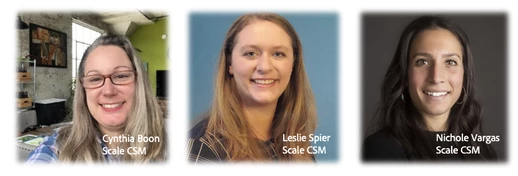
The Workfront Scale Customer Success Team has over 20 years of combined Workfront experience as former customers, system admins, and members of technical support. They host regular events (be sure to check the Events page), engage in the Community and most importantly, love talking about all things Workfront! They are a trusted resource for all customers, so if you have questions and aren’t sure where to go, send them an email at csatscale@adobe.com.