
[WORKFRONT COMMUNITY Q&A COFFEE BREAK] Wednesday, February 21 at 8:30am PT: Project Template & Timeline Best Practices | Community
Skip to main content
jon_chen
Community Manager
January 29, 2024

[WORKFRONT COMMUNITY Q&A COFFEE BREAK] Wednesday, February 21 at 8:30am PT: Project Template & Timeline Best Practices

  • January 29, 2024
  • 28 replies
  • 19073 views

Do you want a chance to win Workfront swag? If you have a question to ask, a best practice, or a hot tip to share with the Workfront community on how to set up project templates, manage task constraints, apply predecessors, or anything project timeline or template related, you’ll be entered into this first-ever Community Coffee Break sweepstakes.  


Join the Workfront Customer Success Team Cynthia Boon (@cynthiaboon), Nichole Vargas (@nicholevargas), and Leslie Spier (@lesliespierfor a text-only event on the Workfront Experience League Community. The team will be interacting live for an hour, but the conversation can continue.  


Post your recommendation or question as a reply to this thread and at the end of the 1-hour Coffee Break, we’ll randomly select a winner. Please review the full sweepstakes qualifications below.


For some guidance, here are sample questions you can ask the team: 

  • How do I see all the templates associated with my project in a report or view? Right now, I’m only seeing the first one, despite multiple templates being added. 
  • I don't want my users creating new projects from scratch. Can I enable a setting to ensure all projects are created from a template?  
  • Should I schedule my projects from start or completion date?  
  • How do I set up my project timeline so that tasks fall in sequential order?  


We also strongly recommend the following resources to get you up to speed with this topic: 


Coffee Break Sweepstakes Qualification

  • The Coffee Break Sweepstakes winner must be from the continental United States or Canada (excluded Quebec).
  • For a complete overview of this sweepstakes, please SEE OFFICIAL RULES.
  • All customers who post a question or best practice as a reply to this thread leading up to or during the 1-hour live event will be randomly entered to win a Workfront swag item. Questions asked as follow up to an original submission will count towards the sweepstakes. Simply commenting on another user's submission (as opposed to replying to same with a question) will not count. Liking, viewing, bookmarking, following, marking solutions, or selecting "Me Too" will likewise not count as an entry into the sweepstakes.
    • If selected, winner must provide their mailing address to receive the prize. The winner of the Coffee Break sweepstakes will be notified via a direct message on the Experience League Community. If the winner does not reply within 72 hours, a new winner will be selected. 
    • Potential winners may be required to complete and return a Declaration of Eligibility form. Potential winners in Canada will also be require to correctly answer a multi-part math question before being able to accept any prize.
  • NO PUR. NEC. Enter by 21/02/2024. Must be 18+. For complete details, eligible countries, and prize descriptions see Official Rules above. Void where prohibited. Sponsor: Adobe


Ground Rules and Guidelines: 

  • All content pertaining to this Coffee Break topic will occur solely on this thread. There will be NO live webinar link or recorded video call. 
  • If you CANNOT attend the live Coffee Break session due to an existing obligation, you can ask your question or post your best practice in advance by replying to this event at the bottom of the page. Your question will be answered in the order that it was received.  
  • Add your questions or best practices below by posting a comment on this thread.  
  • Make sure to refresh this Coffee Break page periodically to catch new questions, responses, and recommendations.  
    • Clarify your questions 
    • Ask follow-up questions and provide additional details 
    • View Questions posted by your Community peers and upvote or comment on replies that you find interesting 
    • Discuss further with your Workfront Community peers  
  • To disable email notifications for this thread, click the Options menu on the top right and select "Unfollow the conversation." This will prevent notifications from being sent to your email every time there is a new reply to the thread or comment. 


Coffee Break Session Leaders 
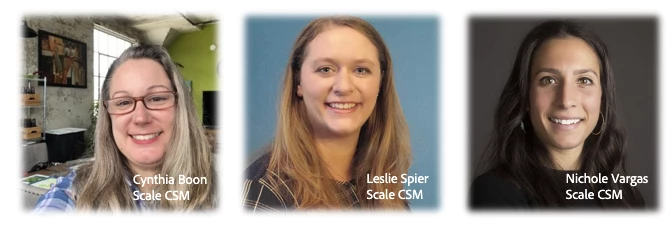


The Workfront Scale Customer Success Team has over 20 years of combined Workfront experience as former customers, system admins, and members of technical support. They host regular events (be sure to check the Events page), engage in the Community and most importantly, love talking about all things Workfront! They are a trusted resource for all customers, so if you have questions and aren’t sure where to go, send them an email at csatscale@adobe.com 

28 replies

jlwmcknight
New Participant
February 2, 2024

We have a large client roster, all with very specific ways of working and project needs.  To help the PMs have a good starting point we've set up individual templates for client / need, while also having some generic "any client" templates.  This seemed like a good idea at the time, but our list of templates is long, and growing, as additional individual/client-specific needs are identified.

Has anyone else dealt with something similar, and have suggestions on a best course of action?  Do we leave it as-is, and it is just a logistical nightmare for the Admins?  Do we simplify the list and put the burden on the PM?  I'm open to any and all suggestions!

New Participant
February 14, 2024

@jlwmcknight - I feel like I am in the same boat with the overload of templates. I really only have myself and 1 other junior level admin - and being WF administrator isn't our first or only job. Trying to maintain the system and get work done is a chore.
Would love to hear suggestions on how others have this set up. Do we teach the Project Owners to manually update the projects (correctly)? Or is it a function that is centralized on 1 team?

LauraCr
New Participant
February 15, 2024

Our situation is similar: a team of 1 and a half for roughly 1000 Workfront users at varying levels of proficiency, and many of the top tier project managers use MS Project as their starting point, then upload to WF so we end up doing a lot of troubleshooting around that.

We've got 2 main PM teams who build fairly complex projects with 1-3 year lifespans. I've been considering creating a 'Master Project Template' with all the commonly used tasks & task settings, so they can either a) use that template and just remove the tasks they don't need, or b) copy/import the tasks they want into new projects they create. 


If anyone else has done something similar, I'd love to hear how it worked out - for our tiny team, this would at least minimize the number of tasks we have to correct for planned hours/durations/other detail issues, and for less experienced PMs, it would serve as a 'task buffet' they can just pick/choose from. 

*Note - the 'Master List' would be specific to certain groups, like Design or Production; I realize a master list for everything we do in WF would be crazy long.


As far as # of Templates goes... I feel your pain. We have too many and haven't found a good method for culling ones that are no longer used. It would be nice if templates showed up in Portfolios or Programs in the Project list - that way the PMs working those Programs would have a one-stop location for their templates.


Doug_Den_Hoed__AtAppStore
New Participant
February 1, 2024

(name that tune...)


🎵 Subtasks and milestones and default role settings,

Preds all then lined up with stakeholder's blessings,

Reasn'able planned hours, and time trackers "IN"

These are a few of my Best Template things...🎵


In addition, on the advanced concepts side, I invite you to consider our Sync Template solution, which allows you to periodically adapt your Templates as things change, then automatically synchronize those adjustments out to those Projects that based upon the Template (vs having to chase them all down and manually adjust them individually).


Regards,

Doug


New Participant
February 7, 2024

Nice, Doug! I was looking for something like this.

New Participant
February 1, 2024

This template tip only applies if you have a need for reporting on time spent on different project types among shared teams, but we have a few shared teams that we don't want to bog down with actually having to do timesheets. Instead, we have them use specific templates per project type or 'Tier' of effort needed. This way, i'm able to run a report based on template usage for these teams on a monthly basis without having to actually track time.

New Participant
February 14, 2024

This is something that my team struggles with - how much effort will be needed per project? 
@oliviacl - can you give examples of how you determined your 'Tiers'? What are the differentiators between the templates (Task duration? Task planned hours)?

New Participant
February 14, 2024

Hey @eileenw  - yes, so far we've identified Tiers with the planned hours within the tasks. Depending on the team, we may have other differentiators. It helps when you have a consistent number of project types that come through, but you start to see trends of certain criteria that always guarantees x project will take longer or x type of project will be shorter, and then that helps to determine how you build your templates out. Some teams prefer to do it on the fly, but having the templates helps it to be a more automated process as soon as the project gets converted. In some areas, we also have identified Tiers in our request queue - so that the person submitting the request can give us a heads-up that this project will be more or less involved. Hope that helps!

MaryMc1
New Participant
February 1, 2024

We have a lot of templates that have similar tasks across them all, for example, a creative team is a shared service across multiple groups and have tasks in several group templates, our admin team uses a "master" template task report that has a prompt in it that looks for key words in the task names. Then when changes are needed, admins are catching all the tasks needing to be updated. This helps make sure we don't have tasks like "Design Round 1," "Round 1 Design," "Create Design Round 1" with different names, duration, planned hours, etc. It keeps template tasks aligned and optimized. We have a version of this for requesters submitting the changes to allow them to look at all template tasks as often times, they don't realize the scope of their proposed changes. 

Lyndsy-Denk
New Participant
February 21, 2024

Consistent task naming is something our Creatives have been begging for. That said, the second someone says to me, "I want a report on all tasks named x," I slow their roll and start talking about milestone paths. A milestone that is associated with a task can allow project owners to name tasks as they need without skewing our reports on key tasks.

DonnaEa1
New Participant
February 21, 2024

This is a major eye opening tip for me! I am going to explore this further! Thank you!!


BrentHat
New Participant
January 31, 2024

Many of our project owners have created what we call "choose your own adventure" templates. These consist of parent tasks that contain specific tasks to complete depending on specific criteria of the request. When converting from a request, the owner uses the one template, but deletes all the parent tasks in the project timeline except for the group of tasks that apply to that specific requests. The tasks are usually similar with subtle difference. The project settings are almost always the same. 


This can be confusing when promoting these templates for others to use, but it's ultimately the most efficient way to handle these kinds of requests. Are there any other thoughts on how we could accomplish this or is this practice as efficient as it can be? We'd like to avoid managing multiple templates with subtle differences.

New Participant
February 1, 2024

Hi, Brent! This is an interesting way to tackle project templates. Love the idea of minimizing the number of templates that need to be maintained. 

Question for you though: Do you report on the types of projects that are being worked on? If so, how do you do that? 

I currently have it based on the Custom Form Category, but it does get a bit messy and we have way more templates than I would want.

CynthiaBoon
Employee
February 21, 2024

One of my favorite Reports that I used to use was "Number of Projects per Template" - this always helped me determine what was being used most (and correctly).  The good news is that this report is included in the System Admin Maintenance Blueprint Dashboard, so if anyone doesn't have that, the report is already built.

Thanks!

New Participant
January 31, 2024

Question(s): How are your approvals set up in your project templates? Pros/Cons?

  • We currently have ours set up as task approval loops, and they work fine for "automation" - keeping the project moving forward. However, the due dates on tasks become overdue if the task is rejected and there is no real accountability on how long it sits in the approval loop.
  • We are considering pulling the approvals out of the task and making them tasks themselves. This does make the approvals more manual in the event there are multiple rounds, but it will show more transparency as to who the project is sitting with.
    • If you set up your projects this way, do you have a dedicated team who adds the additional tasks, or does this fall onto your Project Owner? If the Project Owner, how do you know they are setting these up correctly?
New Participant
February 14, 2024

We only use tasks for tracking approvals. Our project managers (project owners) are responsible for keeping the tasks updated and adding additional tasks if needed. We have created an "additional tasks widget" which is a template of only tasks for several additional rounds of edits. They can add 'additional rounds' widget to their project and that way we know the tasks are labeled and assigned correctly, and they just need to assign the right predecessor to the first task to keep things moving.


New Participant
February 15, 2024

Morning! I would love more info on this widget. We are just starting with implementing Workfront, but additional review rounds is a situation we encounter regularly. Thanks much! 

New Participant
January 31, 2024

Template Tip- We give our users permission to view templates and only sys and group admins are able to edit and create new templates. This way, we can control the number of templates and make sure all of them follow our processes and guidelines. 

MaryMc1
New Participant
February 1, 2024

We do this as well! Then when template changes are submitted to the admin queue, if there larger impacts, we bring those to our Center of Excellence/governance meetings to ensure all business stakeholders are aware of the changes. It helps with change communication and ensuring all are on the same page. We also have a field on our form denoting it's a template request change type and have the request submitters include the template name, or names, via a custom field that pulls the template name from WF. This allows us to pull those names into a report if we need to look back at who requested the change in the template and who on our admin team worked on it.

CynthiaBoon
Employee
February 21, 2024

I love this! Using Workfront Request Queues to track change requests for Templates?  Mind Blown.  Thank you!

KellieGardner
New Participant
January 30, 2024

TEMPLATE TIP: Project Templates allow for ease of permissions on projects making sure all the right people have access from project conception and kick - off. If users only create projects using templates with proper sharing permissions established I very rarely have complaints for "I can't see this project".


(adding this now as I won't be available on the date of this but wanted to share why I think they are important)

JessicaBCrum
New Participant
February 7, 2024

I absolutely agree with this. It also helps with ensuring that others are not incorrectly being added to projects, which results in complaints to "remove me from this project".

CynthiaBoon
Employee
February 21, 2024

Definitely! And saves that extra work for a Sys Admin to have to go in a "Remove permissions." Thank you!