Can't insert activities into CRM365 | Community
Skip to main content
menno_74
New Participant
January 30, 2018
Solved

Can't insert activities into CRM365

  • January 30, 2018
  • 13 replies
  • 11177 views

We are in the process of upgrading from  Microsoft Dynamics CRM 4.0 to Microsoft Dynamics 365.

External account is configured  and I am able to synchronize entities from CRM to Adobe campaign. 
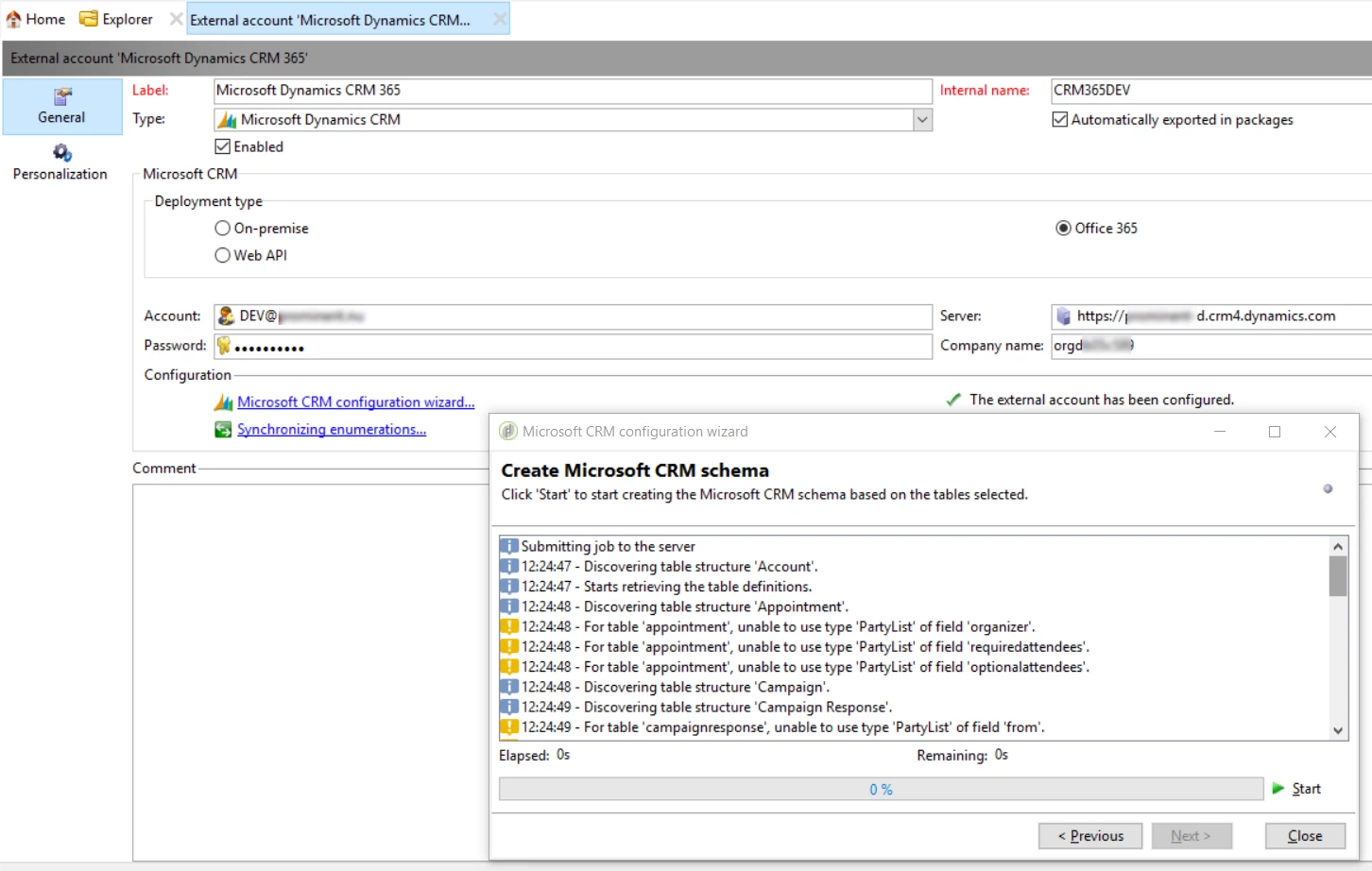
Next I am able to export contacts and/or leads form Adobe campaign to CRM.

But when I try to insert an appointment, Email or Campaign response, I receive an error:  Error while inserting the object with local ID '399974922', cause: 'An unexpected error occurred.'

By trial and error filled the minimum of required fields, untill the point no errors on missing data are reported  in the logs. Resulting in the unexpected error (http error 500 is logged prior to this message.)

Generic CRM connector:
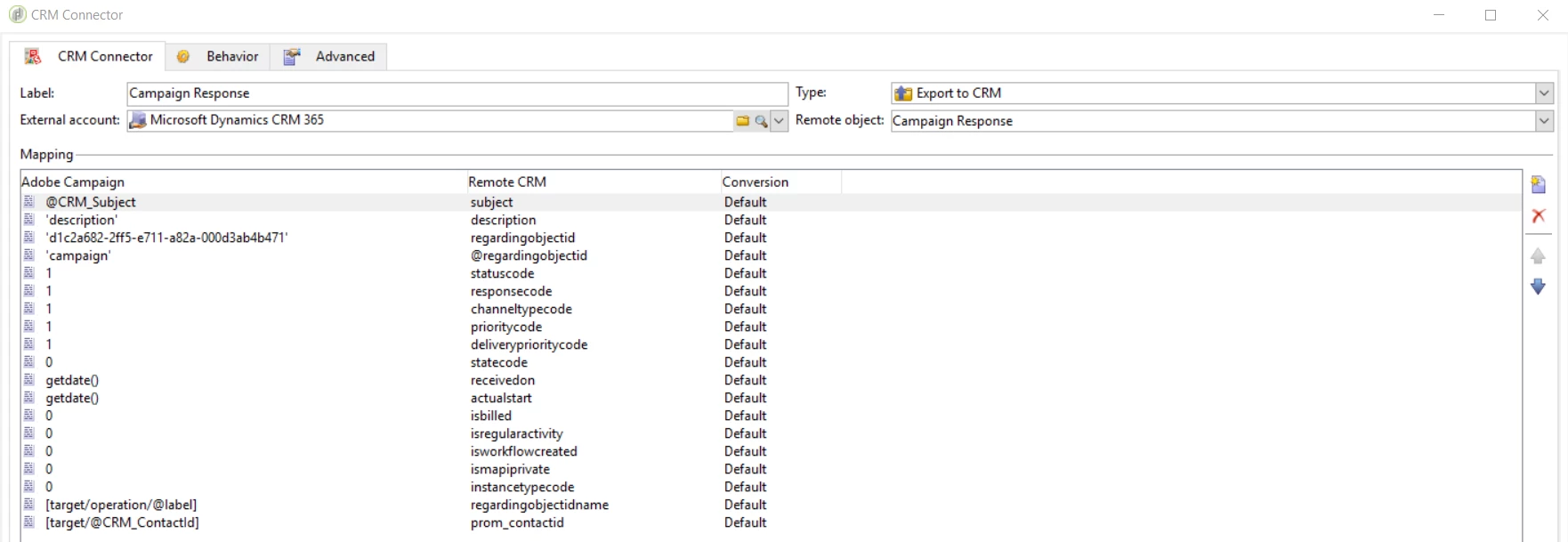
And when I use the Specific Dynamics connector (this is based on a simple synchronization: import responses from CRM to campaign via connector, update subject and local change dates and synchronyze these changes back to CRM):
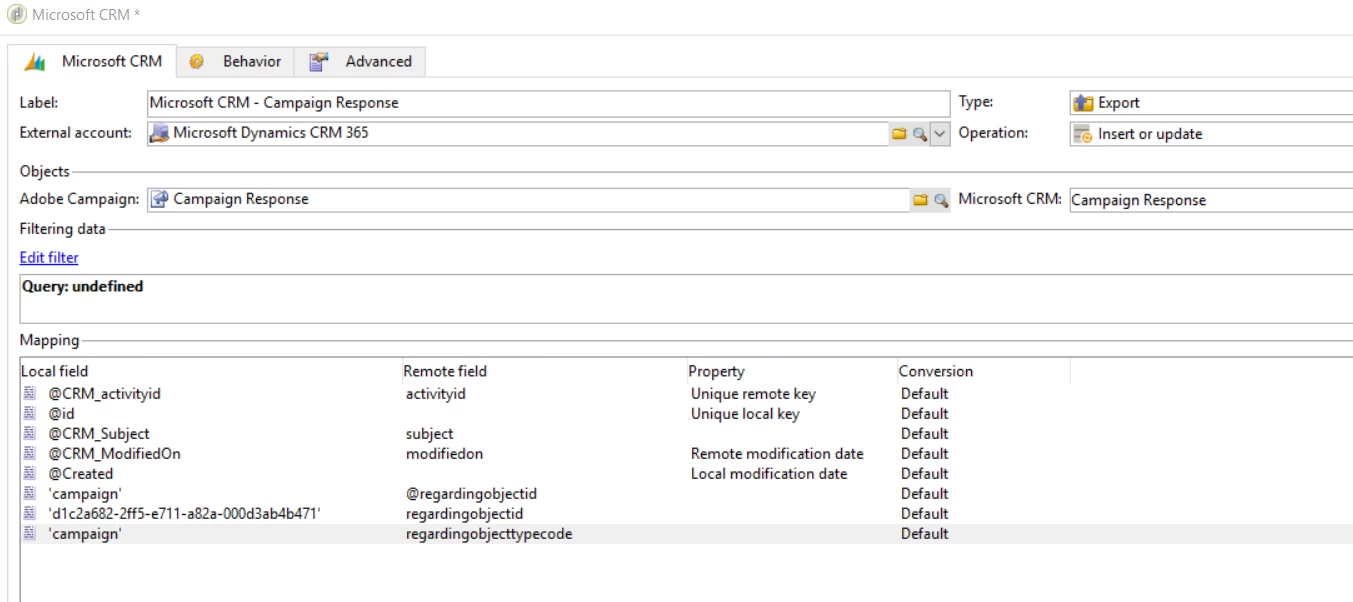
I get this error:

Error while updating object (local ID: '400048217', remote ID: '691CEA8E-2FF5-E711-A82A-000D3AB4B471'), cause: 'When updating an activity, regarding object id has been provided, but regarding object type was missing'.

adding/removing regardingobjecttpecode does not effect the outcome.

Can't find anything when searching the net regarding these errormessage(s).

Does anyone recognize this ?

Kind Regards

Menno.

This post is no longer active and is closed to new replies. Need help? Start a new post to ask your question.
Best answer by menno_74

Hi glvarrichio,

As a matter of fact I found some kind of workaround for this.

First of all: You have to  change some settings in the defenition of the dataschema.

This involves some editing of XML, so please stay with me on this one

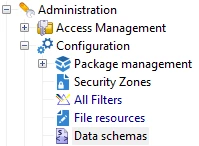
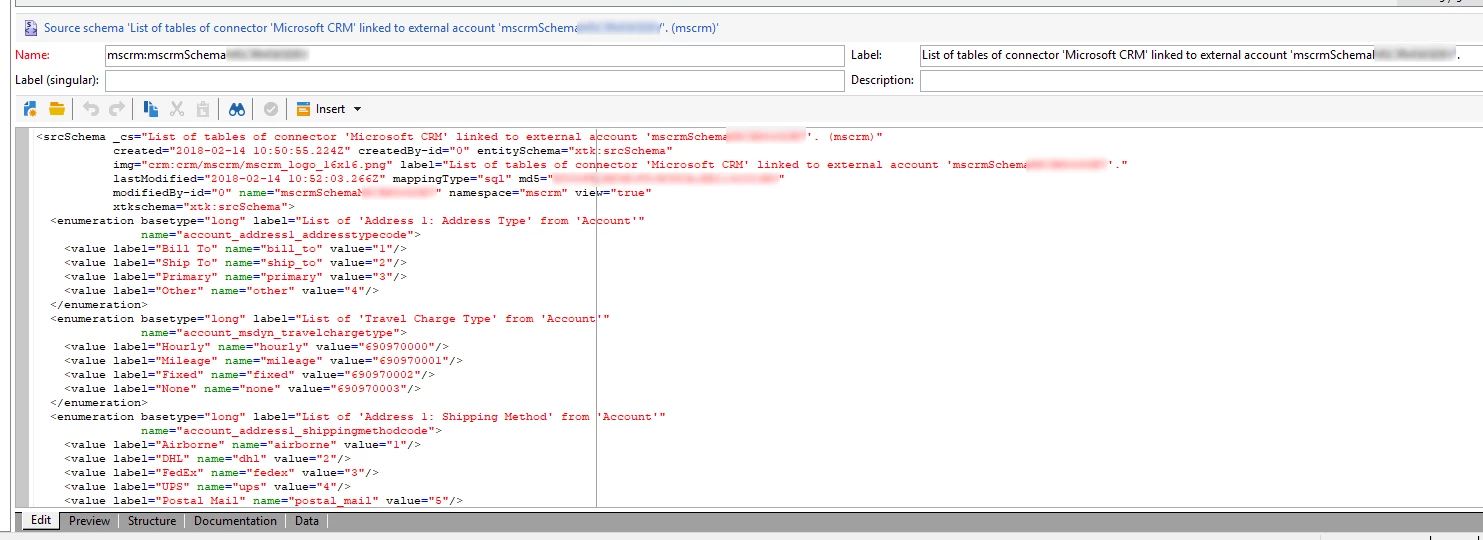
Once you configured an external account for a certain msCRM connection, the definition of the entities you chose to use with the account is saved in a dataschema. (Administration\Configuration\Data Schemas).

You can find the schema in the namespace 'MSCRM' and it will contain the name (internal name) of the account you configured (the name is preceded by 'mscrmSchema', in my case).

In this schema you will have to find the activity (entitiy) that you want (need) to insert an activity for with a certain regarding (ie. contact) and change the defenitions of the "regardingobjectId" element to do so.

For example Letter:

Find the element defenition for "regardingobjectId":

<element desc="[lookup](account) Do not erase or modify this field." label="Regarding(optional)"
               length="36" name="regardingobjectid" type="string"/>

And change the defenition to

<element desc="[lookup](contact) Do not erase or modify this field." label="Regarding(optional)"
               length="36" name="regardingobjectid" type="string"/>

That's it!

Now save the schema, disconnect and reconnect to accept the changes, you should now be able to save a letter with a contactId as a regarding.

The specific changes to save a campaign response for a campaign as a regarding ,are to simply change

<element desc="[lookup](bulkoperation) Do not erase or modify this field."

label="Parent Campaign" length="36" name="regardingobjectid" type="string"/>

to

<element desc="[lookup](campaign) Do not erase or modify this field." label="Parent Campaign"

length="36" name="regardingobjectid" type="string"/>

Again: save the schema, disconnect and reconnect to accept the changes, you should now be able to save a campaign response with campaign as a regarding.

A word on the effectiveness of the workaround: We've been using this workaround for 'campaign response' , 'phonecall' and letter since go-live on september 1, 2018.

That said: I am confident that this workaround as such is suitable for 'Email', 'Task' and other activitiy-based entitites the like.

Kind Regards,

Menno

13 replies

menno_74
menno_74Author
New Participant
April 18, 2019

Hi varrichio,

I hope you found a solotion already.

EDIT:

The "To" and "From" fields are of the CRM type  "activityparty"  and Activityparty is a multi-part field and as such is not supported by Adobe Campaign

We solved this specific problem by filling the "to" field by means of a CRM workflow (we copy it from a custom fleld added to the entitiy phonecall, which in turn is filled with the corresponding guid selected in the adobe Campaign process).

Kind regards,

Menno

New Participant
December 20, 2018

Dear Menno,

I had done what you mentioned and it worked like a charm, except for the PhoneCall.To and PhoneCall.From. These fields seems to work in another particular way. Please take a quick look at this: Link directly from microsoft and this link, a blog that I found that the guy kindly simplify the process but no solution.

Well, I belive the logic would be:

Pass the activity CRM ID to activity party and specify the parties, mentioning 1 to Sender and 2 to To field. Does that make sense? Do you mind helping me come up of what of doing this?

Thank you in advance

menno_74
menno_74Author
New Participant
November 30, 2018

Hi varrichio,

That depends on which field is shown there in the CRM page. It could be you need to fill additional fields as ' Call To' to get this displayed correctly.

In chrome browser you can install a plugin called 'level up for Dynamics CRM/365'  which can help you pull the fieldnames (logical names) from the screen, so you can find more easily which field(s) to map.

Kind Regards,

Menno.

varrichio
New Participant
November 16, 2018

Menno, thank you so much for the response. It worked, greattttt

The image below is from a customer activity, it is getting assigned to a customer but it is not showing the customer name in the activity client name, maybe it is something related to the config...I will try a little bit more...

Thank you so much.....

Thank you again

Regards

menno_74
menno_74AuthorAccepted solution
New Participant
November 16, 2018

Hi glvarrichio,

As a matter of fact I found some kind of workaround for this.

First of all: You have to  change some settings in the defenition of the dataschema.

This involves some editing of XML, so please stay with me on this one

Once you configured an external account for a certain msCRM connection, the definition of the entities you chose to use with the account is saved in a dataschema. (Administration\Configuration\Data Schemas).

You can find the schema in the namespace 'MSCRM' and it will contain the name (internal name) of the account you configured (the name is preceded by 'mscrmSchema', in my case).

In this schema you will have to find the activity (entitiy) that you want (need) to insert an activity for with a certain regarding (ie. contact) and change the defenitions of the "regardingobjectId" element to do so.

For example Letter:

Find the element defenition for "regardingobjectId":

<element desc="[lookup](account) Do not erase or modify this field." label="Regarding(optional)"
               length="36" name="regardingobjectid" type="string"/>

And change the defenition to

<element desc="[lookup](contact) Do not erase or modify this field." label="Regarding(optional)"
               length="36" name="regardingobjectid" type="string"/>

That's it!

Now save the schema, disconnect and reconnect to accept the changes, you should now be able to save a letter with a contactId as a regarding.

The specific changes to save a campaign response for a campaign as a regarding ,are to simply change

<element desc="[lookup](bulkoperation) Do not erase or modify this field."

label="Parent Campaign" length="36" name="regardingobjectid" type="string"/>

to

<element desc="[lookup](campaign) Do not erase or modify this field." label="Parent Campaign"

length="36" name="regardingobjectid" type="string"/>

Again: save the schema, disconnect and reconnect to accept the changes, you should now be able to save a campaign response with campaign as a regarding.

A word on the effectiveness of the workaround: We've been using this workaround for 'campaign response' , 'phonecall' and letter since go-live on september 1, 2018.

That said: I am confident that this workaround as such is suitable for 'Email', 'Task' and other activitiy-based entitites the like.

Kind Regards,

Menno

New Participant
October 31, 2018

Hi Menno,

I´m having the same issue here, have you figured out a solution for this?

Thank you

florentlb
New Participant
April 4, 2018

Thanks Menno for the update,

Let us know when you have more on this and find a way through!

Florent

menno_74
menno_74Author
New Participant
March 14, 2018

Hi Florent,

We've asked Adobe PS to help out. They in turn asked assistance with Microsoft via the Adobe-Microsoft partner program.

They have been able to reproduce the error. After that they investigated if this happens on a clean install of Adobe campaign connected to a clean install of CRM365. Both v6 and v7 of campaign encounter the same error.

In parallel I've tried to insert an activity to CRM via SoapUI and via visual studio. SoapUi -for now- is unsuccesfull in making connection so far ("An error occurred when verifying security for the message"). Via visualstudio the insert of a letter activity with regarding object contact works fine (using only three prameters: regardingobjecttype, regardingobjectId and subject). Trying to do the same via Adobe Campaign results in the error "Account with id ... does not exist"

Also inserting a letter activity from our campaign instance to crm 365, linked (regardingobject) to an existing account in CRM works just fine. If, however we change the parameters to any other CRM entity, we get the mentioned error; always on account.

So it seems that for the 365 version of Dynamics CRM somehow the translation of the given regarding type for entity gets ignored between Adobe campaign and Dyamics 365 CRM.

To be continued...

Menno

florentlb
New Participant
March 12, 2018

Hi,

Any update to share on this?

Florent

florentlb
New Participant
February 9, 2018

Hi Menno,

Thanks for the update on your investigations. That may be a bug or a limitation in the new activity, I'd recommend getting in touch with support in case they have already heard about that.

Vipul Raghav​, do you know about this behaviour?

Florent