creating new source id | Community
Skip to main content
New Participant
October 4, 2022
Solved

creating new source id

  • October 4, 2022
  • 1 reply
  • 968 views


Hi,


How do I create a new source id in Adobe Campaign for a newsletter sign up? As currently I have only one and I would lie to split this so I can track different locations on where customers signs up the most.


Thanks

Tak
This post is no longer active and is closed to new replies. Need help? Start a new post to ask your question.
Best answer by Shubham_Goyal__

Hi @takl ,

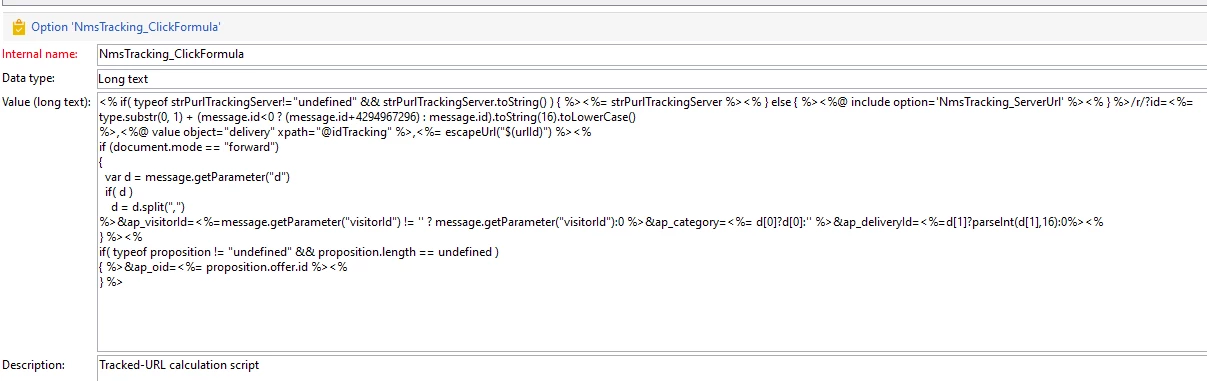
In order to track some additional parameters from your delivery, you need to make changes in the tracking click formula Admin>Platform>Options>NmsTracking_ClickFormula.
You need to add this new parameter in the click formula so that it can be then picked and received in the tracking logs.


Br,
Shubham 

1 reply

Shubham_Goyal__
Shubham_Goyal__Accepted solution
New Participant
October 7, 2022

Hi @takl ,

In order to track some additional parameters from your delivery, you need to make changes in the tracking click formula Admin>Platform>Options>NmsTracking_ClickFormula.
You need to add this new parameter in the click formula so that it can be then picked and received in the tracking logs.


Br,
Shubham 

TakLAuthor
New Participant
October 18, 2022

Hi thanks for the update.

It looks like we have made some changes already. So does this mean that we can record the extra source ids?


Shubham_Goyal__
New Participant
October 18, 2022

Hi @takl ,


If you see the desired parameter is correctly added to the formula string then you should be able to record that item in tracking logs.


Br,

Shubham