FileTransfer (upload) to aws s3 bucket is giving error(0 file(s) to transfer) | Community
Skip to main content
Level 2
Feb 27, 2023 7:41 AM UTC
Solved

FileTransfer (upload) to aws s3 bucket is giving error(0 file(s) to transfer)

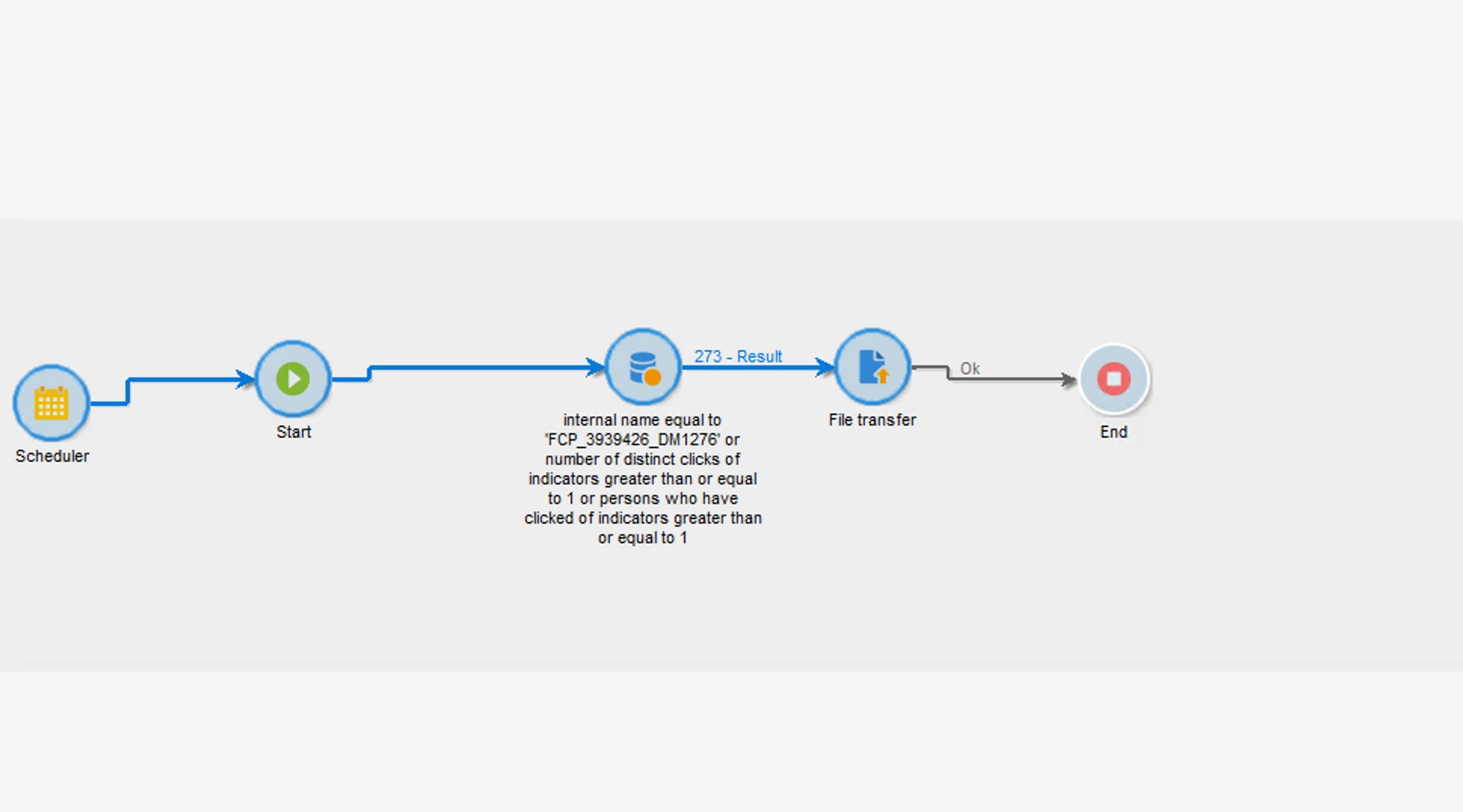
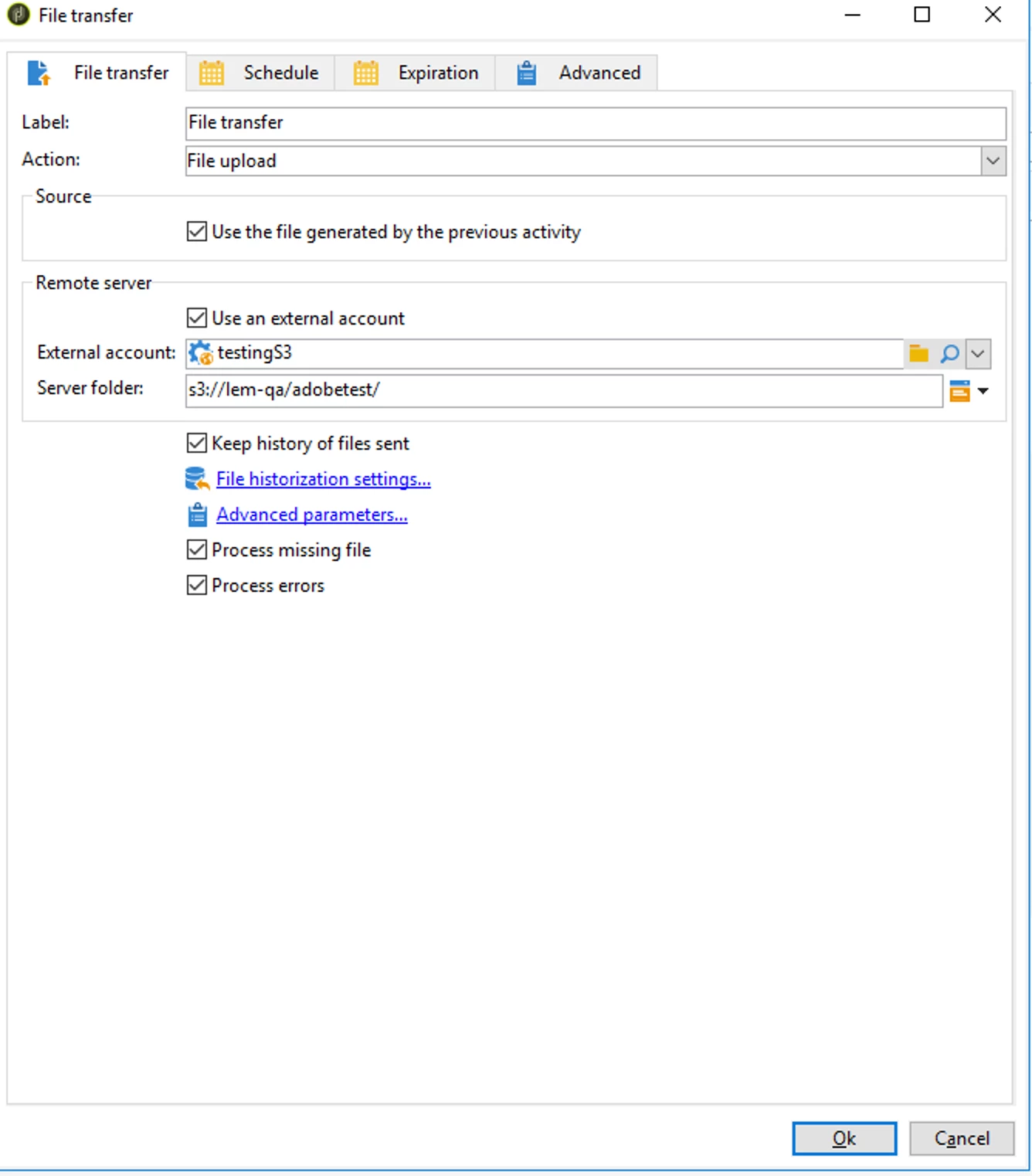
i am creating a workflow activity and then doing a file transfer (attaching the screenshots) but  getting this output "0 file(s) to transfer"
This post is no longer active and is closed to new replies. Need help? Start a new post to ask your question.
_Manoj_Kumar_
_Manoj_Kumar_Accepted solution
New Participant
Feb 27, 2023 11:23 AM UTC

@arnav21  That will be your bucket URL something like mybucket.s3.amazonaws.com


more info is available here: https://experienceleague.adobe.com/docs/campaign-classic/using/installing-campaign-classic/accessing-external-database/external-accounts.html?lang=en#amazon-simple-storage-service--s3--external-account

     Manoj     Find me on LinkedIn

4 replies

_Manoj_Kumar_
New Participant
Feb 27, 2023 9:40 AM UTC

Hello @arnav21 


You are missing the data extraction activity to generate the file.


Also, change the server folder path to only /adobetest

Translate
     Manoj     Find me on LinkedIn
arnav21Author
Level 2
Feb 27, 2023 9:54 AM UTC

done this also can you tell me what to put in "Server" in external account

Translate
_Manoj_Kumar_
_Manoj_Kumar_Accepted solution
New Participant
Feb 27, 2023 11:23 AM UTC
     Manoj     Find me on LinkedIn
arnav21Author
Level 2
Feb 27, 2023 8:17 AM UTC

this issue is resolved but now it is saying 

Translate