Format Currency - Adobe Campaign Classic v7 | Community
Skip to main content
New Participant
January 13, 2023
Solved

Format Currency - Adobe Campaign Classic v7

  • January 13, 2023
  • 2 replies
  • 3633 views

Hello, 


Does anyone have any documentation on how to correctly format the "FormatCurrency (<Amount>,<Currency>) " function?

I've tried to use it and get errors. My Amount is a "Double-precision-number" and I don't know what to use for currency; I've tried USD to no avail. 


Please advise. 

This post is no longer active and is closed to new replies. Need help? Start a new post to ask your question.
Best answer by akshaaga

@montezh2001 -

You can definitely go ahead and open a ticket but let me elaborate more on how this works.

It expects the ISO currency code as the parameter (e.g., ‘USD,’ ‘EUR’), but there is no documentation around it.
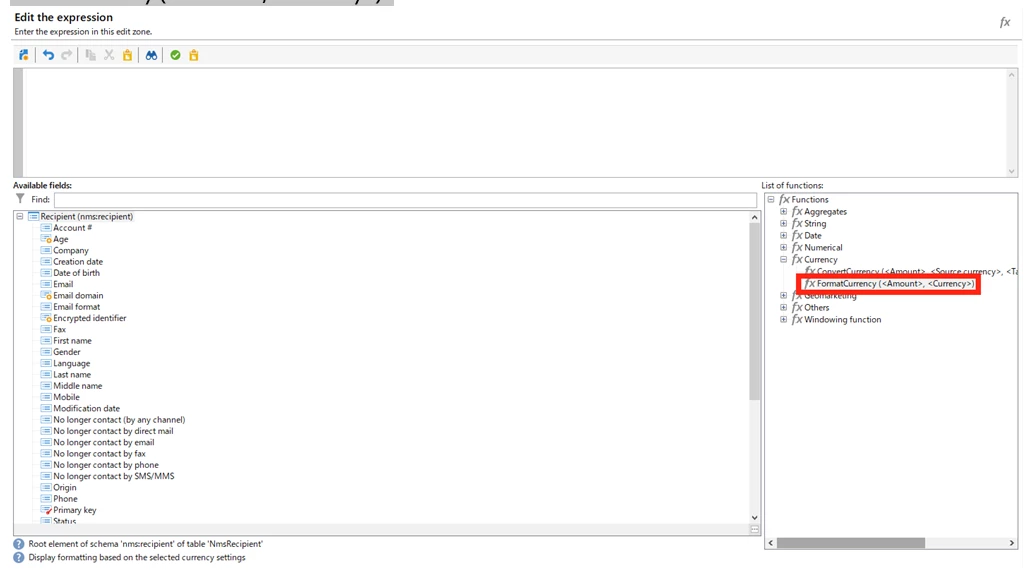
 

I tried on Postgres (strings, doubles, etc., for both <amount> and <currency> )

2 replies

Shubham_Goyal__
New Participant
January 16, 2023

Hi @montezh2001 ,


True, as mentioned by @akshaaga the FormatCurrency () function is currently not supported for Postgres (Adobe-managed environments).

As you mentioned your purpose is to make the currency display with your floating number column then here you can try to use an old school trick, convert your Floating number to Integer first using the Floor() or Round() function and then wrap this in ToString() function to convert it in String and then concat it with '$' symbol. 😉
example: in Enrichment activity, suppose your column name is @floatingNumber then use
  '$' + toString(Floor(@floatingNumber));


Br,

Shubham

New Participant
January 17, 2023

Thank you. This would work if the client didn't want to include the ',' as part of the amount. Example $1,207.00 is how they want it to be formtted. I even tried to call in a Javascript function Intl.NumberFormat(), but that does not work in Adobe.

So I think I will need to go about the long route of trying to code the comma into the amount. 

Shubham_Goyal__
New Participant
January 18, 2023

Yes, @montezh2001  it's sad to not have these functions working in Adobe campaign, so concatenation of strings seems to be the only possible way for now. 🙂


Br,

Shubham

akshaaga
Employee
January 13, 2023


@montezh2001 -


The function seems to be related to SQL Server only.

It has not been modified for a long time, and we have no automatic testing.


New Participant
January 13, 2023

Akshaaga, 


So, this function doesn't work in the Enrichment step? Should I open a Support Ticket?


My ultimate goal is this. To convert a number: 1,207.00 so it displays as $1,207.00. 

Using the functions in Adobe, always removes the comma-separator. 

akshaaga
akshaagaAccepted solution
Employee
January 14, 2023

@montezh2001 -

You can definitely go ahead and open a ticket but let me elaborate more on how this works.

It expects the ISO currency code as the parameter (e.g., ‘USD,’ ‘EUR’), but there is no documentation around it.


I tried on Postgres (strings, doubles, etc., for both <amount> and <currency> )