
How to add values in Custom tag 1 in web analytics properties | Community
Skip to main content
pradeep_07
New Participant
July 10, 2020
Solved

How to add values in Custom tag 1 in web analytics properties

  • July 10, 2020
  • 1 reply
  • 2532 views

Hi ,

 I am trying to add value region and country value in custom tag section under Web analytics properties. In order to differentiate the report in Adobe analytics. I am not able to type anything inside the custom tag field. Is there anything I have to do with Data schema to get this values? How it can be dynamically called for each deliveries?



This post is no longer active and is closed to new replies. Need help? Start a new post to ask your question.
Best answer by _Manoj_Kumar_

Hello @pradeep_07 ,


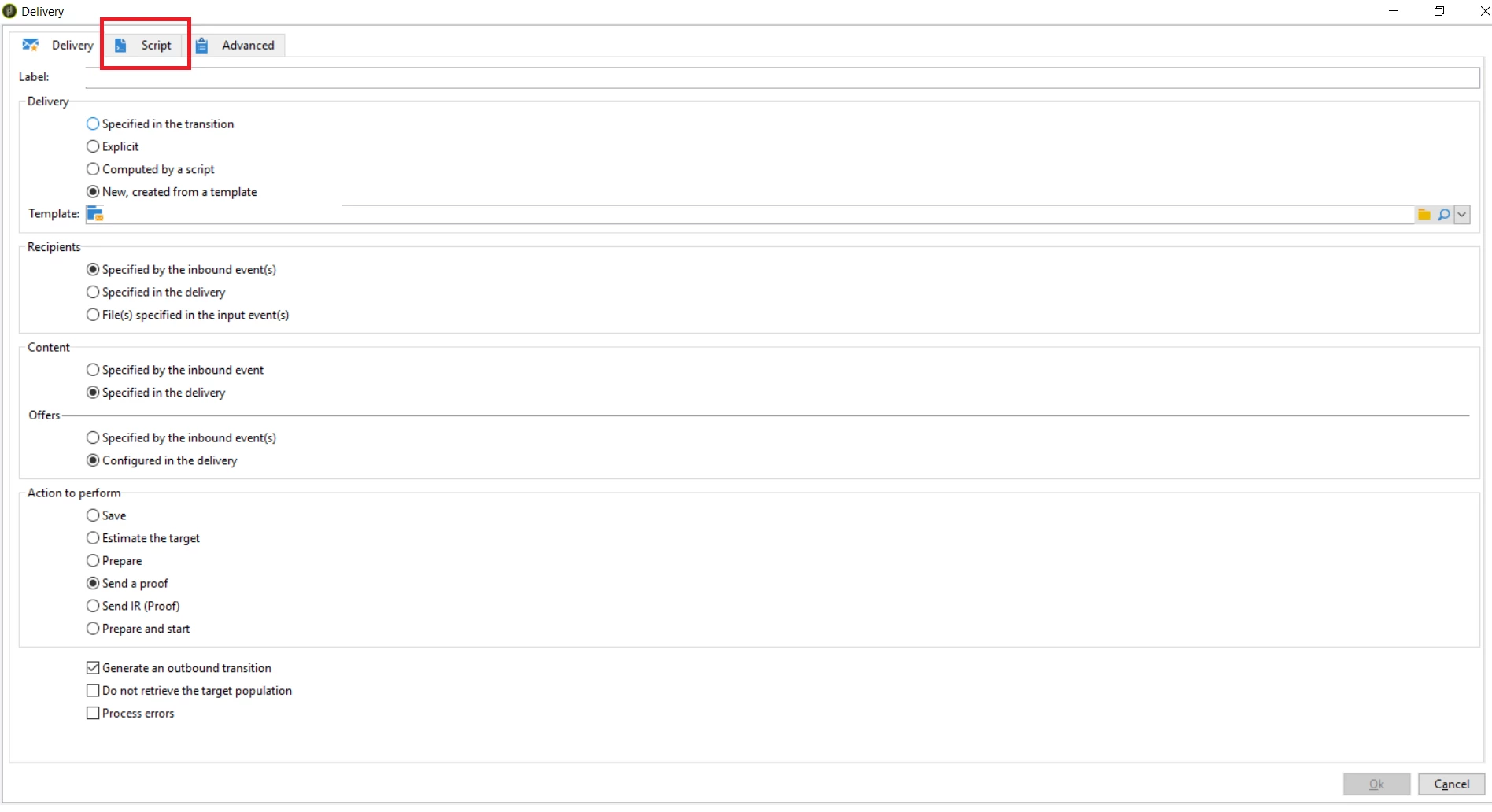
You can dynamically add these tag by adding a java script code to Script tab of the delivery activity.


The code will look like this.


delivery.webAnalytics.tag1="TAG_1_VALUE"; delivery.webAnalytics.tag2="TAG_2_VALUE"; delivery.webAnalytics.tag3="TAG_3_VALUE";


Let me know if that helps.


1 reply

_Manoj_Kumar_
_Manoj_Kumar_Accepted solution
New Participant
July 10, 2020

Hello @pradeep_07 ,


You can dynamically add these tag by adding a java script code to Script tab of the delivery activity.


The code will look like this.


delivery.webAnalytics.tag1="TAG_1_VALUE"; delivery.webAnalytics.tag2="TAG_2_VALUE"; delivery.webAnalytics.tag3="TAG_3_VALUE";


Let me know if that helps.


     Manoj     Find me on LinkedIn
pradeep_07
New Participant
July 10, 2020
Thanks This really helps. But when you say script tab in delivery activity. where is it exactly? I am not able to locate it