How to define the schema column which to be exported in the package? | Community
Skip to main content
Level 3
Nov 24, 2020 1:27 AM UTC
Solved

How to define the schema column which to be exported in the package?

Hi Team I just encountered a issue. I have defined a schema, but when I want to export the data of this schema to a new environment, we found that some important column of data is lost. If there any configuration to define which column should be exported?

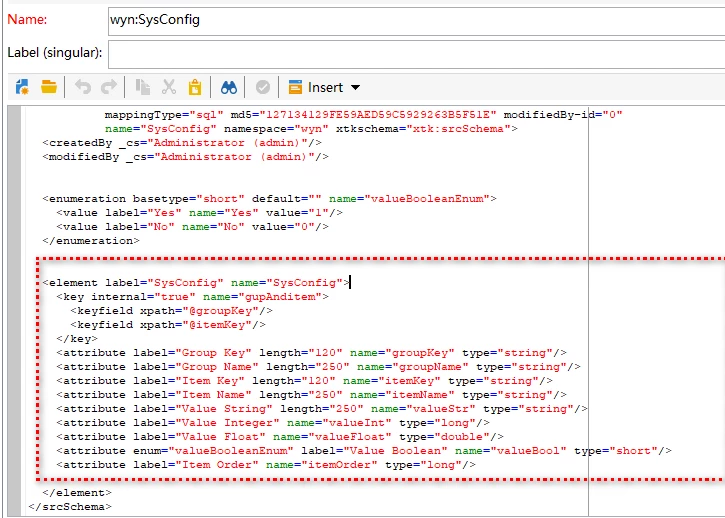
this is my schema definition
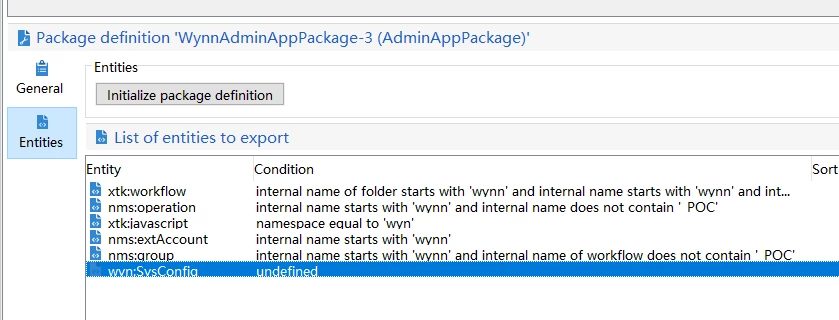
package defined as below
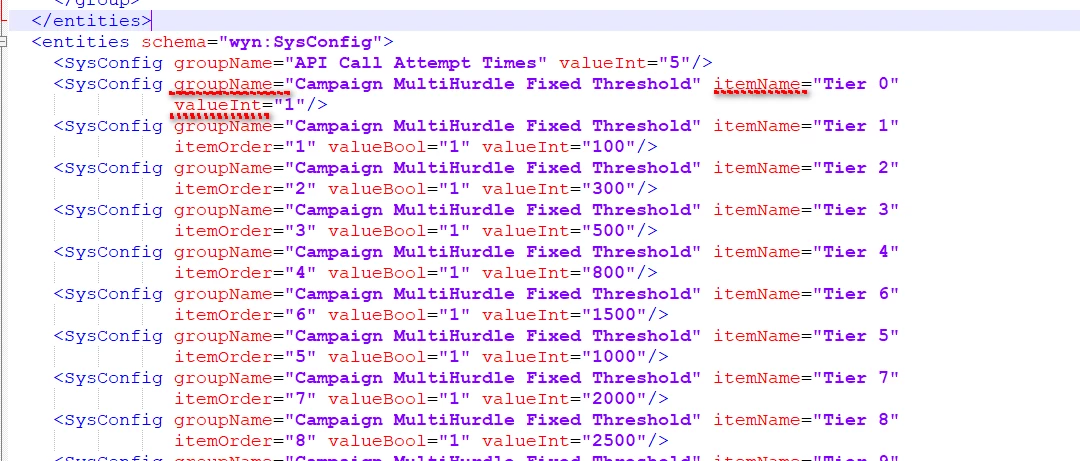
but in the exported package, only three column be exported


This post is no longer active and is closed to new replies. Need help? Start a new post to ask your question.
yueminspbAccepted solution
Level 3
Dec 2, 2020 1:22 AM UTC
Hi @sukrity_wadhwa, thanks for your help, we have resolved this problem. We had incorrectly used a property named internal in the key attribute

5 replies

Sukrity_Wadhwa
Employee
Dec 1, 2020 10:44 AM UTC

Hi @yueminspb,

Were you able to resolve this query with any of the given solutions or do you need more help? Do let us know.

Thanks!

Translate
Sukrity Wadhwa
yueminspbAuthorAccepted solution
Level 3
Dec 2, 2020 1:22 AM UTC
Hi @sukrity_wadhwa, thanks for your help, we have resolved this problem. We had incorrectly used a property named internal in the key attribute
Translate
Jonathon_wodnicki
New Participant
Nov 24, 2020 5:29 PM UTC

Hi,


Export the data? Use File extract activity in a workflow, then use web browser or sftp to pick up the file.


Thanks,

-Jon

Translate
Milan_Vucetic
Level 9
Nov 24, 2020 2:08 PM UTC

Hi @yueminspb 

use package definition to select schema and then make an export. All columns will be there.

In case you are using direct export from the schemas folder you are able to remove XML lines before export and this probably happened here.

Regards, Milan

Translate