How to Resolve this Error, Due to this i could not be able to update my database structure, Whenever I'm trying to update my database this pop up. | Community
Skip to main content
New Participant
May 9, 2023
Solved

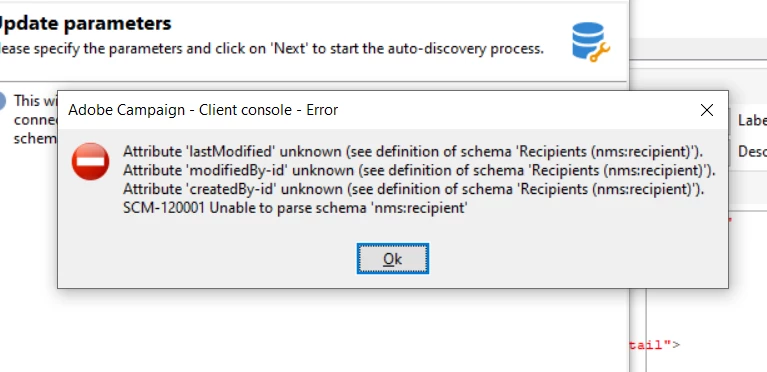
How to Resolve this Error, Due to this i could not be able to update my database structure, Whenever I'm trying to update my database this pop up.
  • May 9, 2023
  • 2 replies
  • 990 views

This post is no longer active and is closed to new replies. Need help? Start a new post to ask your question.
Best answer by DavidKangni

Hi @kishan_kumar 


These 3 fields are usually created by audit trail xml

<element aggregate="xtk:common:auditTrail" name="auditTrail"/>

Did you add this or remove it recently? That being said, you need to check in your recipient schema if these fields are there fix your issue.


Thanks,

David

2 replies

SatheeskannaK
New Participant
May 9, 2023

@kishan_kumar Looks like the extended recipient schema is throwing an error on the audit fields. Take a look at this documentation and confirm everything looks as expected.

https://experienceleague.adobe.com/docs/campaign/campaign-v8/developer/shemas-forms/extend-schema.html?lang=en

Thanks, Sathees
DavidKangni
DavidKangniAccepted solution
New Participant
May 9, 2023

Hi @kishan_kumar 


These 3 fields are usually created by audit trail xml

<element aggregate="xtk:common:auditTrail" name="auditTrail"/>

Did you add this or remove it recently? That being said, you need to check in your recipient schema if these fields are there fix your issue.


Thanks,

David

David Kangni