
Inavlid "ETC/UTC" Time Zone FIle | Community
Skip to main content
abhinav99
New Participant
June 28, 2020
Solved

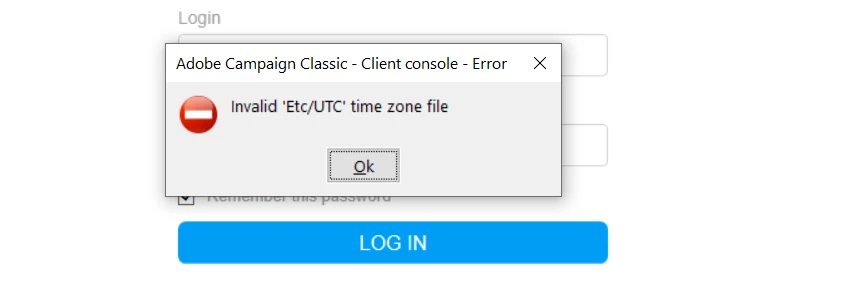
Inavlid "ETC/UTC" Time Zone FIle

  • June 28, 2020
  • 1 reply
  • 1735 views

Hi Team, I am facing this error every time  try to login. Can someone help.
This post is no longer active and is closed to new replies. Need help? Start a new post to ask your question.
Best answer by Milan_Vucetic

Hi @abhinav99 

your timezone file is corrupted. Please, do the hard cache clean and try again.

a. Closing the adobe campaign console
b. Opening the local folder “C:\Users\your_user\AppData\Roaming\Neolane\NL_5”
c. Deleting all the xml files except nlclient_cnx.xml (and delete the “nlclient” sub-folder too).
d. Log in again.

Regards,

Milan

1 reply

Milan_Vucetic
Milan_VuceticAccepted solution
New Participant
June 28, 2020

Hi @abhinav99 

your timezone file is corrupted. Please, do the hard cache clean and try again.

a. Closing the adobe campaign console
b. Opening the local folder “C:\Users\your_user\AppData\Roaming\Neolane\NL_5”
c. Deleting all the xml files except nlclient_cnx.xml (and delete the “nlclient” sub-folder too).
d. Log in again.

Regards,

Milan

abhinav99
abhinav99Author
New Participant
June 29, 2020
it worked .....Thank You @milan_vucetic