Unable to login - Cannot load navigation interface definition - Unable to create an image from a memory block | Community
Skip to main content
emmam40477668
New Participant
Nov 16, 2021 7:45 AM UTC
Solved

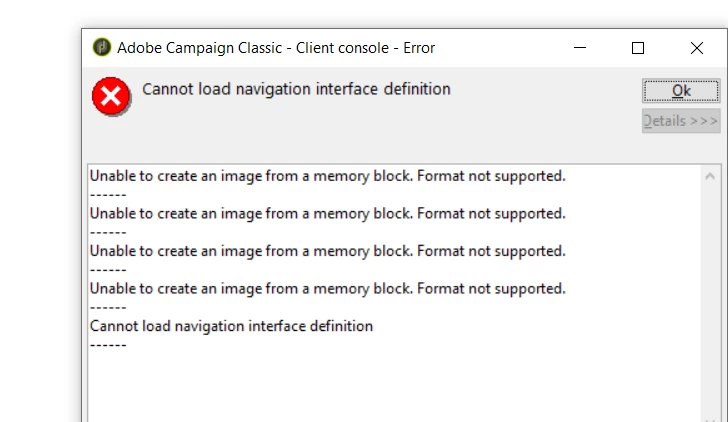
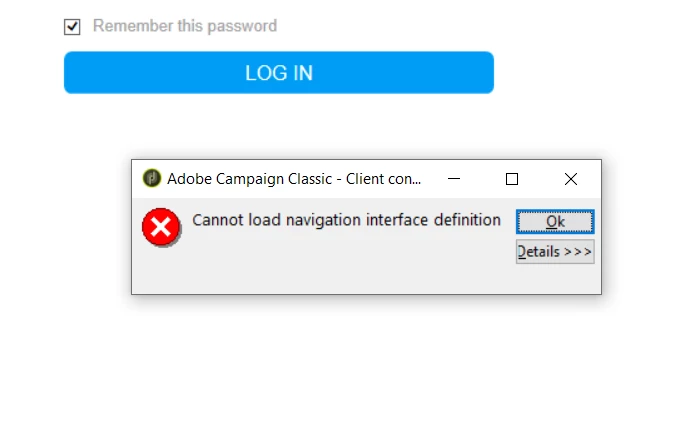
Unable to login - Cannot load navigation interface definition - Unable to create an image from a memory block

Hi, 

We having issues to login to the console (Adobe Campaign Classic v7). Since we're not able to login we can't do a soft cache clear. How do we solve the problem?
This post is no longer active and is closed to new replies. Need help? Start a new post to ask your question.
david--garcia
david--garciaAccepted solution
Level 10
Nov 16, 2021 4:49 PM UTC

Try the clear hard cache, otherwise uninstall and reinstall the client, if the issue is isolated to a single user then is likely the cache has become corrupted.

3 replies

david--garcia
Level 10
Nov 16, 2021 12:03 PM UTC

Can you provide your ACC client/server version, also has there been any recent upgrades? was this working before and all of a sudden stopped working? can you try installing the client console on a different machine and see if it works? is this a hosted or on-premise installation?


Try hard clearing the cache by:

https://helpx.adobe.com/ie/campaign/kb/how-to-perform-soft-and-hard-cache-clear-when-the-issues-are-mac.html

Clear hard cache

  • On the client console, choose File > Clear the local cache.

  • Logout and close the client console (rich client).

  • Go to the following locations, based on your operating system version:

    • Windows 7: C:\Users\<Username>\AppData\Roaming\Neolane\NL_5\
    • Windows XP: C:\Documents and Settings\<Username>\Application Data\Neolane\NL_5

    Here you will see many xml files named nlclient-config-<alphanumerical value>.xml.

  • Delete these xml files and associated folders.

    Caution:

    Do not delete nlclient_cnx.xml file.


  • Sign in to client console.

Translate
emmam40477668
New Participant
Nov 16, 2021 12:27 PM UTC

Thanks. It's 9032 version and the installation is on prem. No recent upgrades and this suddenly happend for one of our user. Is the best solution to do a clear hard cache?

Translate
david--garcia
david--garciaAccepted solution
Level 10
Nov 16, 2021 4:49 PM UTC

Try the clear hard cache, otherwise uninstall and reinstall the client, if the issue is isolated to a single user then is likely the cache has become corrupted.

Translate