Using Main Delivery Properties Direct Email | Community
Skip to main content
New Participant
January 28, 2020
Solved

Using Main Delivery Properties Direct Email

  • January 28, 2020
  • 2 replies
  • 2101 views

Hi,


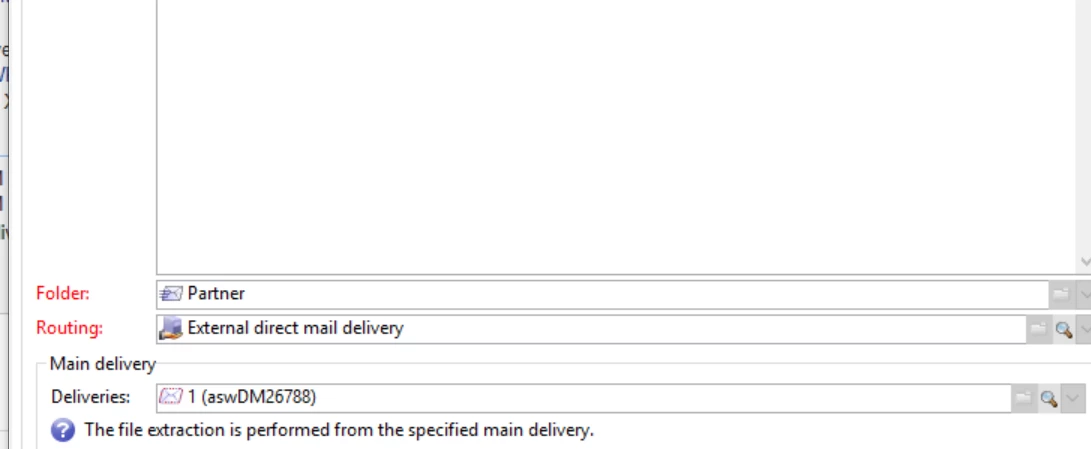
Can somebody please help me on documentation of configuring Main delivery feature in Direct Email Delivery?Also, if somebody has used it, please let me know howto use this.


The use case is user wants to have multiple direct email deliveries but write all data in a single file.
 

This post is no longer active and is closed to new replies. Need help? Start a new post to ask your question.
Best answer by Jonathon_wodnicki

Hi,


I'm not sure what that setting does, probably something with budgeting and/or MRM.

To concatenate files from deliveries, use a post-processing workflow on the routing account or service provider: Check if current delivery is last delivery in the group (e.g. 5 files exist, 5 expected), and if so use js to execCommand('cat groupid_*.txt > groupid.txt') or write out all the code to read and write the files.


Thanks,

-Jon

2 replies

BonolataAuthor
New Participant
February 12, 2020

Hi, Does anybody have any documentation for the Main Delivery Feature in Direct Email.


Request your help in the same

Jonathon_wodnicki
Jonathon_wodnickiAccepted solution
New Participant
January 28, 2020

Hi,


I'm not sure what that setting does, probably something with budgeting and/or MRM.

To concatenate files from deliveries, use a post-processing workflow on the routing account or service provider: Check if current delivery is last delivery in the group (e.g. 5 files exist, 5 expected), and if so use js to execCommand('cat groupid_*.txt > groupid.txt') or write out all the code to read and write the files.


Thanks,

-Jon

BonolataAuthor
New Participant
January 29, 2020
Thanks Jon for the support. We will check this option