XTK-170024 The temporary 'temp:enrich' schema is not defined in the current context. | Community
Skip to main content
Level 2
Sep 26, 2017 9:36 AM UTC
Solved

XTK-170024 The temporary 'temp:enrich' schema is not defined in the current context.

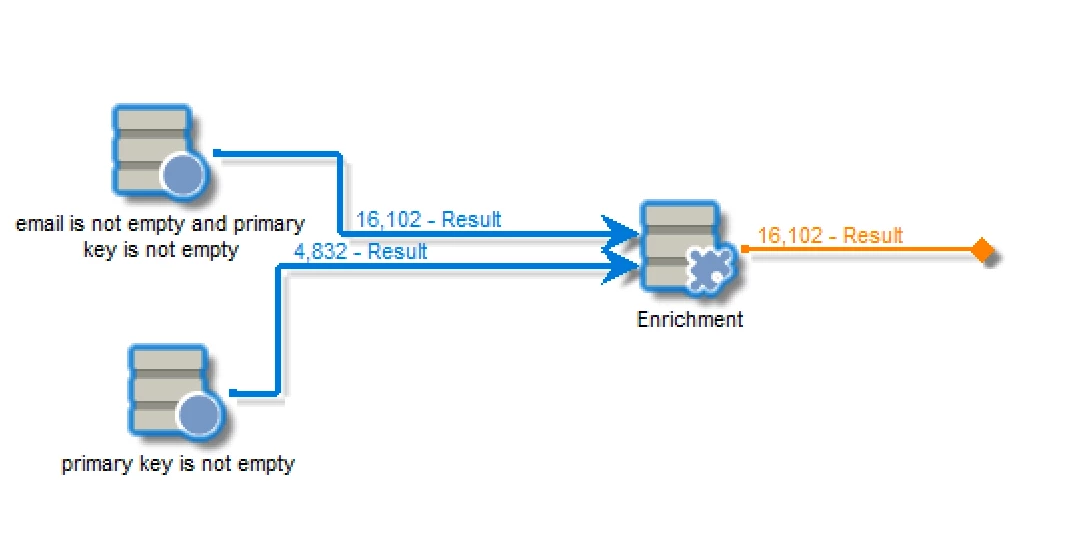
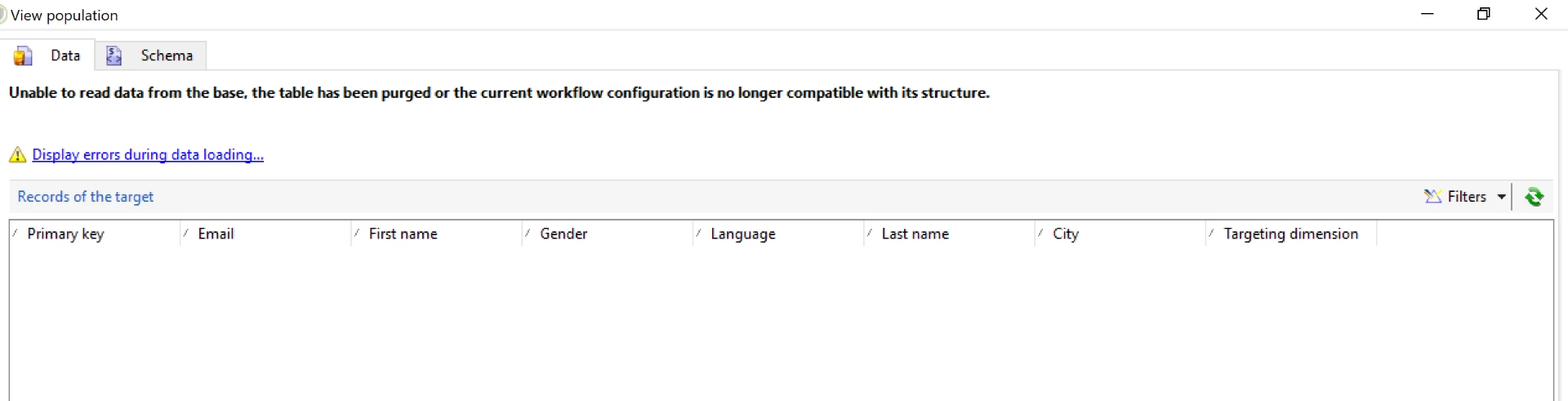
I'm getting this error while i'm trying to see data in worktable. The out bound transition is not connected and I tried using interim population check box as well. Please help.
This post is no longer active and is closed to new replies. Need help? Start a new post to ask your question.
harshalt9231438Accepted solution
Level 2
Sep 27, 2017 3:42 PM UTC

Have you upgraded recently?  Is your client console version matching the upgraded server version?

We had a similar issue and were informed to upgrade our Adobe client version.

10 replies

Level 2
Oct 18, 2017 8:39 AM UTC

Thank you.

Translate
Level 2
Oct 12, 2017 6:14 PM UTC

In our case, upgrading the client version to match the server resolved the issue.

Regards,

Harshal

Translate
florentlb
Level 10
Oct 10, 2017 1:25 PM UTC

Hi Krishna,

Were you finally able to find what was causing the issue and get through it?

As Jean-Serge suggested, sometimes even minor errors can cause this kind of issue, or the fact that the workflow has been running many times with errors. Best thing is to create it from scratch again. If that did not resolve your issue, Campaign support team will be able to investigate it further.

Let us know,

Florent

Translate
Jean-Serge_Biro
Level 10
Sep 27, 2017 3:59 PM UTC

Hi Krishna,

Please create a new enrichment activity (not copy/paste), delete the current one, check the new internal name of the enrichment activity (temp:enrich), and reexecute. Sometimes it happens some bug in Adobe Campaign resolved by this manipulation. 

If not resolved, I recommend you to open a ticket at Adobe Campaign support, it would be up to them rather community to manage your issue.

Regards
J-Serge

Translate
harshalt9231438Accepted solution
Level 2
Sep 27, 2017 3:42 PM UTC

Have you upgraded recently?  Is your client console version matching the upgraded server version?

We had a similar issue and were informed to upgrade our Adobe client version.

Translate
Level 2
Sep 27, 2017 5:09 AM UTC

Is this an environmental issue? Please help.

Translate
Level 2
Sep 26, 2017 11:23 AM UTC

Hi Vipul,

I created this workflow by drag drop of activities.

Also as you suggested, I applied the filter with @id not equal to 0 and still persisting the issue. Please refer screenshot.

Thanks,

Krishna

Translate
vraghav
Employee
Sep 26, 2017 11:16 AM UTC

Hi Krishna,

Did you copy paste activities on your workflow. This error is indicating towards it.

Well when you open the target data and see this error, apply a filter like @id not equal to 0 (whichever is applicable) and you will be able to see the result.

Regards,
Vipul

Translate
Level 2
Sep 26, 2017 10:32 AM UTC

Hi Jean,

I have used end activity and checked the interim population checkbox as well still I'm unable to see the results.

Here are the screenshots.

Also the error I encountered is here

Please help.

Thanks,

Krishna

Translate
Jean-Serge_Biro
Level 10
Sep 26, 2017 10:25 AM UTC

Hi Krishna,

Please, first of all, you should always put an End activity in all your workflows. Otherwise, the cleanup batch process (see technical workflow documentation) can't do the cleansing operations as it should and the temporary data remains a while.

With the interim population checkbox activated, you would be able to see the result set, after an execution. Please add the End activity, relaunch it and confirm it. Many thanks.

Regards
J-Serge

Translate