Bug: Unable to upload images from Assets | Community
Skip to main content
New Participant
November 21, 2018
Delivered

Bug: Unable to upload images from Assets

  • November 21, 2018
  • 3 replies
  • 3831 views

Hi Team,

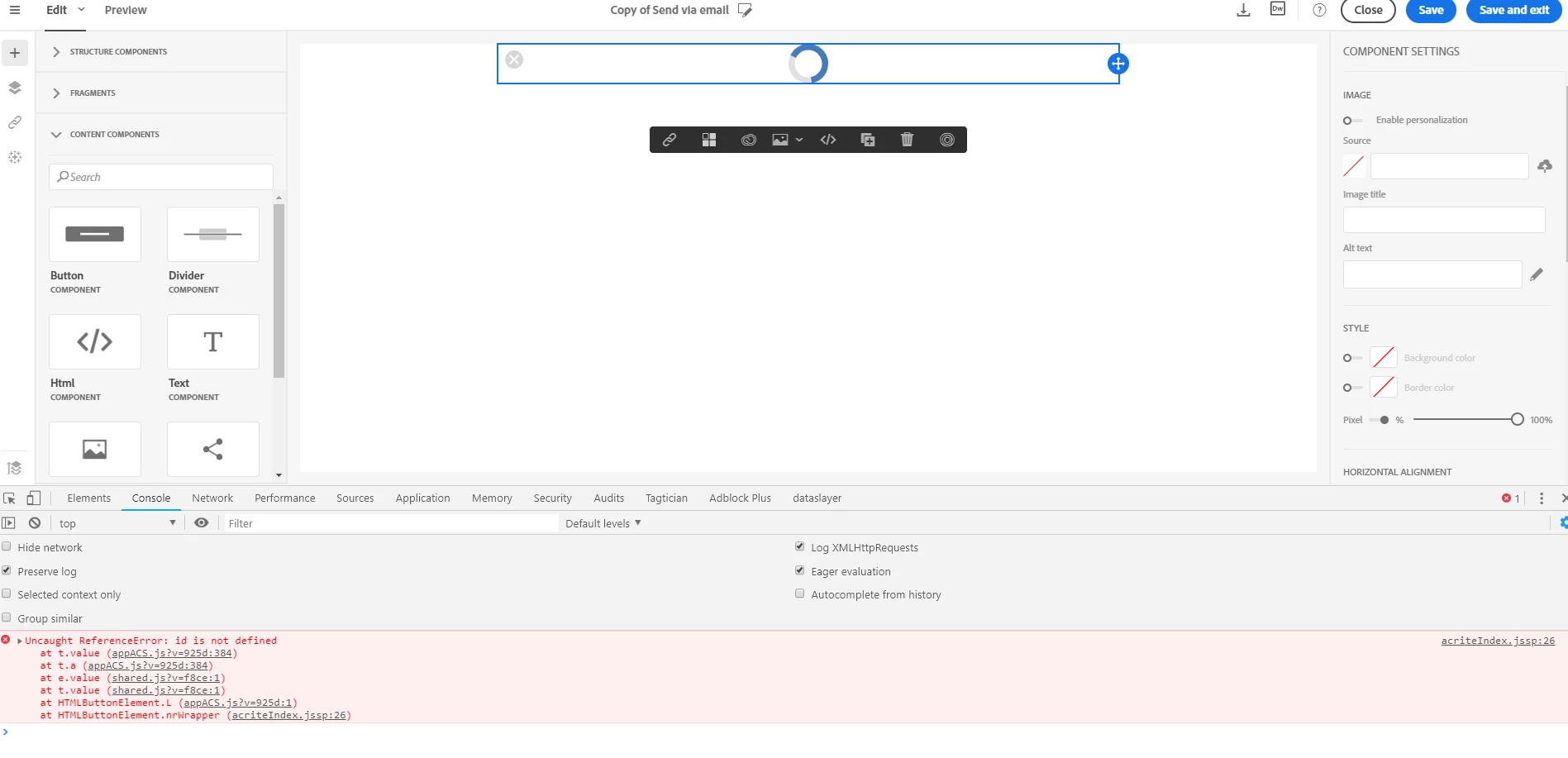
Please find the steps to replicate the issue.

1. Open any delivery and drag and drop any column structure

2. Drag and drop Image components

3. Click on Adobe assets button.

Result: Getting following error clicking in screenshot below
3 replies

Sukrity_Wadhwa
Employee
February 3, 2021

This issue has been corrected.

Sukrity Wadhwa
Employee
June 10, 2019

This issue has been corrected since then. We are  not reproducing anymore.

ericperrin
Employee
June 10, 2019

Hello,

Please report issues on our ticketing system: https://support.neolane.net/