Combining multiple rows into 1 row from imported file | Community
Skip to main content
New Participant
October 30, 2020
Solved

Combining multiple rows into 1 row from imported file

  • October 30, 2020
  • 4 replies
  • 3635 views

we have a file imported from a workflow. see sample below


Is there a way to combine row 1 and 2 using workflow?


Row#Header 1Header 2
1Customer 1Message 1
2Customer 1Message 2
This post is no longer active and is closed to new replies. Need help? Start a new post to ask your question.
Best answer by anasso83525035

Hello,


Here's a solution but you will need to know the maximum duplicates possible in your file, and also have a field to correctly order the records and concatenate your message in the right order.


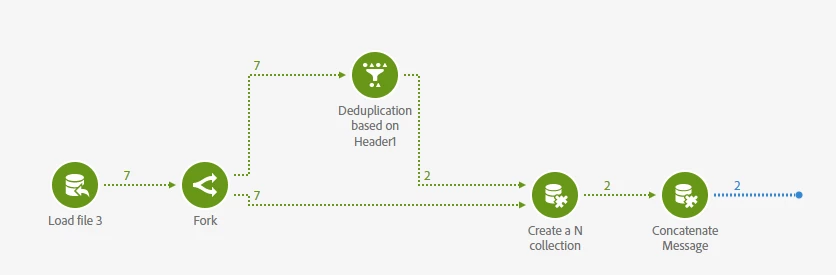
  1. Load your file
  2. Fork to two transitions
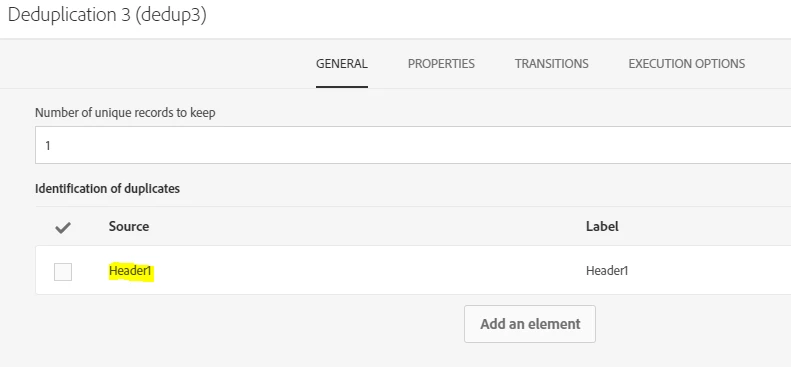
  3. in first transition, add a deduplication based on the Header1


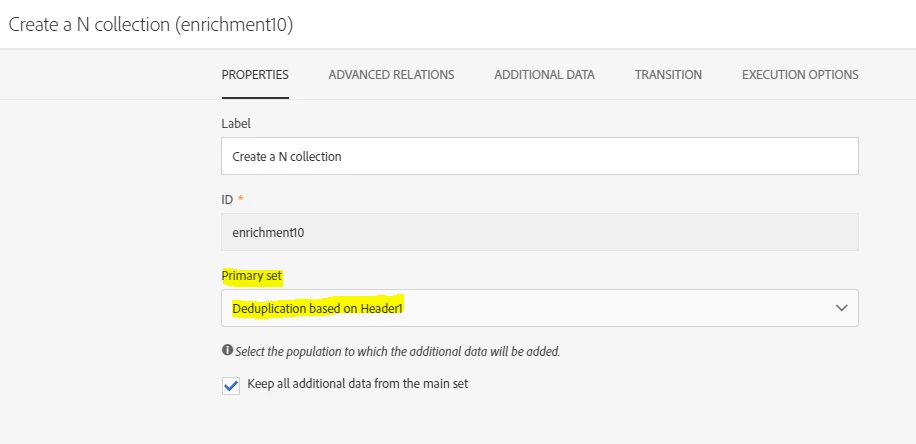
  4. Join the two transitions in an enrichment activity wih the deduplication transition as the main set in an N card link


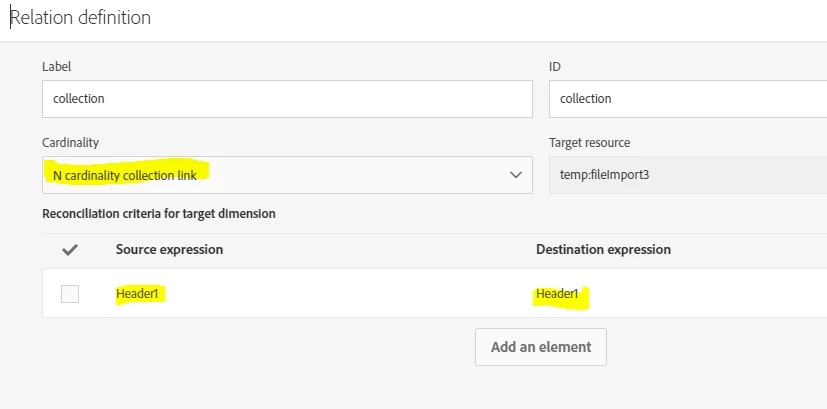
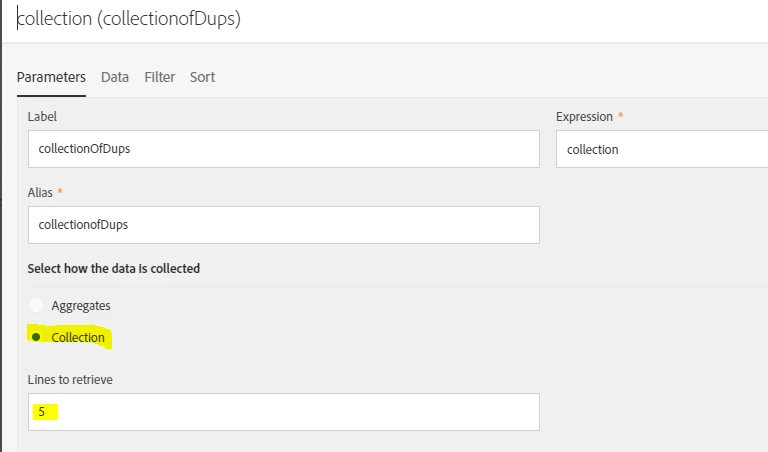
  5. In the additional data tab add your new collection link and configure its parameters as follow 

    Here I suppose that I may have as many as 5 duplicates max.

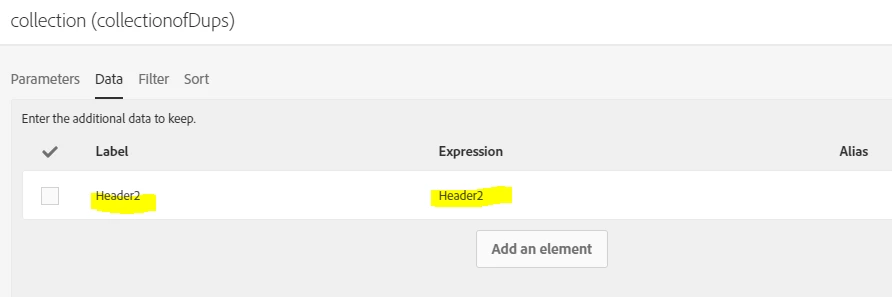
    In the data tab, I add the header2 corresponding to the Message:

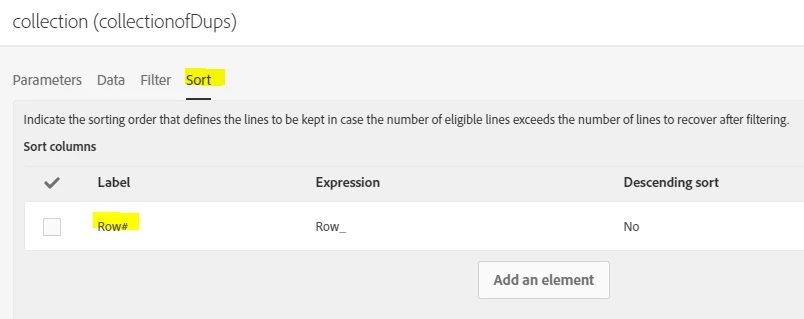
    In the Sort tab, I order by the rowID (supposedly) to have the message in the correct order.


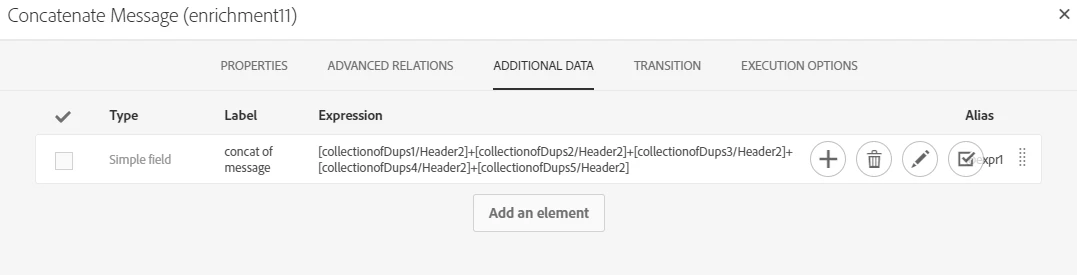
  6.  Last step is to add another enrichment to concatenate the 5 duplicates ordered by rowID


    Here's what my file looks like:

And final result in my workflow :


Hope this is clear enough.

4 replies

Sukrity_Wadhwa
Employee
November 11, 2020

Hi @peterd54639079,

Were you able to resolve this query with the given solution? Do let us know.

Thanks!

Sukrity Wadhwa
New Participant
November 9, 2020

Hello @peterd54639079,


Curious to know if you got a chance to test the solution provided ?

anasso83525035Accepted solution
New Participant
November 2, 2020

Hello,


Here's a solution but you will need to know the maximum duplicates possible in your file, and also have a field to correctly order the records and concatenate your message in the right order.


  1. Load your file
  2. Fork to two transitions
  3. in first transition, add a deduplication based on the Header1


  4. Join the two transitions in an enrichment activity wih the deduplication transition as the main set in an N card link


  5. In the additional data tab add your new collection link and configure its parameters as follow 

    Here I suppose that I may have as many as 5 duplicates max.

    In the data tab, I add the header2 corresponding to the Message:

    In the Sort tab, I order by the rowID (supposedly) to have the message in the correct order.


  6.  Last step is to add another enrichment to concatenate the 5 duplicates ordered by rowID


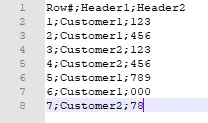
    Here's what my file looks like:

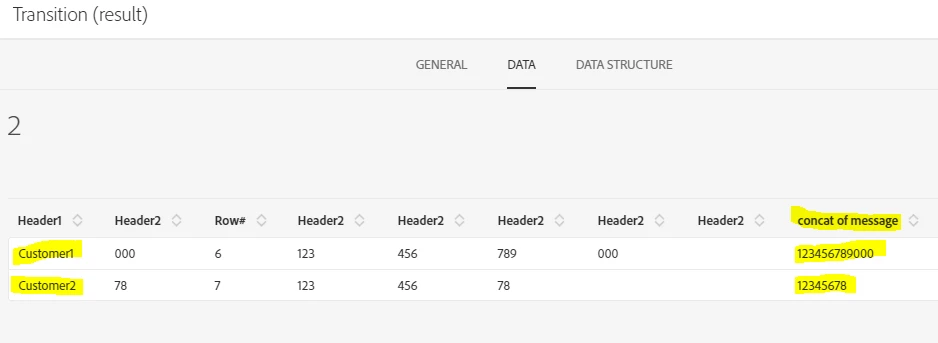
And final result in my workflow :


Hope this is clear enough.

New Participant
May 7, 2021
@anasso83525035 Thank you again for this.. is there a add new line in the enrichment activity?
New Participant
October 31, 2020

Hey @peterd54639079 


Couple questions here to be able to help you with this.


  • In your full file, are there always only two duplicates to merge ?
  • What should the Header 2 field look like when merged : Message 1+Message 2 ?
  • If so, does the line with the lower row number always have the start of the Message ?
  • What is the final objective of this ? Updating a table ? If so it may be easier to update twice directly rather than trying to merge the data beforehand.

Thanks.

New Participant
November 2, 2020

Hello


1. In the full file, there could be more that 2 duplicates to merge.

2. Yes that is what we want Header 2 to be --> Message 1 + Message 2

3. It doesn't have to be in that order

4. Our objective is to put the merge data as content on an email