Computed Attachment to Delivery | Community
Skip to main content
New Participant
Jan 31, 2019 9:41 AM UTC
Solved

Computed Attachment to Delivery

Hello Dear Community.

I am currently struggle with adding attachment to delivery.

In 99% i thought i have achieved this one .

In first run when i run query file is computed properly with current data from query.

Problem starts when i change data in query and re-run it, i still receive file from the first run.

Data is saved on neo-lane partition and on SFTP.

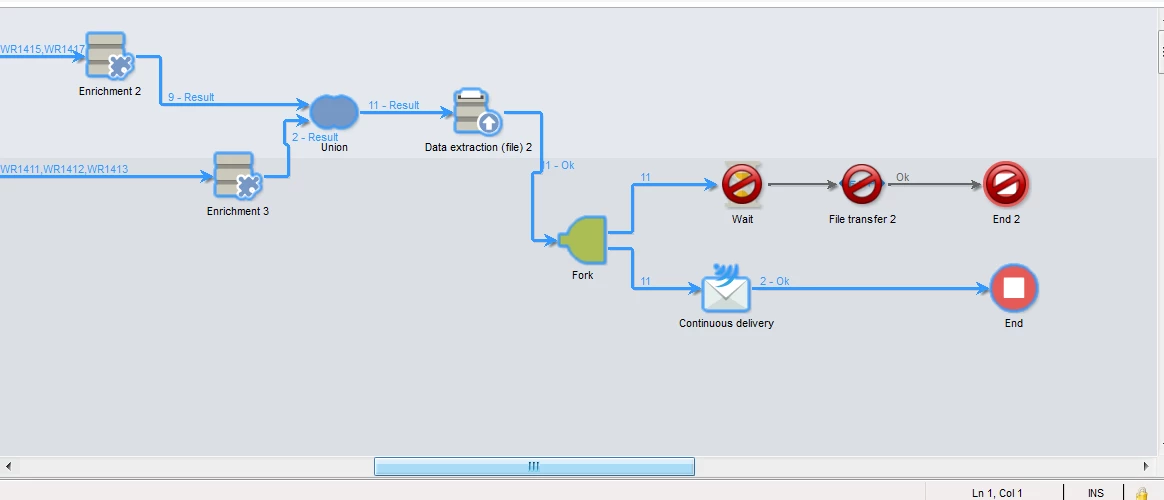
I thought that maybe somehow flow or delivery is still picking up file from first run, so i added statement in workflow to delete each time computed file from neo-lane partion, but it still send on each run old data.

Data on SFTP is saved properly and each time have different result ( depends on what i change).

Data send in attachment is always same.

It looks like file is kipped somewhere in cache ? but in direction where it is saved during flow data is on each run deleted.

If i didn't wrote it clearly, please ask me for more questions.
This post is no longer active and is closed to new replies. Need help? Start a new post to ask your question.
DavidKangni
DavidKangniAccepted solution
New Participant
Feb 5, 2019 6:30 PM UTC

your problem is the continuous delivery, it's caching the initial delivery configuration. you should use advance delivery instead.

Thanks

David

David Kangni

7 replies

New Participant
Feb 11, 2019 10:49 AM UTC

David, just to update

It started to work , in file transfer i have pointed to delete file after transferring it . So before delivered completed file was not more existing.

BIg thanks for your  help

Translate
New Participant
Feb 11, 2019 10:00 AM UTC

Hello David, excuse me that i didn't wrote earlier.

If i try to set File name is specified when creating the delivery template - it is not working, from what i understand in adobe help, this is set whet i am using a local file from my computer. File that i am generating is send to SFTP or to partition where adobe is set.

Translate
DavidKangni
New Participant
Feb 5, 2019 7:36 PM UTC

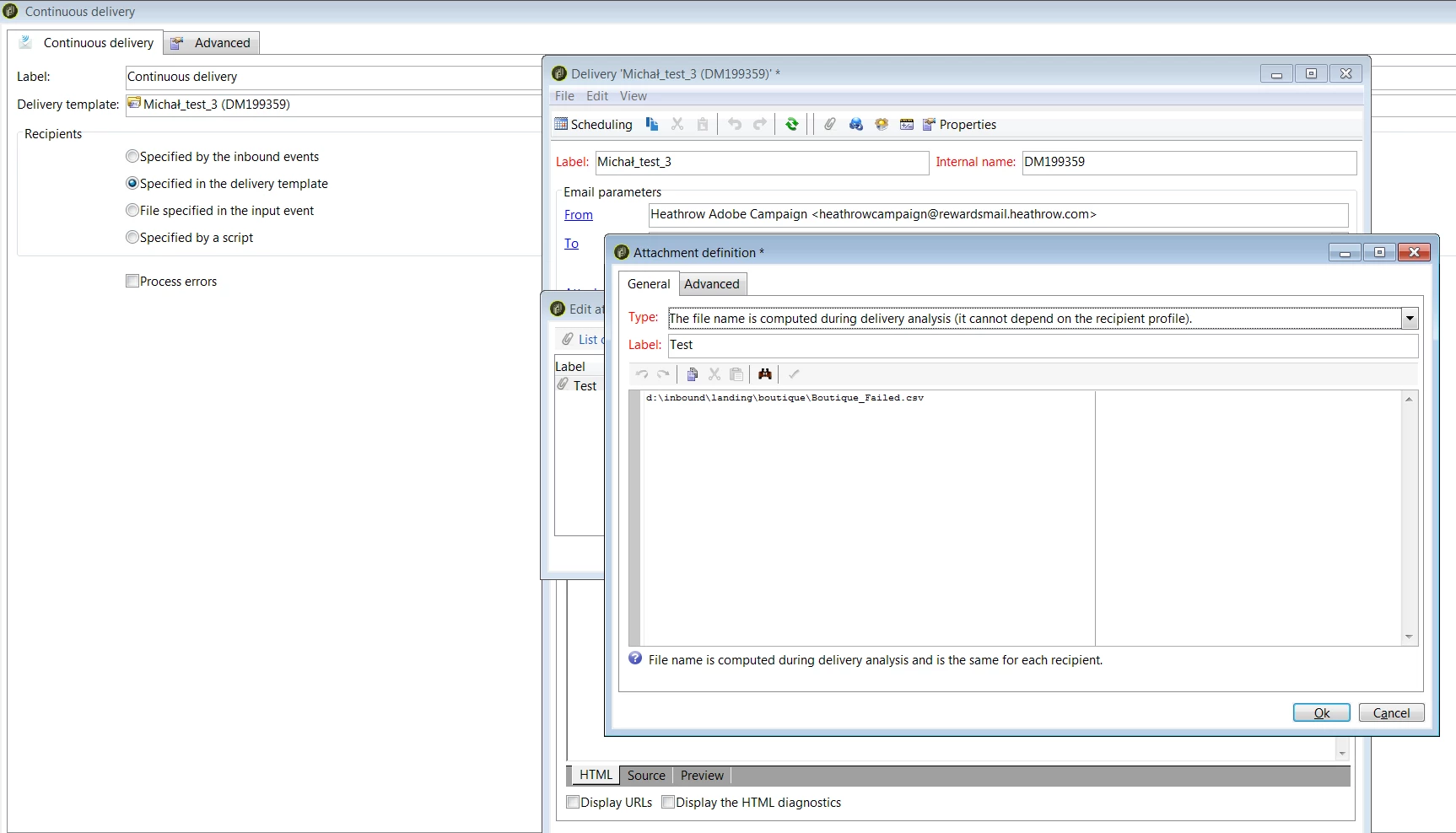
Can you please confirm if your filename is always the same? if yes you can use logInfo(vars.filename) in a js activity to gather the fullname with path and use a constant filename in your attachment instead (see screenshot below)

Translate
David Kangni
New Participant
Feb 5, 2019 7:13 PM UTC

One more time thanks David.

unfortunately when i am using delivery that you pointed it can't find file that is generated in data extration ( i didn't change the template of delivery where file is attached) only changed the action pointed above .

Translate
DavidKangni
New Participant
Feb 5, 2019 6:41 PM UTC

under actions tab in your workflow

Translate
David Kangni
New Participant
Feb 5, 2019 6:36 PM UTC

Hi David.

Thanks for tip.

Excuse me but i am rather a starter in Adobe.

I was looking for this advance delivery in actions and i am blind.

Could you please direct me ?

Translate
DavidKangni
DavidKangniAccepted solution
New Participant
Feb 5, 2019 6:30 PM UTC

your problem is the continuous delivery, it's caching the initial delivery configuration. you should use advance delivery instead.

Thanks

David

Translate
David Kangni