Error while evaluating document | Community
Skip to main content
sqwgglz
New Participant
February 2, 2018
Solved

Error while evaluating document

  • February 2, 2018
  • 11 replies
  • 4309 views

Hi,

I'm attempting to enrich data from a table that has a 1-N relationship with my recipient table into my delivery so I can make the content conditional on a number.

This is my workflow:
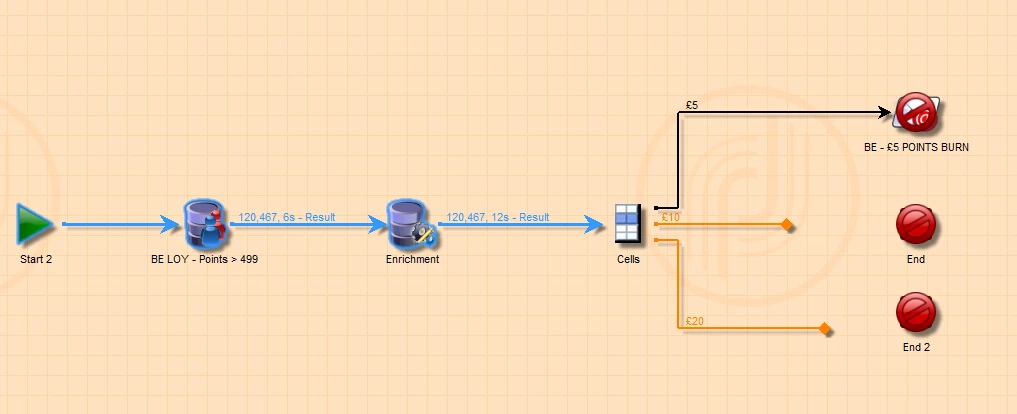
I have a list of my mailable customers which has an additional query to select only those who met the criteria.
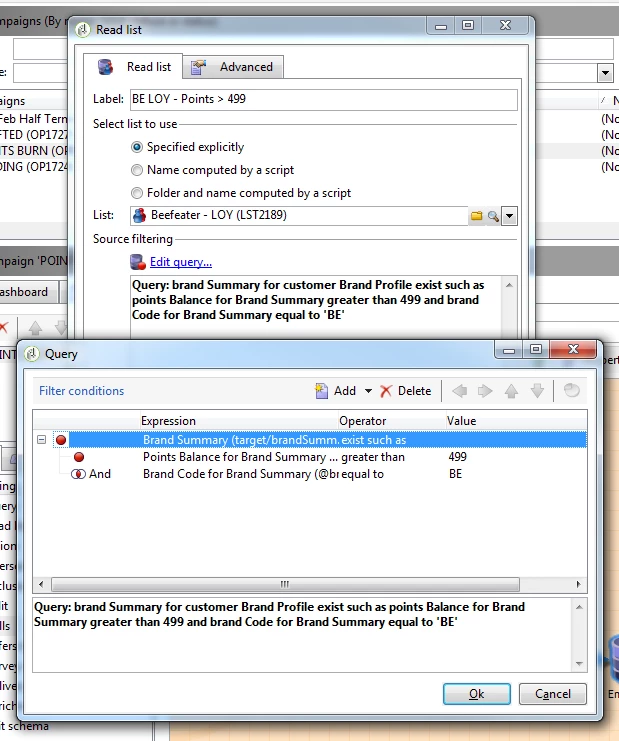
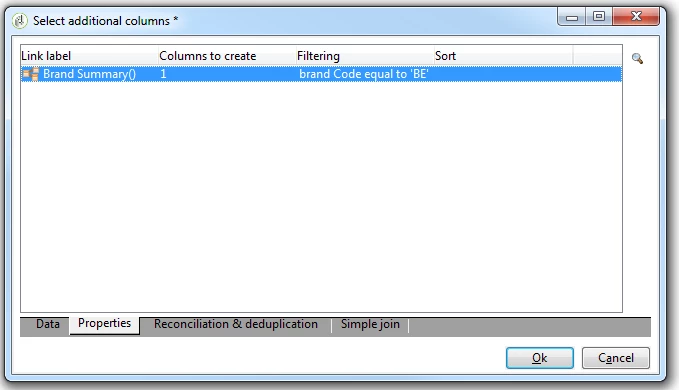
In my enrichment, I only want 1 column, where the "brand code" is equal to "BE"
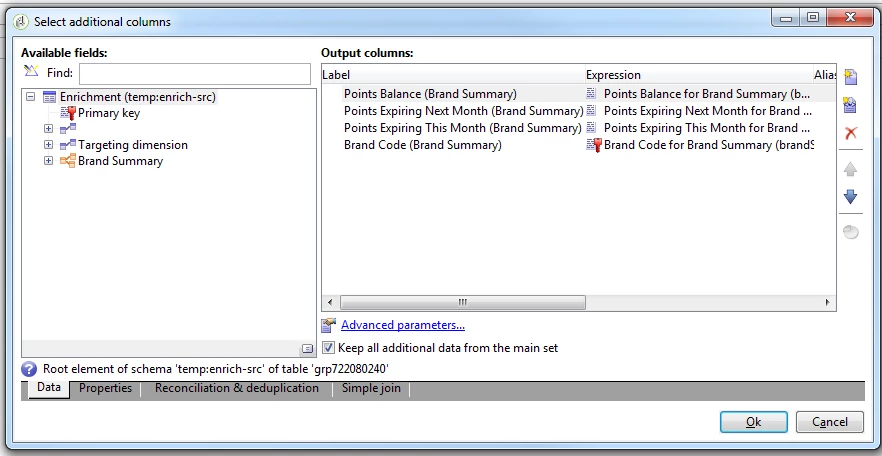
The columns I'm enriching with are the one's below...
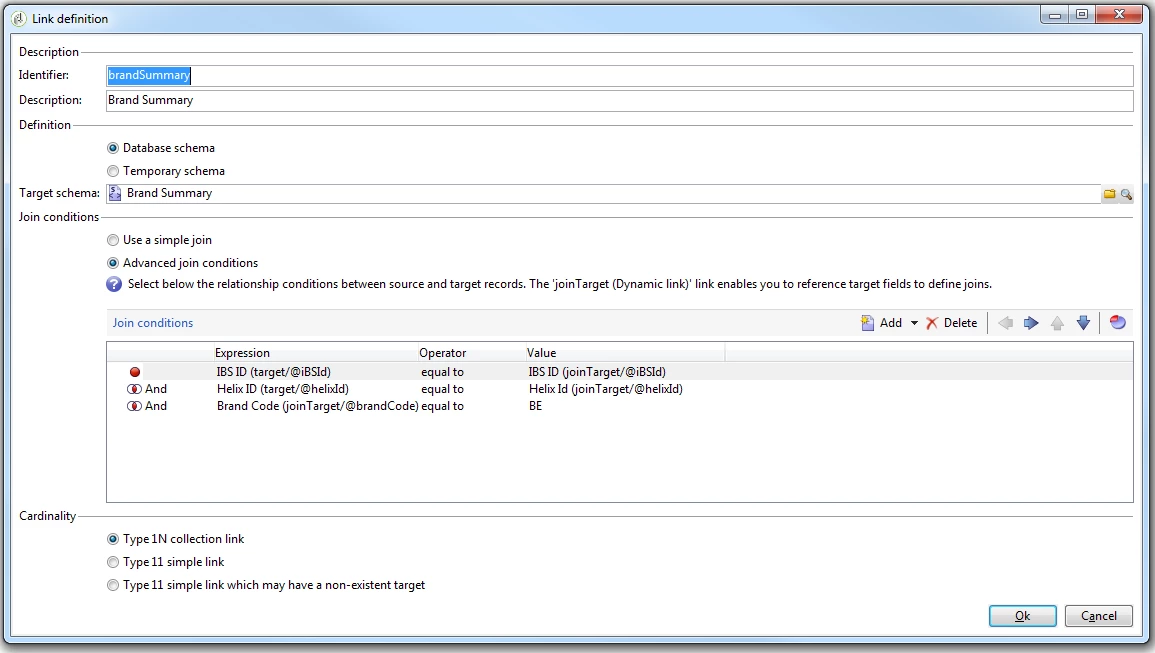
Here's the advanced join condition so I only pull data where the brand code is equal to BE.
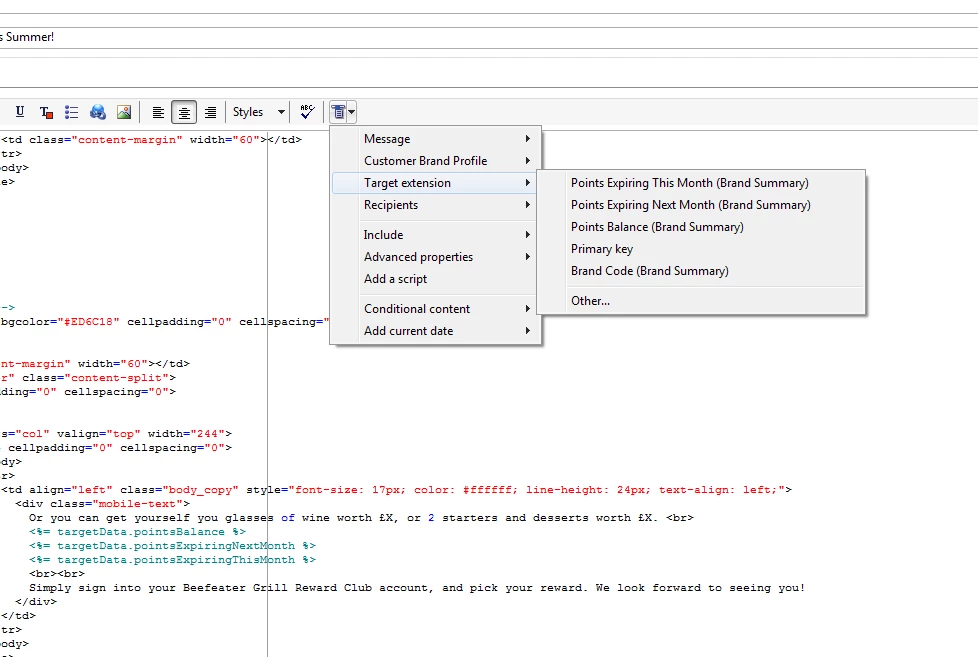
I think my logic is correct however when I try pull in a field I've enriched I get this error in the Preview.
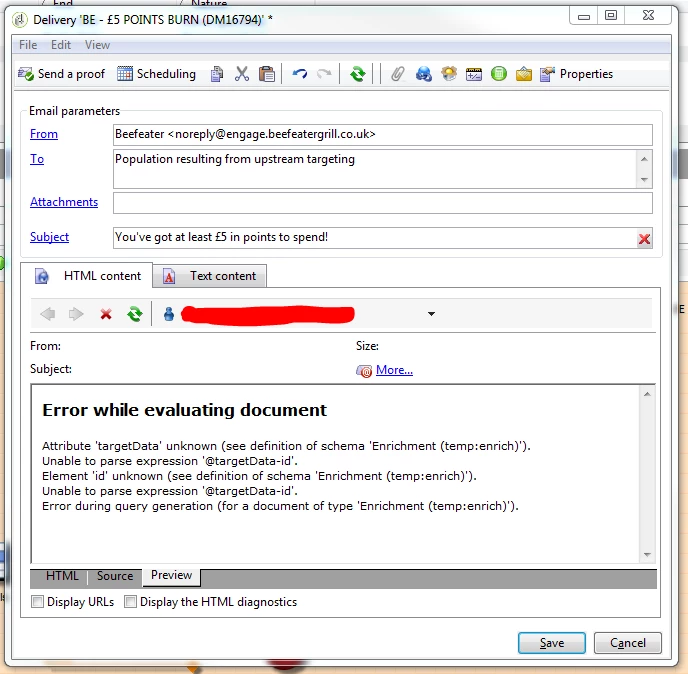
Can anyone see where I'm going wrong?

Any help would be greatly appreciated.

Thanks

Kevin

This post is no longer active and is closed to new replies. Need help? Start a new post to ask your question.
Best answer by sqwgglz

Hey all,

Sorry for the late reply.

So I found out that the preview system wasn't working, but on sending a full test to myself, the above actually worked and calculated the points correctly.

We can mark this as closed.

Thanks

Kevin

11 replies

sqwgglz
sqwgglzAuthorAccepted solution
New Participant
April 26, 2018

Hey all,

Sorry for the late reply.

So I found out that the preview system wasn't working, but on sending a full test to myself, the above actually worked and calculated the points correctly.

We can mark this as closed.

Thanks

Kevin

florentlb
New Participant
April 4, 2018

Hi Kevin,

Any progress on your side?

Florent

florentlb
New Participant
March 13, 2018

Hi Kevin,

Can you give us more details about what is not working after following Shrawan's suggestions?

Florent

sqwgglz
sqwgglzAuthor
New Participant
February 28, 2018

shrawans31530030 unfortunately not.

ShrawanSaxena-1
Employee
February 27, 2018

Yes Kevin. Please follow the same steps for other subset,save the workflow and run it again to see if it works

sqwgglz
sqwgglzAuthor
New Participant
February 27, 2018

Actually just did it....

When you asked to select "Schema" did you mean like so?


Thanks

Kevin

sqwgglz
sqwgglzAuthor
New Participant
February 27, 2018

Apologies, I've been away from the business so have not had chance to implement the suggestions.

Will attempt today and reply ASAP


Thanks again

florentlb
New Participant
February 20, 2018

Hi,

Any update on this?

Florent

ShrawanSaxena-1
Employee
February 6, 2018

Hello,

Could you please try the following and see if it helps

Open Split Object

·         Click on “First subset"

·         Click on “Previous” to go to “Targeting and Filtering dimension”

·         Click on Schema dropdown menu

·         Select “schema”

·         Click Next

·         Click on Finish

·         Apply same on other subset

·         Save workflow

sqwgglz
sqwgglzAuthor
New Participant
February 5, 2018

Hi thanks for looking.

The version we're on is v6.1.1 Console build 8653. Server build 8667