Is it possible to export a delivery summary report to CSV automatically? | Community
Skip to main content
New Participant
Jun 13, 2023 9:04 AM UTC
Solved

Is it possible to export a delivery summary report to CSV automatically?

I know it's possible to set up a scheduled report that sends a PDF to selected email addresses on a weekly/daily basis but would like to do the same in a CSV format so that I can use powerBI to create a dashboard
This post is no longer active and is closed to new replies. Need help? Start a new post to ask your question.
aggabhiAccepted solution
Level 5
Jun 13, 2023 10:53 AM UTC

Hi @lg23 ,

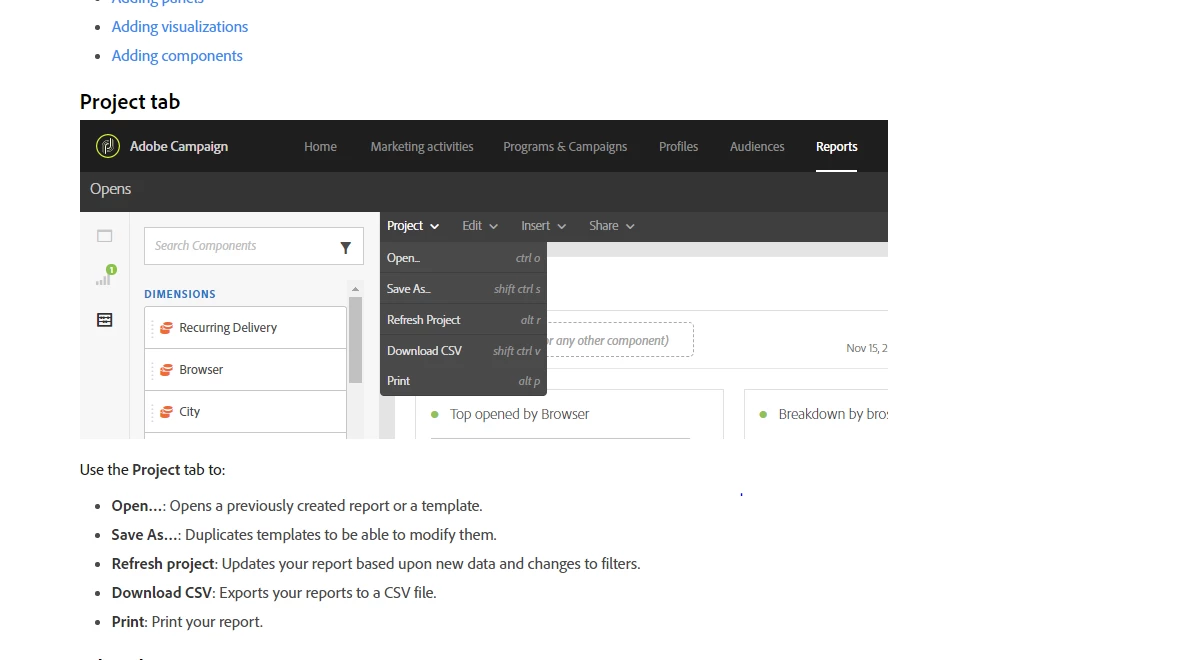
Automatic scheduling of report is only possible in PDF format. That is predefined by Adobe and we can't change the functionality from backend. You can manually export the report in CSV format if needed as below :-


Hope it helps. Ref :- https://experienceleague.adobe.com/docs/campaign-standard/using/reporting/about-reporting/reporting-interface.html?lang=en


4 replies

aggabhiAccepted solution
Level 5
Jun 13, 2023 10:53 AM UTC

Hi @lg23 ,

Automatic scheduling of report is only possible in PDF format. That is predefined by Adobe and we can't change the functionality from backend. You can manually export the report in CSV format if needed as below :-


Hope it helps. Ref :- https://experienceleague.adobe.com/docs/campaign-standard/using/reporting/about-reporting/reporting-interface.html?lang=en


Translate
LG23Author
New Participant
Jun 13, 2023 10:57 AM UTC

Thanks for the explanation Aggabhi. 


Do you if it's possible to use a workflow to export deliverability metrics to CSV? 


I will do some investigating myself also. 


All the best 


Lewis 


Translate
Level 5
Jun 13, 2023 11:14 AM UTC

Hi @lg23 ,

Ok here, you have to define a simple export workflow which will pick data from your targetting tables and once you have all the attributes defined, you simply use a Transfer file activity to export a csv file from adobe campaign to any external SFTP.


Workflow Model :- Query Activity > Deduplication(if required) -> enrichmnent activity > Transfer file activity

Translate