Remove logo from web survey pages in Adobe campaign | Community
Skip to main content
Level 4
Sep 14, 2017 5:44 AM UTC
Solved

Remove logo from web survey pages in Adobe campaign

Hi ,

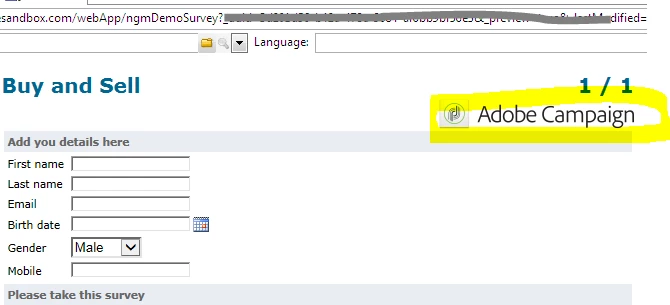
I was working with Web functionalities, Online Survey in Adobe Campaign. I created a survey and published it. However, there is a Adobe campaign logo which is appearing in all survey pages. how can I remove it from the survey page?
Regards,

Senthil

This post is no longer active and is closed to new replies. Need help? Start a new post to ask your question.
Adhiyan
AdhiyanAccepted solution
Employee
Sep 14, 2017 6:21 AM UTC

Hi Senthil,

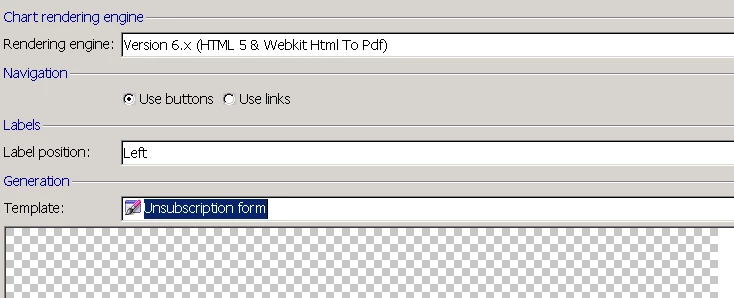
The background image is controlled by the form rendering template given in the properties of the survey like here :

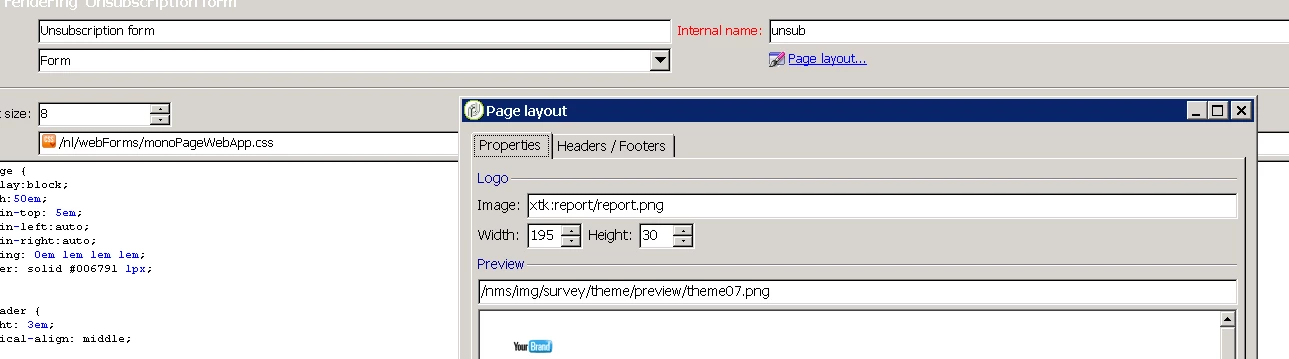
So you need to navigate to this template here under Administration>configuration>Form rendering. Here, click on page layout and change the image . Upon publishing the survey , you should get the new image updated.

For my example this path is present in the server <directory>\datakit\xtk\fra\img\report folder and the image is present in the xtk:images schema.

Regards,

Adhiyan

2 replies

Senthil24Author
Level 4
Sep 14, 2017 6:56 AM UTC

Thanks a ton Adhiyan. It worked.

Regards

Senthil

Translate
Adhiyan
AdhiyanAccepted solution
Employee
Sep 14, 2017 6:21 AM UTC

Hi Senthil,

The background image is controlled by the form rendering template given in the properties of the survey like here :

So you need to navigate to this template here under Administration>configuration>Form rendering. Here, click on page layout and change the image . Upon publishing the survey , you should get the new image updated.

For my example this path is present in the server <directory>\datakit\xtk\fra\img\report folder and the image is present in the xtk:images schema.

Regards,

Adhiyan

Translate