Hi @ ,
Please find below in line responses to your queries. I can surely try and answer some of your questions.
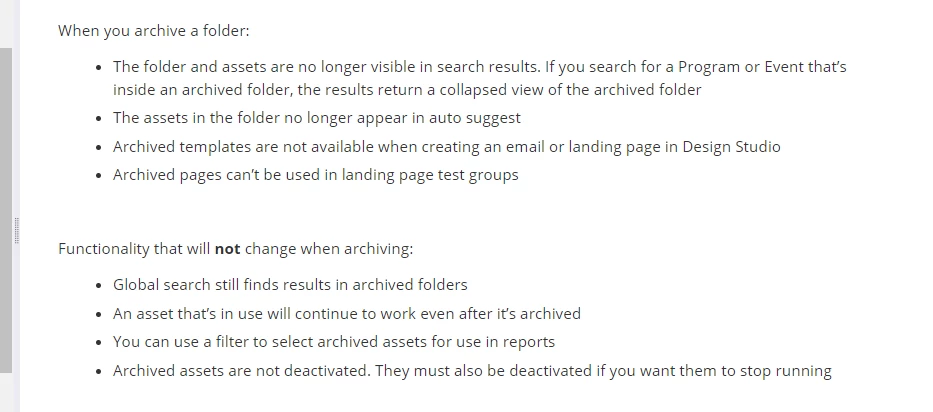
1)  -An asset that's in use will continue to work even after it is in archive. Here is a reference link from Marketo product docs that might be helpful.Screenshot below
2)  -" for example, the schedule of trigger or standby is not displayed, "-to the best of my knowledge, this is not possible. A trigger smart campaign features one person at a time based on a triggered event. An example of an a trigger would be clicking on a link in an email. So the schedule tab can not display the "trigger schedule" because it is an activity that is yet to happen in the near future. once the activity is triggered (based on the trigger defined in the smart list) then the results are updated in the results tab
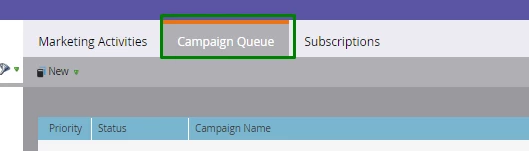
3)  -"Unfortunately, there is no single view where you can manage / set the schedules for all the smart campaigns. You would need to set the relevant schedules by going to the schedule tab in the smart campaign. The "Marketo Moments" phone Alternative, you can use the Campaign Que (as highlighted below) to see as to which are the schedule that is scheduled. The Marketo Calendar app is also great to use to have a high level idea.
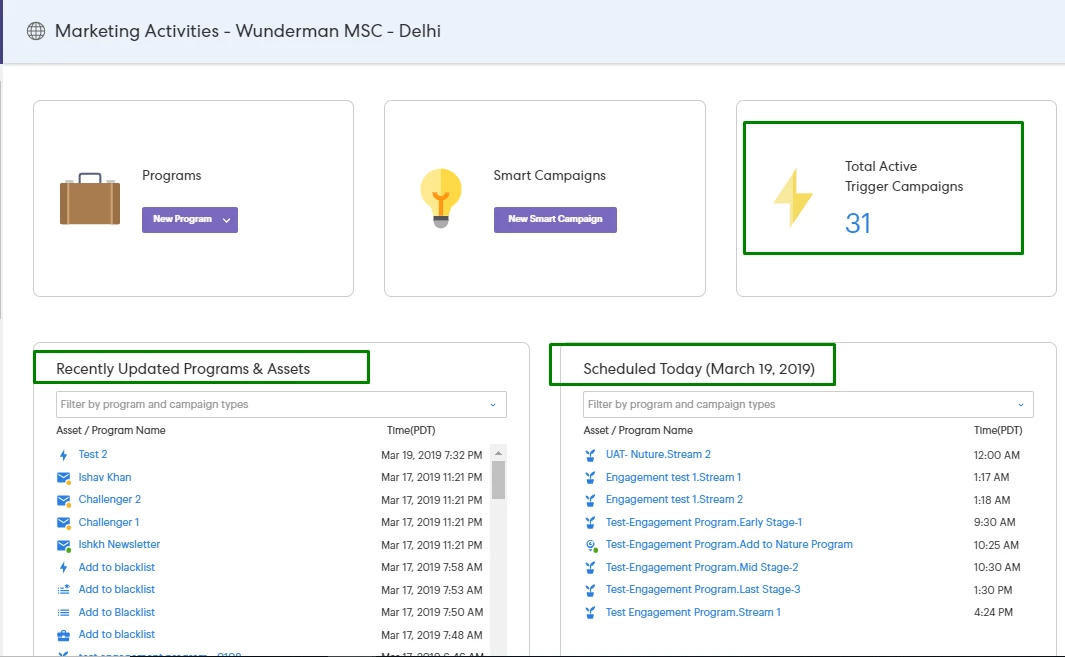
 Also if you are using Marketo Sky, the below view is also great to keep track on scheduled campaigns for the day
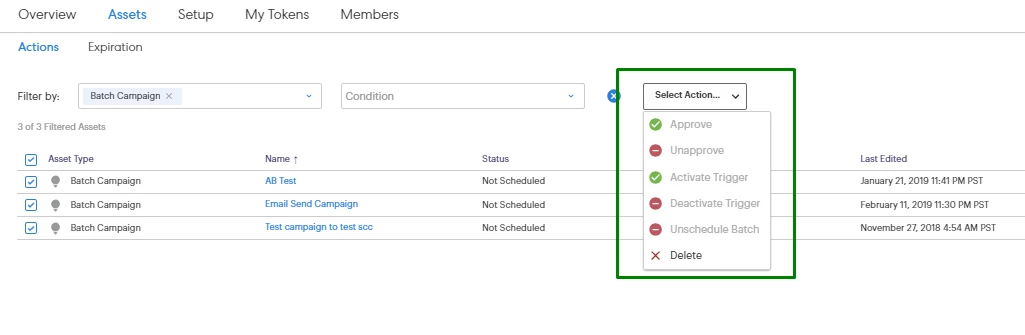
Addition if you want to manage activate \ deactivate triggered campaign in bulk, or perform any other mass action, you can do that via Marketo Sky as well for the below actions
Helpful Links- Marketo Sky-New Features, Comparison and efficient use , How to Mass approve assets in Marketo Sky
4)  -To confirm this, the best way I recommend is to actually test out the working of your campaign using test filters
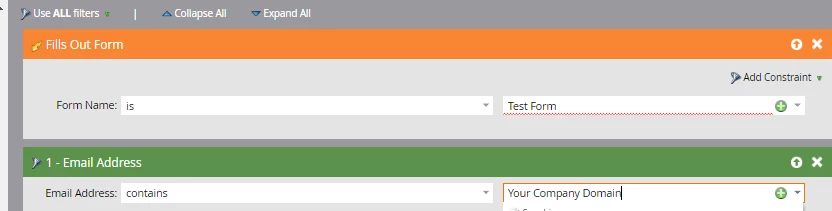
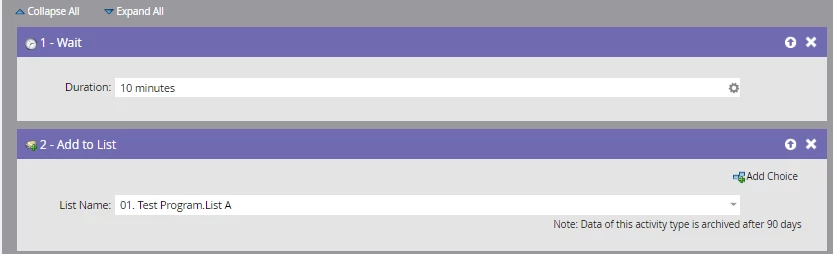
For the above example, once this campaign is activated, then use a test lead to fill out the form and then you can check if the "wait" and other functional are are working fine or not.
Hope this helps!
Best Always,
Karan Hari