
Legacy Rich Text Editor and Form Editor 1.0 are Being Deprecated August 1st
Included in this article:
Overview
To provide world class product support, Marketo occasionally disables old areas of the product that have been replaced by newer, improved versions. As previously announced with the Winter ’17 release, we’re updating the way you’ll edit text and create new forms in Marketo. After August 1st, our legacy text editor will be retired and we’re deprecating the Form Editor 1.0. Here’s what you’ll see in your Marketo Engagement Platform:
- New Rich Text Editor: Enjoy a more modern experience and even more capabilities when editing text in Marketo. We’re retiring the Legacy Text Editor and transitioning all Marketo customers to the new editor – no action is required and your existing assets will not be impacted.
- Form Editor 2.0: Create all your new web forms with the Form Editor 2.0, giving you an improved WYSISYG editor, the ability to create draft forms and more. We’re deprecating the older Form Editor 1.0, making Form Editor 2.0 the way you’ll create all new forms in Marketo. Any forms previously created in Form Editor 1.0 will remain functional and editable, however these v1.0 Forms will no longer be officially supported by Marketo. To continue receiving support for your Marketo forms, we encourage you to create new forms in Form Editor 2.0 to replace your v1.0 forms.
- Email Editor: There are no changes to the Email Editor experience. The changes above do not impact the Email Editors. Rest assured, both Email Editor 1.0 and Email Editor 2.0 remain available for your use.
For more information, please see our Innovations Update: New Text Editor & Form Editor 2.0 recorded session.
Note: This change is not tied to a Marketo Release.
Legacy Rich Text Editor
On August 1, 2017, we’re switching all subscriptions to the new text editor. This change won’t have any impact on your day-to-day work. The new editor can do everything the old one can—and more. See Using the Rich Text Editor for details. After the change, nothing will happen to your existing assets, but you’ll see the new editor whenever you edit text in Marketo.
How do I know which text editor I’m using?
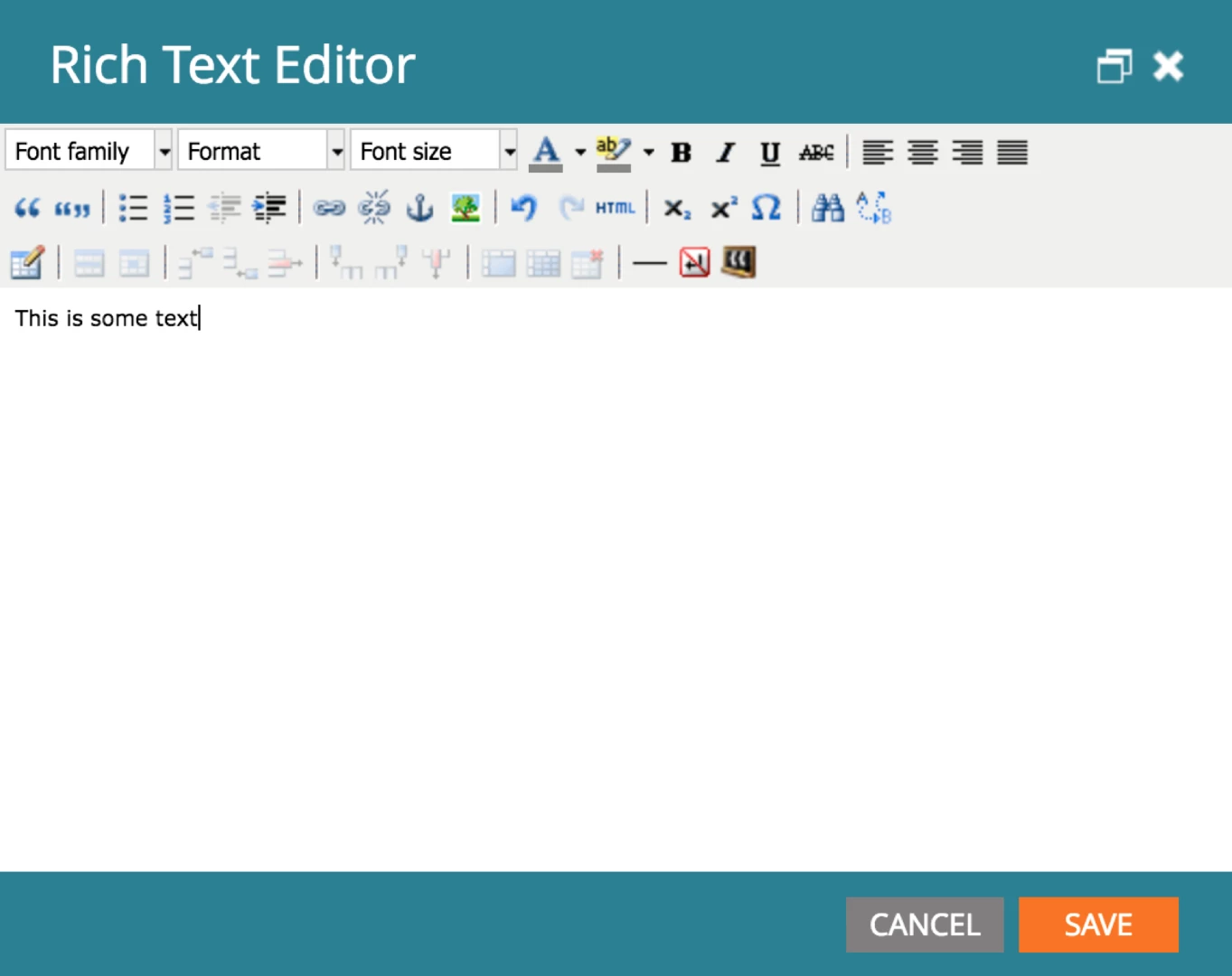
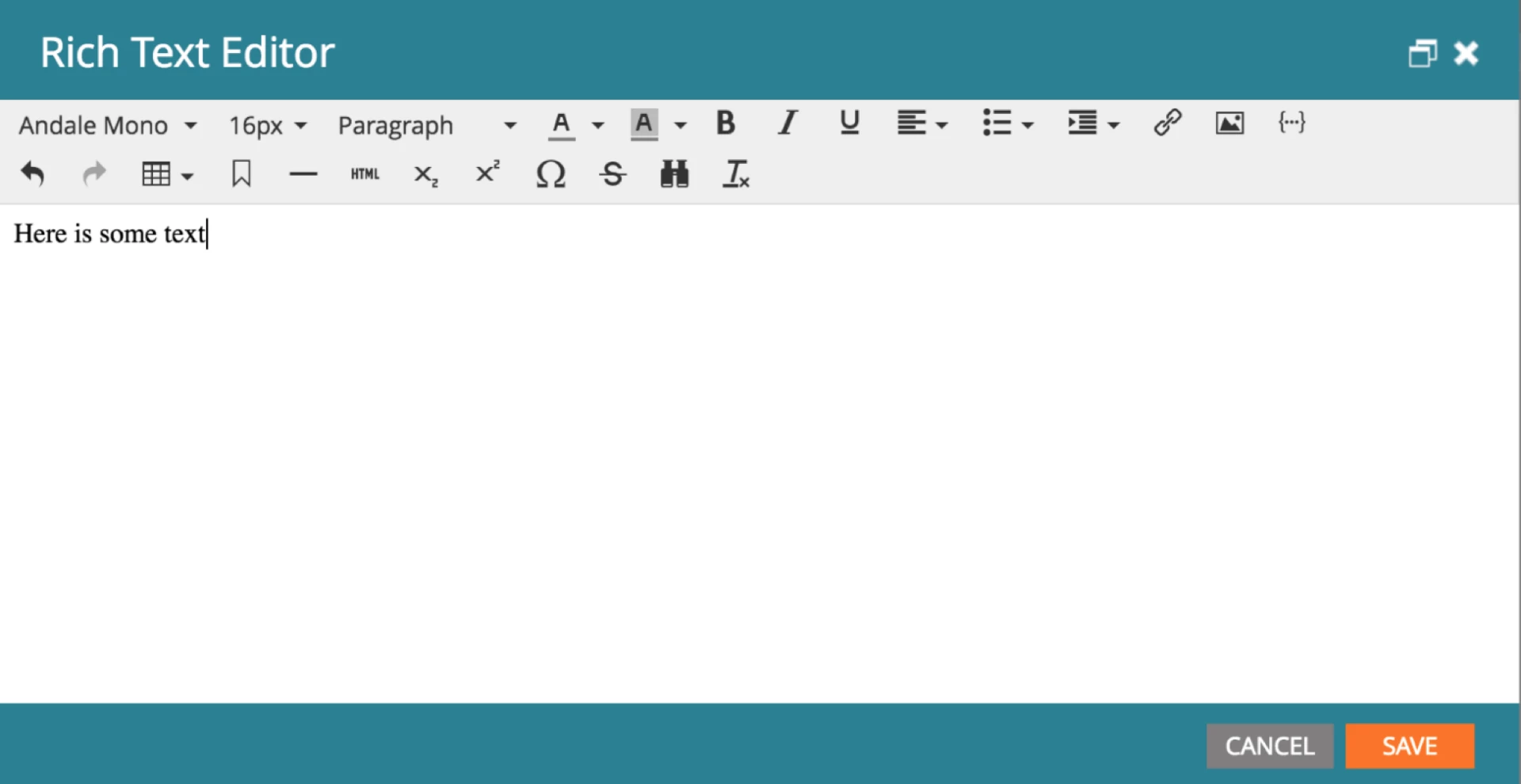
Open an editable text section in any Marketo editor to see which one you’re currently using.
Here’s the old editor:
Here’s the new one:
Note: The legacy text editor used default root block settings of <p> for email/snippets and <div> for landing pages. If you’re upgrading for the first time to the new text editor, it will continue to have those settings. Click here to learn more about the root block setting.
Form Editor 1.0
When creating a new form, some older Marketo customers have a choice of using the original Form Editor 1.0 or the newer Form Editor 2.0, which is the default selection. After August 1, all customers will only be able to create new forms using Form Editor 2.0, which contains additional functionality.
After the change, any forms you created in Form Editor 1.0 will remain in your subscription and still function. However, you won’t be able to create any new forms with Form Editor 1.0.
Recommendation
We recommend that before the sunset date (August 1, 2017), you make sure that your team is up to speed on the newest text editor and form editor, to be sure they’re comfortable continuing to build new assets in Marketo.