Add Custom field to My Projects on Home Page View | Community
Skip to main content
gardensurfer
New Participant
August 22, 2024
Solved

Add Custom field to My Projects on Home Page View

  • August 22, 2024
  • 1 reply
  • 680 views

Greetings - 

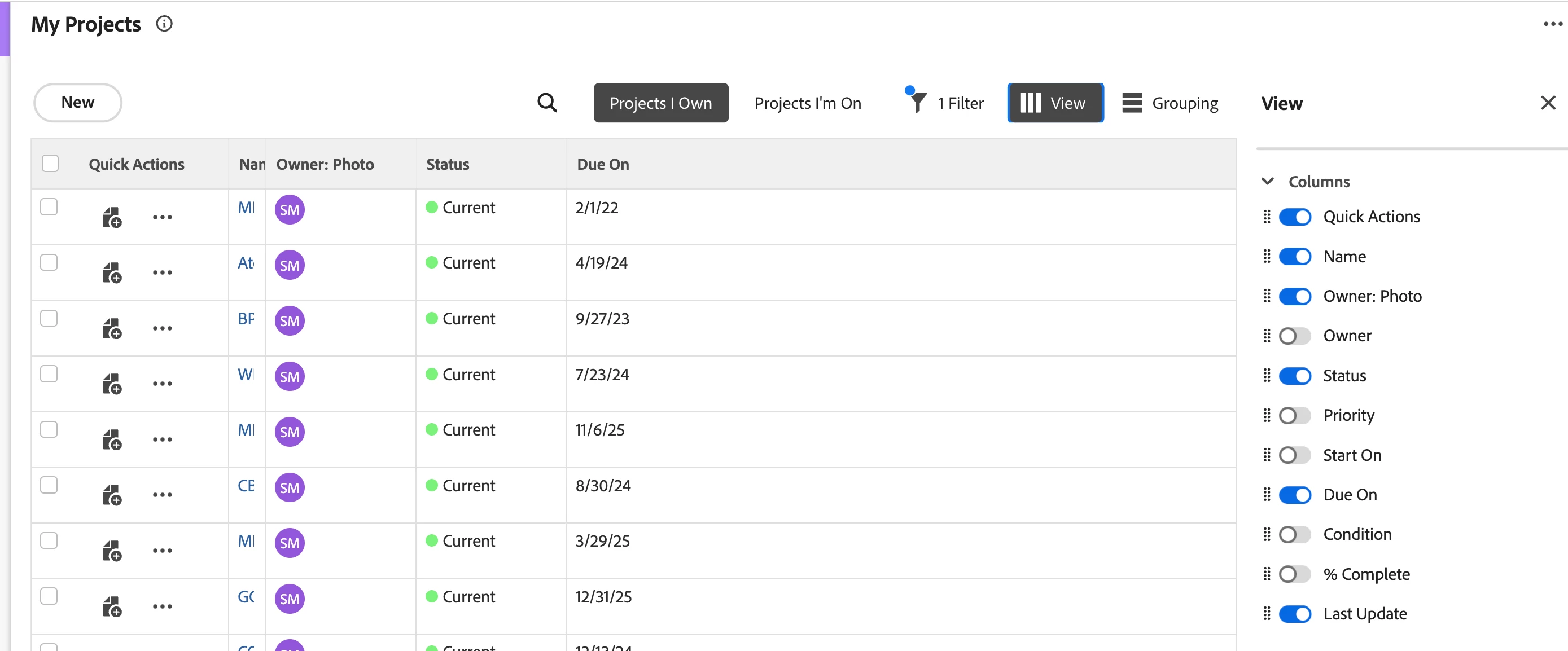
Is there a way to add additional custom columns to the choices shown under View on the My Projects widget of the home page? My users are interested in bringing in a Custom Comments field to their landing page. 


Thank you.


This post is no longer active and is closed to new replies. Need help? Start a new post to ask your question.
Best answer by KierstenKollins

You are able to customize select New Home widgets within a layout template. Instructions can be found here:


https://experienceleague.adobe.com/en/docs/workfront/using/administration-and-setup/customize/layout-templates/customize-new-home-layout-template


One note, if you have multiple layout templates that need the same field, each template would need to be updated individually as there is currently not a global setting for custom fields to apply to all templates. We spent quite a bit of time updating all our layout templates across many teams to ensure they have the same custom fields visible, but it helped with our adoption.

1 reply

KierstenKollins
KierstenKollinsAccepted solution
New Participant
August 22, 2024

You are able to customize select New Home widgets within a layout template. Instructions can be found here:


https://experienceleague.adobe.com/en/docs/workfront/using/administration-and-setup/customize/layout-templates/customize-new-home-layout-template


One note, if you have multiple layout templates that need the same field, each template would need to be updated individually as there is currently not a global setting for custom fields to apply to all templates. We spent quite a bit of time updating all our layout templates across many teams to ensure they have the same custom fields visible, but it helped with our adoption.

gardensurfer
New Participant
August 24, 2024

Thank you. Perfect!