
Agile Backlog Order Number - Inactive Project Status | Community
Skip to main content
Edwin_Melgar
New Participant
July 18, 2024
New

Agile Backlog Order Number - Inactive Project Status

  • July 18, 2024
  • 2 replies
  • 534 views

Our users were noting that the order number on the agile(scrum) backlog is skipping numbers (see attached). After some investigating, it appears the missing order numbers are tied to tasks on projects with a On Hold status. I did some testing in our Sandbox and this behavior appears to be the same with a Dead project status.
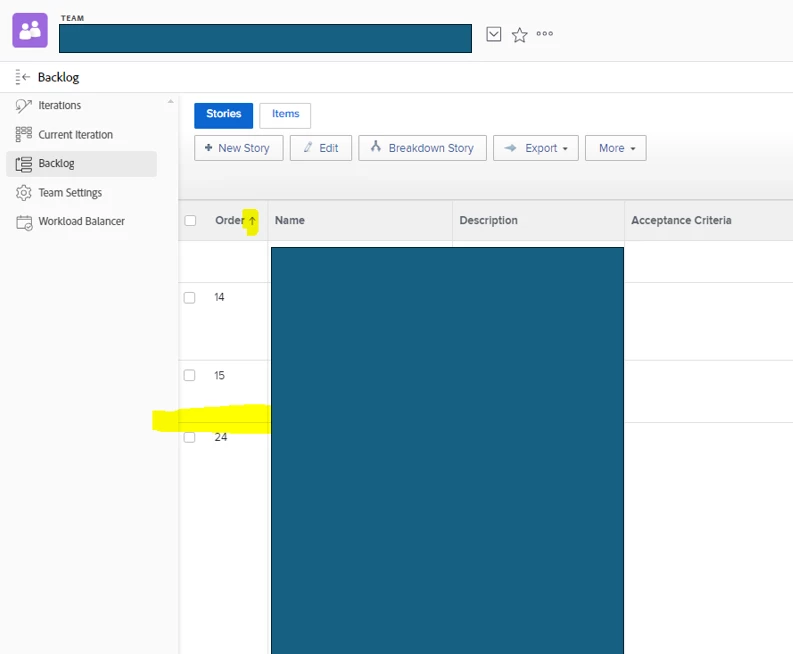


In the cases where projects are put on hold, I would assume the stories are taken out of the backlog order sequence and then added to the bottom of the backlog if and when the project becomes active again. This is even more critical with Dead project status. Dead is a final status and if those order numbers are tied to those tasks forever, then the order sequence will always be off.


REF Support Case 00409919

2 replies

Edwin_Melgar
New Participant
September 16, 2024

@katherinela thank you for the feedback.  I agree that the order number as it stands causes more confusion to users.  We are exploring Fusion as an add on and would love to hear how you solved this with Fusion.   Hopefully this is something WF looks to solve in the future.

New Participant
July 18, 2024

The 'Agile Order Number' is a sequential ID that is automatically assigned to every task assigned to a Team at the exact moment the Team is initially converted to an Agile team. The ID is assigned in ascending order based on the Create Date of the task. It is assigned to every task irrespective of the status of it's parent project.


Which means in most cases, the Order Number is spectacularly useless initially for backlog management in large teams since the user has to manually drag and drop them to update each tasks' number. The only way to re-number them is to physically do this in the backlog task by task, or do what I did in my instance and write a Fusion loop that reapplies the numbers based on reasonable business logic.


Also - it does not get dropped/reassigned if the Team's Agile setting is disabled/re-enabled. I tried that one too before I went to Fusion to solve a 1,000+ task backlog resort project.