Apply Priority field to a connected card | Community
Skip to main content
Level 3
May 6, 2024
Question

Apply Priority field to a connected card

I have a specific queue topic that routes to a board.  The connected card pulls in the description field, but not the priority field.  Does anyone know if this is possible through out-of-the-box functionality?


Thank you in advance,

Melanie
 

6 replies

kautuk_sahni
Employee
September 1, 2025

@melaniem1 Just checking in. Were you able to resolve your issue? We’d love to hear how things worked out. If the suggestions above helped, marking a response as correct can guide others with similar questions. And if you found another solution, feel free to share it — your insights could benefit the community. Thanks again for being part of the conversation!

Translate
Kautuk Sahni
ewanh
Employee
May 8, 2024

Hi Melanie, 


You can add "priority" to your cards by:

  1. Clicking on the "+ Add Custom Field" option below the Cards> drop down in the Configuration area.
  2. Select the object type (task or issue)
  3. Type in "priority" in the Field Value box to find priority under your object type. 

It will then show up on your card like you'd like. 


Translate
MelanieM1Author
Level 3
May 14, 2024

Hello - can you confirm this works on a Kanban board?  In my experience, this only works on a basic board.


Let me know what you find.  


Thank you,

Melanie

Translate
AleciaM1
Employee
May 22, 2024

Hi MelanieM1, 


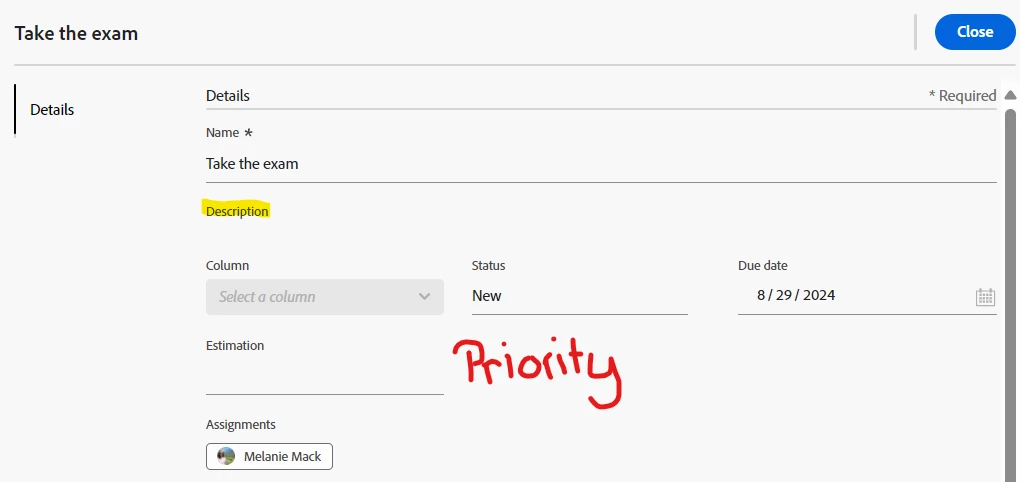
I was able to get Priority field on a connected card within a Kanban board - see below. 


Translate