Auto Complete Task to 100% complete using Fusion | Community
Skip to main content
KierstenKollins
New Participant
March 9, 2023
Solved

Auto Complete Task to 100% complete using Fusion

  • March 9, 2023
  • 1 reply
  • 987 views

Is it possible to mark a task as 100% complete once the deadline has passed in Fusion? If so, is there a recommendation you can provide on where to start to build this in Fusion?


I tried the Auto Complete Task Tracking on the task but it will not mark as complete. We have an unassigned role that sits on these tasks, so I am not sure if this is causing the problem of not marking it as complete. We are not able to remove the unassigned role as we have reports pulling from these unassigned tasks.


Thank you!
This post is no longer active and is closed to new replies. Need help? Start a new post to ask your question.
Best answer by Richard_Le_

Hi Kiersten,


The approach I would take is as follows:


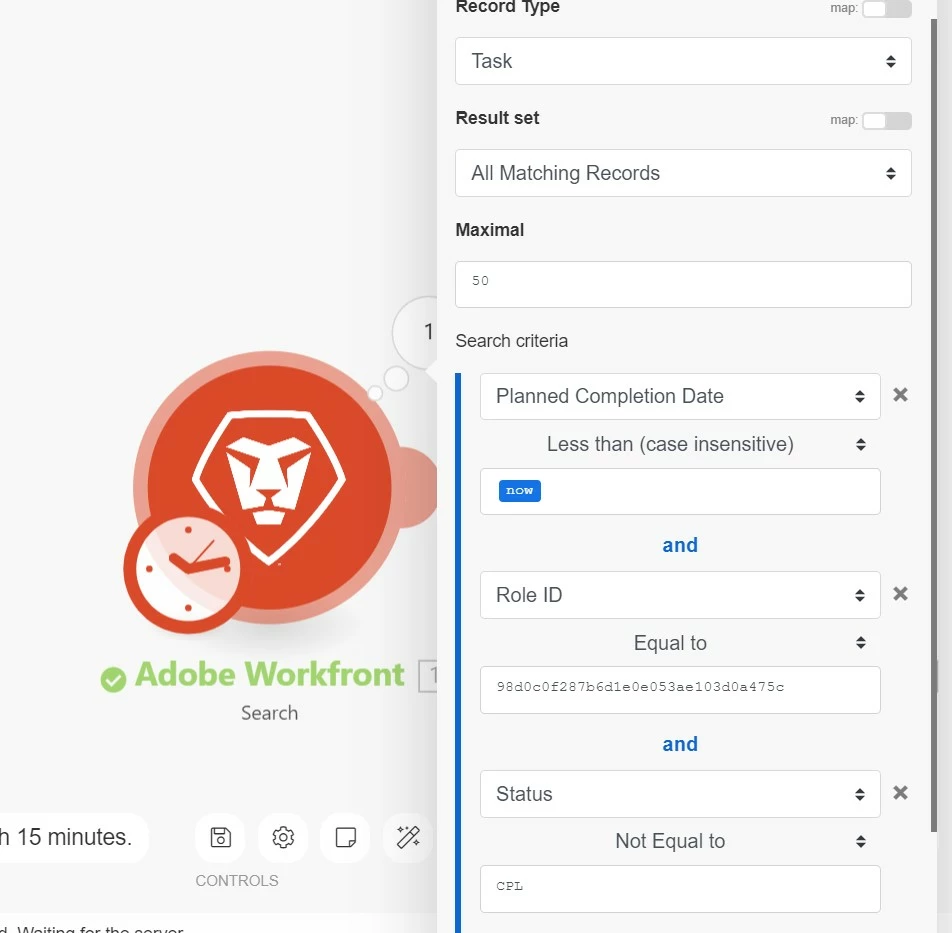
1) Add Search module that will look for tasks. Configure the filter rules to look for tasks where the plannedCompletion date is less than today, the status is not complete, and the role ID associated with the task is the "unnassigned role" you mention. + Any other relevant filter rules to narrow down your search to the specific tasks that need to be auto-closed (i.e., Template task ID).  It would look something like this:


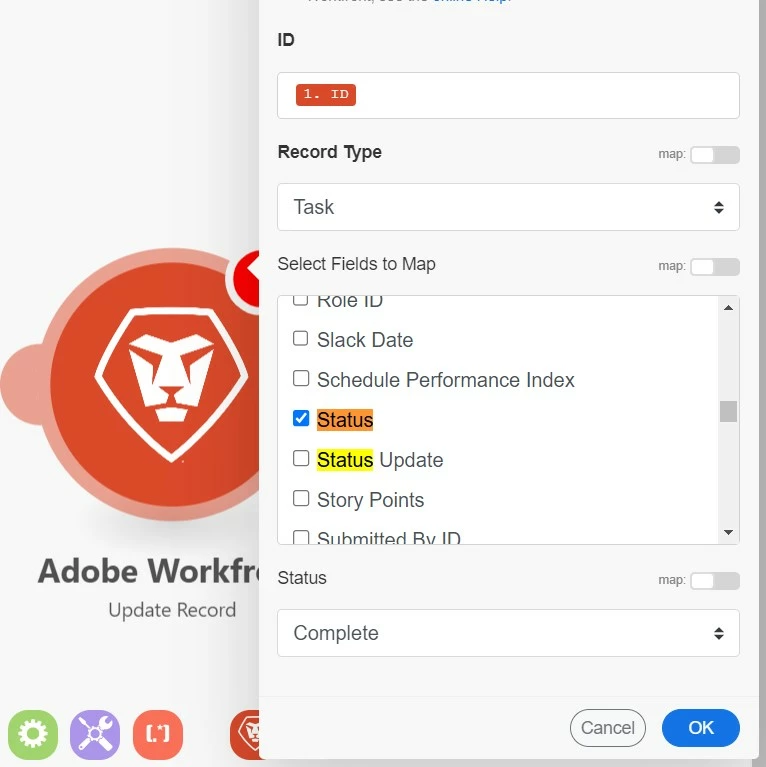
2) Than add an update record module, mapped to the task ID's located in step 1,  that will update the status of that task to Complete ("CPL")


Hope that helps! Shout if you have any questions.


Best Regards,

Rich. 

1 reply

Richard_Le_Accepted solution
New Participant
March 10, 2023

Hi Kiersten,


The approach I would take is as follows:


1) Add Search module that will look for tasks. Configure the filter rules to look for tasks where the plannedCompletion date is less than today, the status is not complete, and the role ID associated with the task is the "unnassigned role" you mention. + Any other relevant filter rules to narrow down your search to the specific tasks that need to be auto-closed (i.e., Template task ID).  It would look something like this:


2) Than add an update record module, mapped to the task ID's located in step 1,  that will update the status of that task to Complete ("CPL")


Hope that helps! Shout if you have any questions.


Best Regards,

Rich. 

KierstenKollins
New Participant
March 10, 2023

Thanks, Rich! I will take a stab at it.