Billable Actual Hours | Community
Skip to main content
New Participant
May 19, 2023
Solved

Billable Actual Hours

  • May 19, 2023
  • 2 replies
  • 807 views

Hi there,


I am looking for guidance on how to create a custom field (that will be displayed as a column like in the attached mock-up) that mimics all the features of the Actual Hours field/column such as summing up hours against single tasks and also rolling up to the parent task(s) but it is a sub-set of Actual Hours as it will only take into considerations hours with hour type = Task time.


Thank you,

Andy

This post is no longer active and is closed to new replies. Need help? Start a new post to ask your question.
Best answer by Kundanism

hi @andyco1 

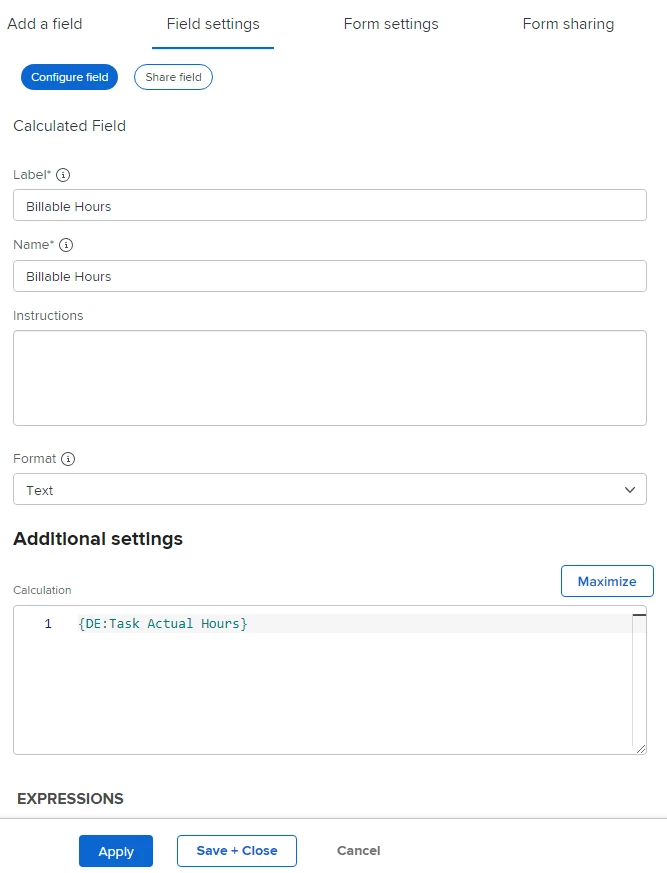
1) Create a calculated field name "Billable Hours", follow below;


2) Go to task level, attach custom form to the specific task or all task.

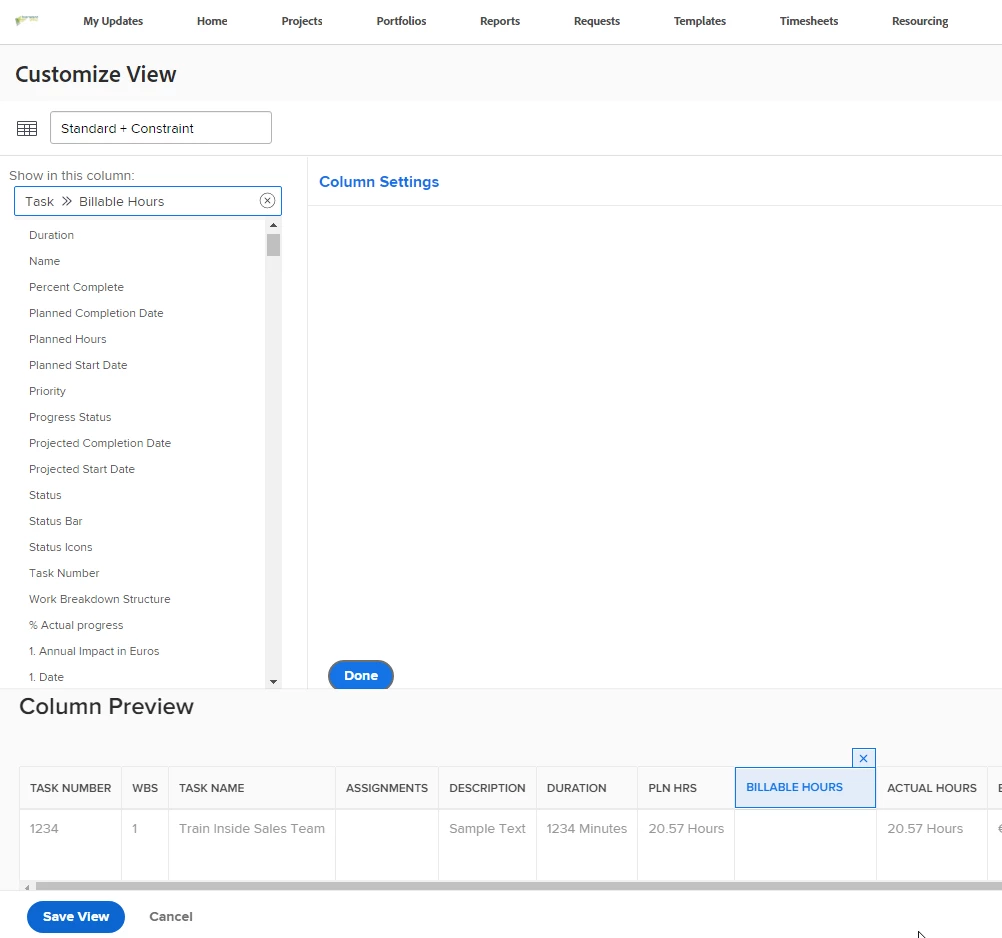
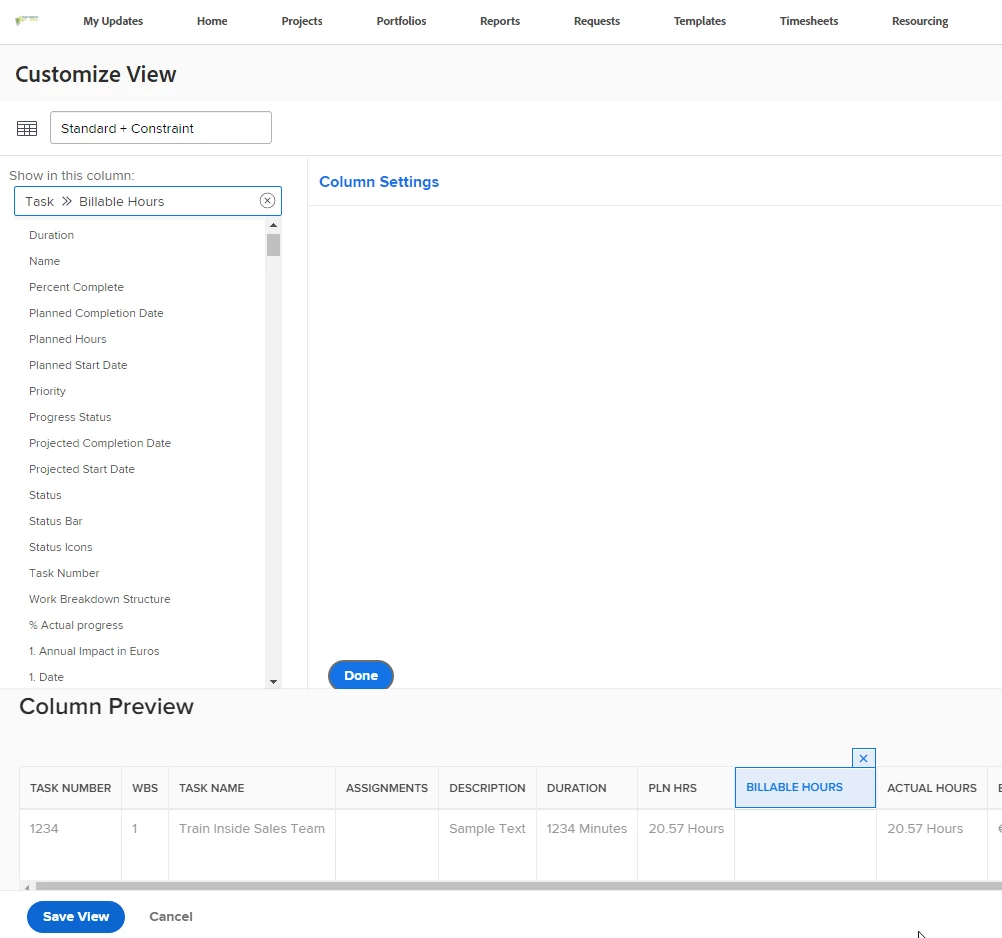
3) GO to view and recall calculated field as shown below;


2 replies

Kundanism
KundanismAccepted solution
New Participant
May 31, 2023

hi @andyco1 

1) Create a calculated field name "Billable Hours", follow below;


2) Go to task level, attach custom form to the specific task or all task.

3) GO to view and recall calculated field as shown below;


AndyCo1Author
New Participant
May 31, 2023

Billable Actual Hours is only Actual Hours wiht Hour type = Task Time per task

Kundanism
New Participant
May 31, 2023

Hi @andyco1  Is Billable Actual Hours is the same as Actual Hours per task?