Hi Justin,
There's a couple of options you could explore to increase the page size of the PDF:
1. Instead of exporting the report directly from Workfront, send the report to yourself (Report Actions >> Send Report). Here you can choose the format of the report (PDF) which will then give you options to set the page size and orientation - see screenshot
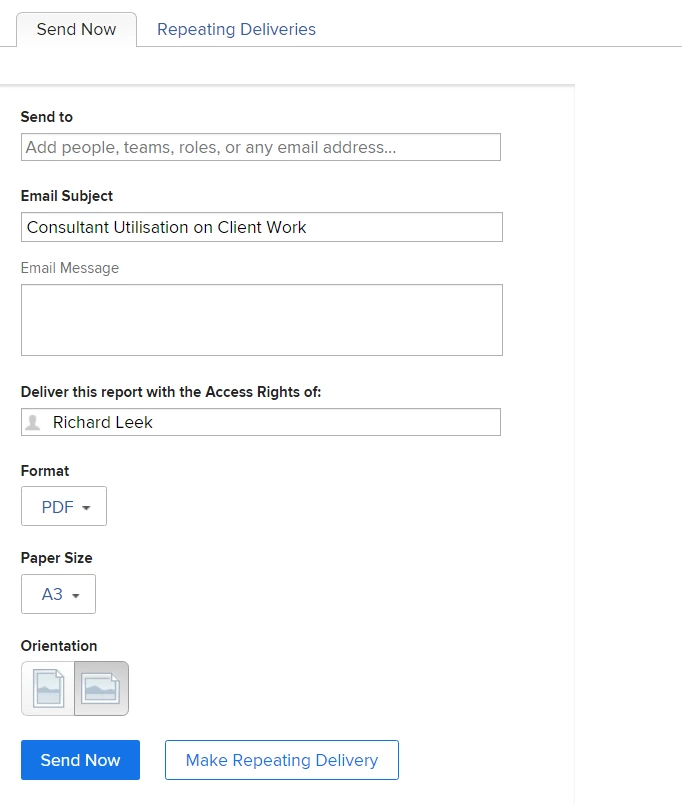
2. You could add the report to a Dashboard, which will then give you the option to print the report (Dashboard Actions >> Print). Under the printing options you can choose to save as a PDF, where you will then have options to choose the page size and orientation and scale.
Hope this helps.
Best Regards,
Rich