
Solved
Create Report to see which Layout Template is assigned to which user
Hello,
is it somehow possible to create a new report which shows, which Layout template is assigned to our users?
Thanks in advance.
Regards
Lars
Hello,
is it somehow possible to create a new report which shows, which Layout template is assigned to our users?
Thanks in advance.
Regards
Lars
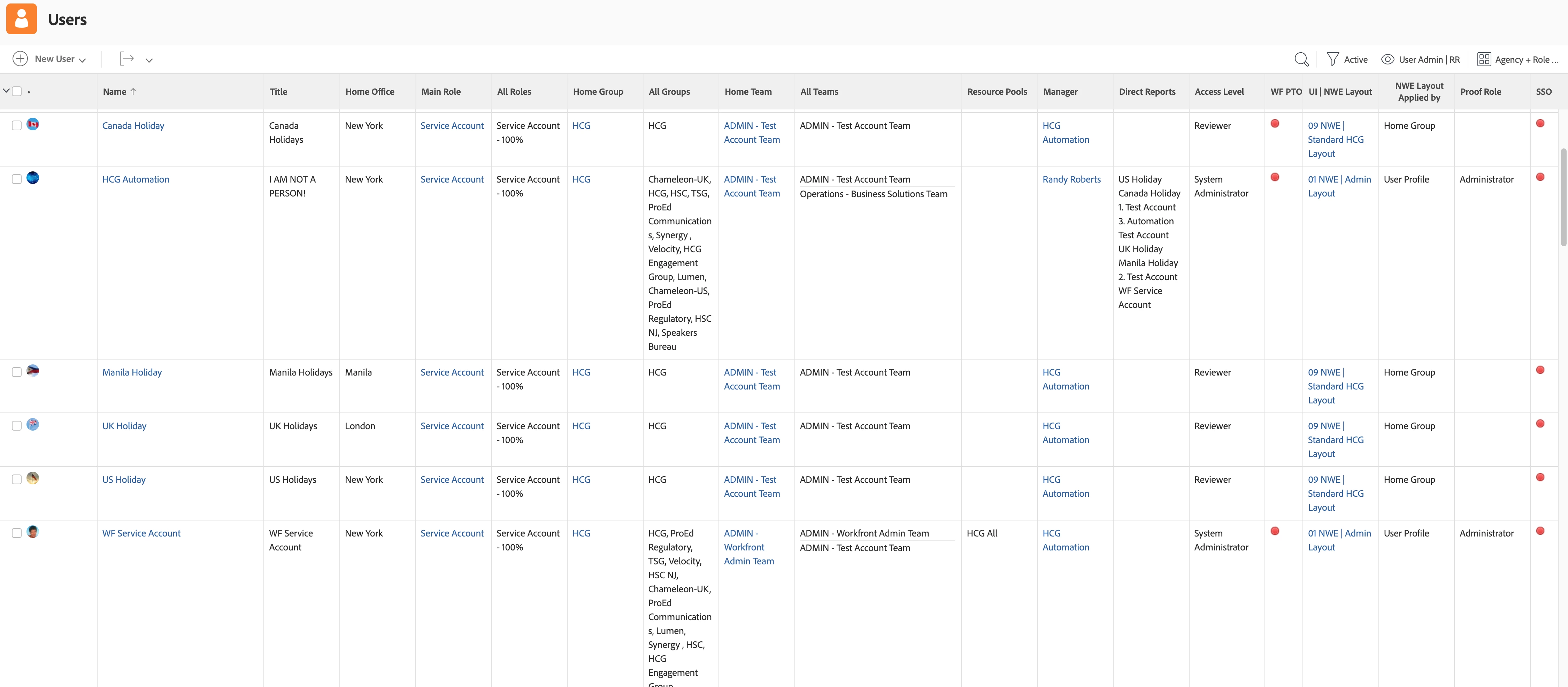
I use "effectiveUITemplate:name" to get the name of the assigned layout and the following to show how it was assigned; by user, team, group, etc.
displayname=NWE Layout Applied by
textmode=true
valueexpression=IF(!ISBLANK({uiTemplate}),"User Profile",IF(ISBLANK({uiTemplate})&&!ISBLANK({role}.{uiTemplate}),"Primary Role",IF(ISBLANK({uiTemplate})&&ISBLANK({role}.{uiTemplate})&&!ISBLANK({homeTeam}.{uiTemplate}),"Home Team",IF(ISBLANK({uiTemplate})&&ISBLANK({role}.{uiTemplate})&&ISBLANK({homeTeam}.{uiTemplate})&&!ISBLANK({homeGroup}.{uiTemplate}),"Home Group"))))
valueformat=HTML
Enter your E-mail address. We'll send you an e-mail with instructions to reset your password.