
Full-Screen option for Images in the Update Section | Community
Skip to main content
_Manish_Singh
New Participant
January 16, 2024
New

Full-Screen option for Images in the Update Section

  • January 16, 2024
  • 2 replies
  • 422 views

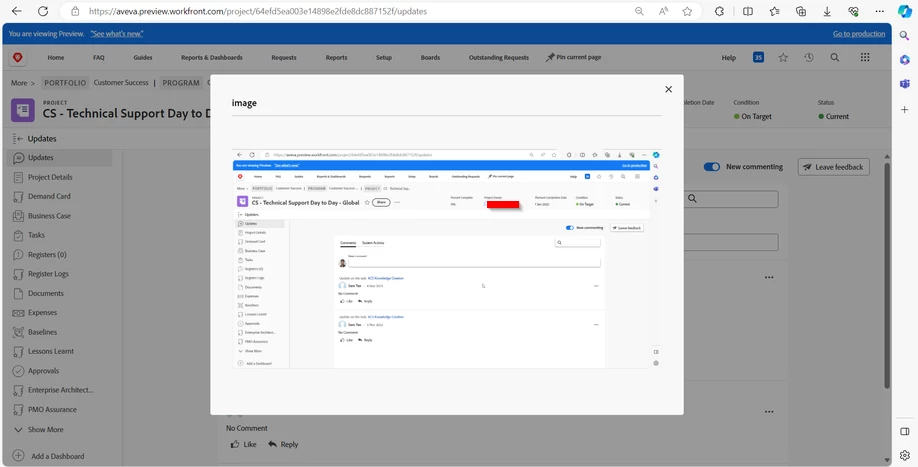
When viewing images in the updates section, the "view image" option does not work well for full-screen images. The content of the image is hard to see. This option is fine for square images, but not for rectangular ones, leading us to download the image and view. A feature that allows full-screen viewing is needed.

See image pop-up window:
 

2 replies

_Manish_Singh
New Participant
January 17, 2024

@richard__carlson - I agree with you and what you suggested works for project documentation, but for other situations where I need to share a screenshot to the user, such as support queue tickets or ad-hoc requests, the full screen screenshots are not clear enough. The content is too small to see clearly.

For instance, when I share a full-screen screenshot of the timesheet page and highlight something on it for the user, the marked area is barely visible. It's not a major issue, but the user has to download the image to see the marked area clearly.

Richard__Carlson
New Participant
January 16, 2024

Can you explain how images in updates are beneficial for your team?  We tend to put files in the Documents folders where they are more easily viewed and commented on.