
How do I un-share Forms automatically shared with my home group? | Community
Skip to main content
RandyRoberts
New Participant
November 11, 2020
Solved

How do I un-share Forms automatically shared with my home group?

  • November 11, 2020
  • 3 replies
  • 615 views

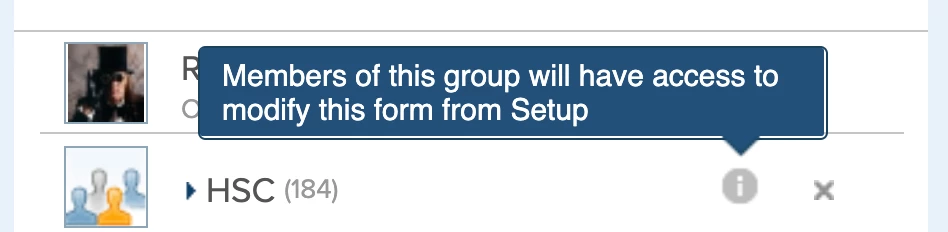
I just created a new form and it is automatically shared with my home group. When I delete them from the sharing tree, they come right back. It says "Members of this group will have access to modify this form from setup."

I don't think this is standard behavior, at least I don't remember it being standard. It also defaults to sharing system-wide. Is that new too?

How do I un-share it from my home group? and only share it with users I want it shared with?
This post is no longer active and is closed to new replies. Need help? Start a new post to ask your question.
Best answer by Richard_Le_

Hi Randy,

Custom forms have to be associated with atleast one group within Workfront. When you first create a custom form, your home group is the group that it is defaulted to. In order to remove your home group from the sharing permissions you will need to add another group instead, otherwise your home-group will be re-added to the form.

Best Regards,

Rich.

3 replies

RandyRoberts
New Participant
November 13, 2020

Yay! this was fixed in 20.4! No need for a group to be associated with a form. View the tutorial here: Click

RandyRoberts
New Participant
November 12, 2020

Thanks Richard, I have no idea how that slipped by without me ever knowing that. I'm doing a couple forms which should only be seen by HR as they are of a sensitive nature. I guess I'll have to create a "Security" group.

Richard_Le_Accepted solution
New Participant
November 11, 2020

Hi Randy,

Custom forms have to be associated with atleast one group within Workfront. When you first create a custom form, your home group is the group that it is defaulted to. In order to remove your home group from the sharing permissions you will need to add another group instead, otherwise your home-group will be re-added to the form.

Best Regards,

Rich.