How to filter out users without Planned hours in Utilization View | Community
Skip to main content
New Participant
June 14, 2024
Question

How to filter out users without Planned hours in Utilization View

  • June 14, 2024
  • 1 reply
  • 1143 views

Hi Community,

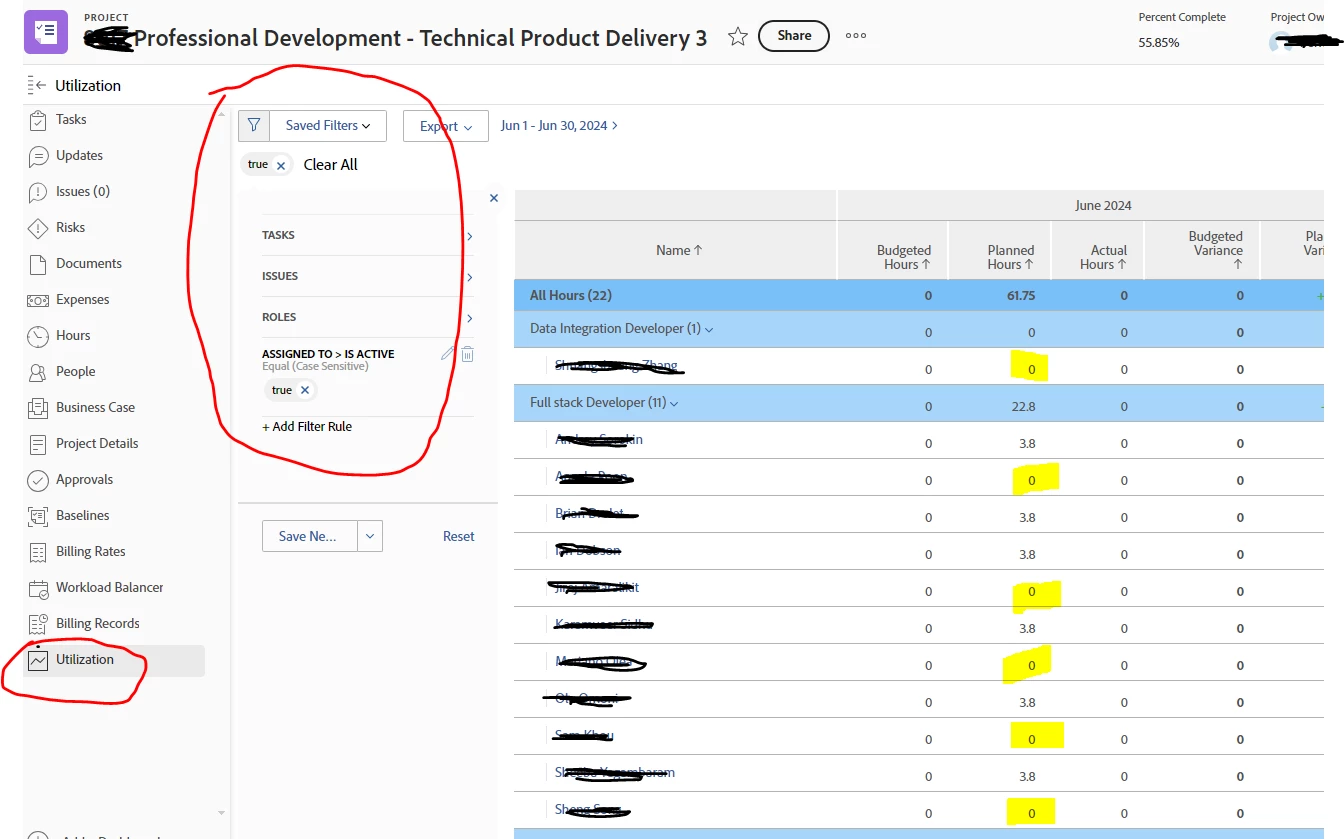
I’m trying to filter out users without planned hours or who has worked on the project in past, but the user is no longer on the project as shown in screenshot below, unfortunately this filter does not seems to be working. Any idea on how to get this work so that I can only see users with active planned hours?

seeing users who have worked on the project in past and they are no longer in the project showing up in the view is very annoying to users, 


Thank for your input and help.


This post is no longer active and is closed to new replies. Need help? Start a new post to ask your question.

1 reply

KellieGardner
New Participant
June 17, 2024

You should be able to hit the add filter option and type in planned hours. Then set it to greater than 0.


New Participant
June 17, 2024

thanks @kelliegardner  for your input. I did that, unfortunately, is not filtering correctly and is still pulling resources who are not on the project with zero planned hours - please screenshot below.


KellieGardner
New Participant
June 17, 2024

I believe this is similar to running a report in resource planner. While the users don't have hours within the time frame you are viewing (June) at some point they did or will have hours on the project. Is there planned hours showing in your "overall" section of the report?