Rich is correct, except that using a template isn't the only way to accomplish this.
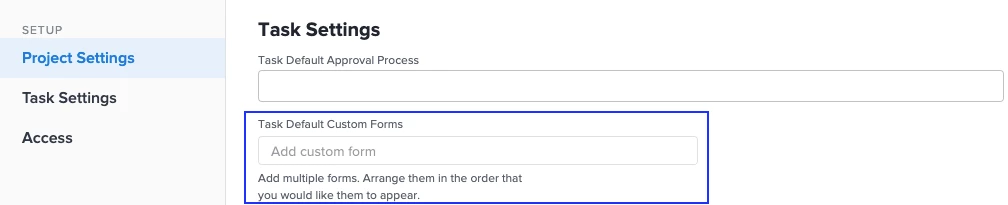
In the Project Settings, you can add a custom form that will automatically be associated with every new task that is created in the project. The catch is, if you already have tasks in the schedule, you will need to bulk edit them to add the form.
Rich is correct, except that using a template isn't the only way to accomplish this.
In the Project Settings, you can add a custom form that will automatically be associated with every new task that is created in the project. The catch is, if you already have tasks in the schedule, you will need to bulk edit them to add the form.
The custom form would automatically be applied to any new tasks that you add / create on the project as well. So long as your project was originally created from a template where the default task custom form was set, any brand new tasks that you add to that project will also have the custom form automatically applied.
If you create your projects from a template, then yes you can automatically add custom forms to every new task that is created. In the projecttemplate settings you can specify a task default custom form (see screen shot below). Then, when you spin up a project from this template, any new tasks that you add to the newly created project will automatically have the default task custom form that you specified in the template settings attached to it.
As far as I am aware, this is only possible when creating projects from a template.