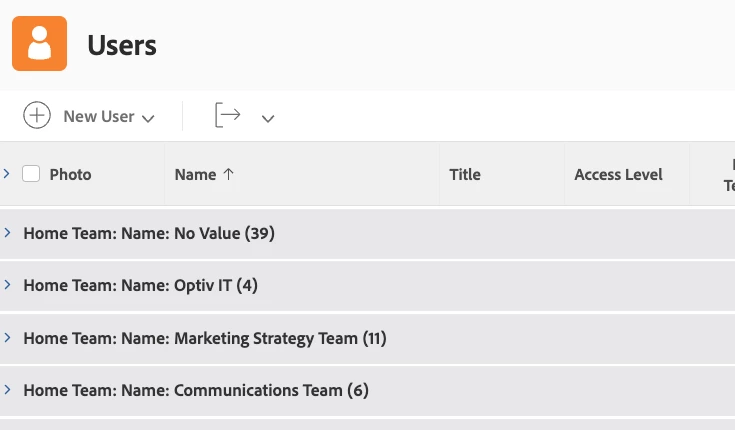
This is one of those ones I wonder why WF doesn't have a "Group Label" field or similar functionality so we didn't have to dive into text mode for such a simple cosmetic change.
Just use a similar interface/technique to how we rename column headers in views/reports.
(Similar to: Why do I have to use text mode to switch from displaying an "ID" parameter to a "name" parameter?)
@Deborah Baker‚ It looks like you currently have the grouping for Home Team > Name associated with your view. To remove Home Team: Name, you'll want to edit your grouping. Switch to text mode and remove all the lines with the word "name" in them, and then add group.0.name= to the bottom. Your new grouping should look like this:
group.0.name=
group.0.namekeyargkey.0=homeTeam
group.0.namekeyargkey.1=name
group.0.valuefield=homeTeam:name
group.0.valueformat=string
textmode=true
When you save and close your grouping, now you should see just No Value, Optiv IT, Marketing Strategy Team and Communications Team.
What happens when you refresh the browser page, does the error go away? Likewise, can you navigate to another page or area in Workfront and then navigate back? Is that error still there?