Task report: Can I show the assigned to role NAME in a chart? | Community
Skip to main content
New Participant
February 8, 2024
Solved

Task report: Can I show the assigned to role NAME in a chart?

  • February 8, 2024
  • 1 reply
  • 691 views

I'm working with a task report. It has a chart that has one (standard mode) Groupings:

Assigned To >> Role ID


We would like to show the role name instead of the role ID though, so I changed the Groupings to text mode. The report details groups by the role name as expected, but I cannot get the role name to show on the chart.

This is my Groupings:

textmode=true group.0.displayname=Assigned Role group.0.namekeyargkey.0=assignedTo:role:name group.0.namekeyargkey.1=roleID group.0.valuefield=assignedTo:role:name group.0.valueformat=string group.0.namekey=view.relatedcolumn group.0.linkedname=assignedTo


Can someone tell me what I'm missing? Thanks!

This post is no longer active and is closed to new replies. Need help? Start a new post to ask your question.
Best answer by MoniqueEvans

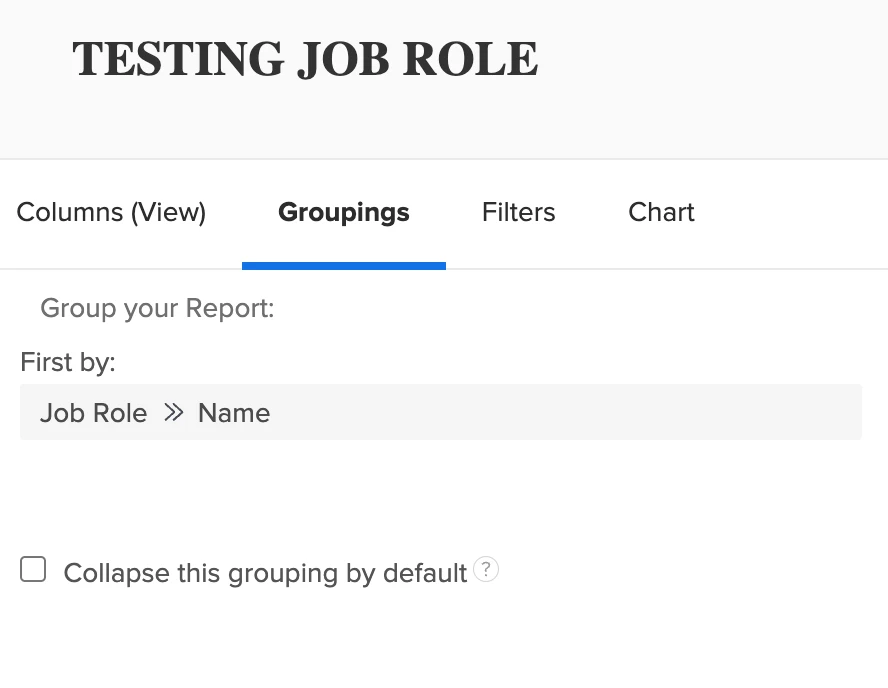
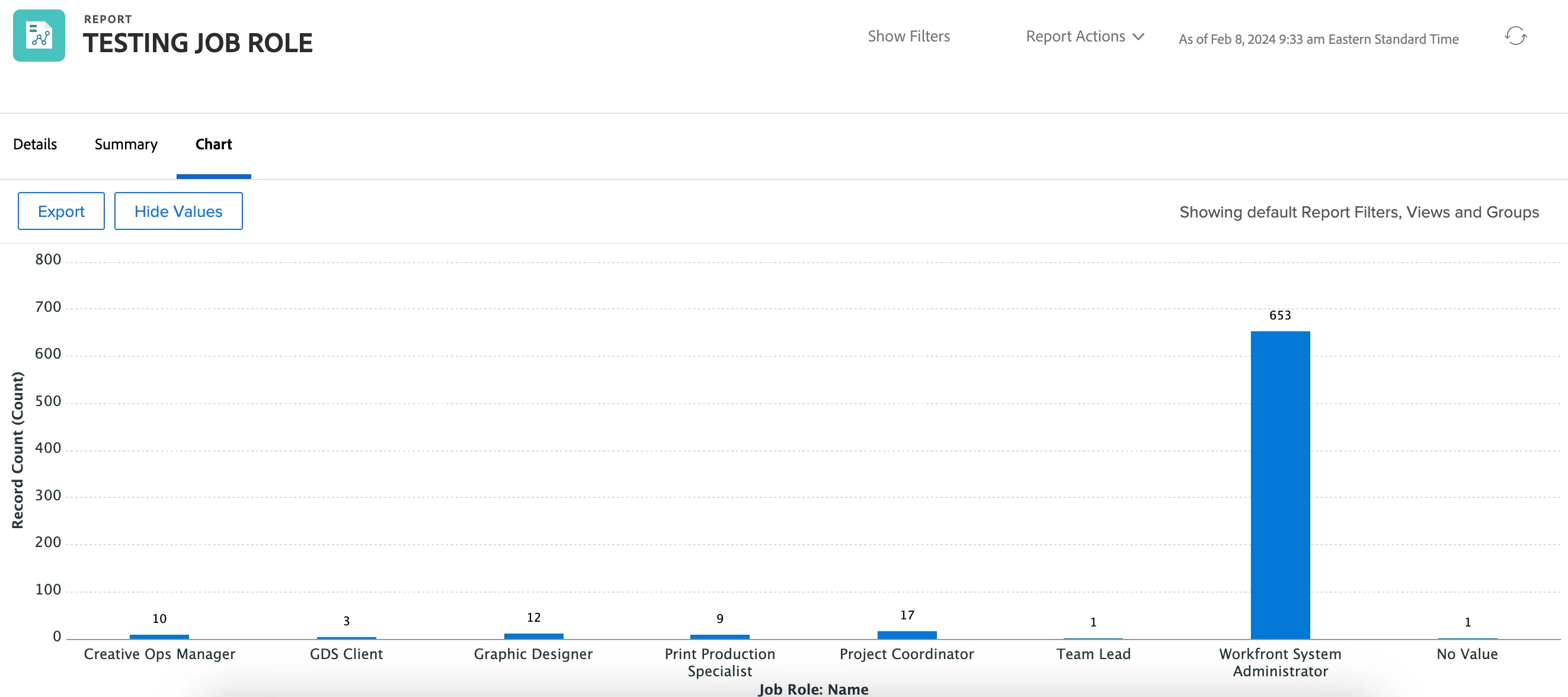
You were so close! Instead of grouping by Assigned To >> Job Role; Group by Job Role >> Name. Workfront will assume the "assigned to" portion and this should give you the expected results.

1 reply

MoniqueEvans
MoniqueEvansAccepted solution
New Participant
February 8, 2024

You were so close! Instead of grouping by Assigned To >> Job Role; Group by Job Role >> Name. Workfront will assume the "assigned to" portion and this should give you the expected results.

New Participant
February 8, 2024

Thank you, Monique! Guess I was making it harder than necessary.