User Proof Permission Profiles Reporting | Community
Skip to main content
New Participant
June 12, 2024
Solved

User Proof Permission Profiles Reporting

  • June 12, 2024
  • 1 reply
  • 992 views

I need a way to bulk edit users who have the Proof Permission Profile of Supervisor. Is there a way to do this without having to go into each user individually? Is there Text Mode I can use as a field in a filter? or is there a way to make a calculated field in a user report to pull in the Proof Permission Profiles so I can filter them out?

Best answer by Madalyn_Destafney

Please see sreen shots 


Very strange I can see this and you cannot. I found this from a past thread that may get results for you instead. 

In the user report, add the below text mode to a column and see if that pulls in results.


displayname=Proof Permission Profile

textmode=true

valueexpression=IF({proofAccountRole}=5,"Manager",IF({proofAccountRole}=4,"Supervisor",IF({proofAccountRole}=3,"Admin",{proofAccountRole})))

Regardless, I think you should submit a ticket to WF Support to see why you're not able to access that proof permission profile filter.

1 reply

Madalyn_Destafney
New Participant
June 12, 2024

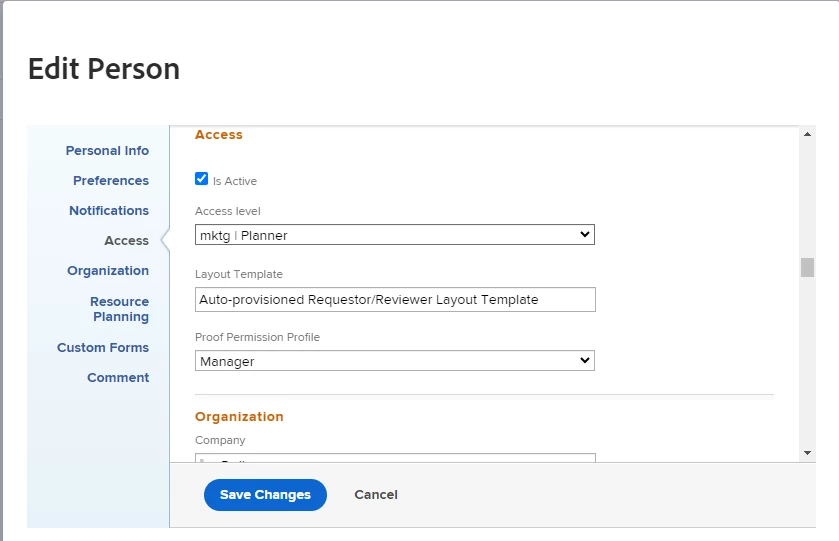
Hi there! This can be done easily with a user report. Open a user report and add this filter along with any others you need:

Then you can select all of the results or however many needed and bulk edit.

If this helped you, please mark correct to help others : )
New Participant
June 12, 2024

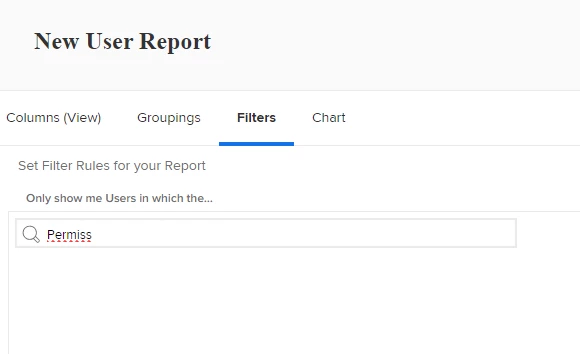
I went to create a User report and I do not have that option (I have system admin access) see screenshot

Madalyn_Destafney
New Participant
June 12, 2024

Interesting. Do your users have proof licenses indicated in their profiles? What if you just search 'permission'?

If this helped you, please mark correct to help others : )