AEM assets Smart Crop usage | Community
Skip to main content
sonalid49327489
New Participant
May 13, 2020
Solved

AEM assets Smart Crop usage

  • May 13, 2020
  • 3 replies
  • 6621 views

Hi,


We are trying to explore the aem 6.5 smart crop feature. I followed 

https://docs.adobe.com/content/help/en/experience-manager-65/assets/dynamic/image-profiles.html 


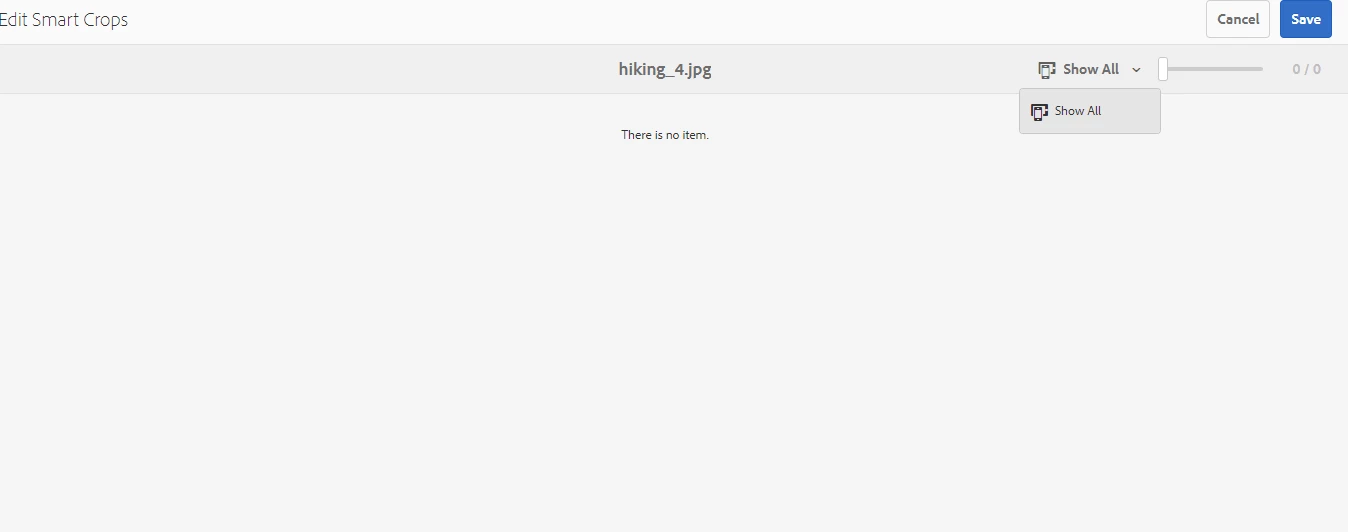
I have mapped my image profile to the assets folder. I can see the smart crop option but there are no crop profiles in the drop down. Can someone help me understand this?


This post is no longer active and is closed to new replies. Need help? Start a new post to ask your question.
Best answer by vinodtanwar

Hello,

I think you are talking about AEM Assets (not AEM Mobile) and might want to post your query here Adobe Experience Manager Assets.

AEM Mobile is a totally different product used to build content-rich hybrid apps and stands separate from AEM.

Regarding Smart Crop, its a Dynamic Media feature and is available with dynamicmedia or dynamicmedia_scene7 runmodes, however this also requires the Dynamic Media to be configured in Cloud Services. For more details will recommend to post your query above community.

Thanks,

Vinod 

3 replies

vinodtanwarAccepted solution
Employee
May 21, 2020

Hello,

I think you are talking about AEM Assets (not AEM Mobile) and might want to post your query here Adobe Experience Manager Assets.

AEM Mobile is a totally different product used to build content-rich hybrid apps and stands separate from AEM.

Regarding Smart Crop, its a Dynamic Media feature and is available with dynamicmedia or dynamicmedia_scene7 runmodes, however this also requires the Dynamic Media to be configured in Cloud Services. For more details will recommend to post your query above community.

Thanks,

Vinod 

New Participant
September 14, 2023

What is the difference between:
Adobe Experience Manager
Adobe Experience Manager Assets


Employee
May 13, 2020

To use Smart Crop, you should be using dynamicmedia run mode(i.e. dynamicmedia or dynamicmedia_scene7) on your AEM with cloud-config updated with DM account setting. In case these conditions met and you still don't see Smart Crop renditions than kindly check the Image profile you've created. Does it have the Smart Crop selected? Here is an example which you can compare:


If for some reason it still doesn't show the option with the above settings in place, I recommend opening a support ticket with us for further investigation.

Mobile_Support
New Participant
May 13, 2020

..