Content Fragment in Experience Manager Assets was not downloadable | Community
Skip to main content
New Participant
October 23, 2024
Solved

Content Fragment in Experience Manager Assets was not downloadable

  • October 23, 2024
  • 3 replies
  • 960 views

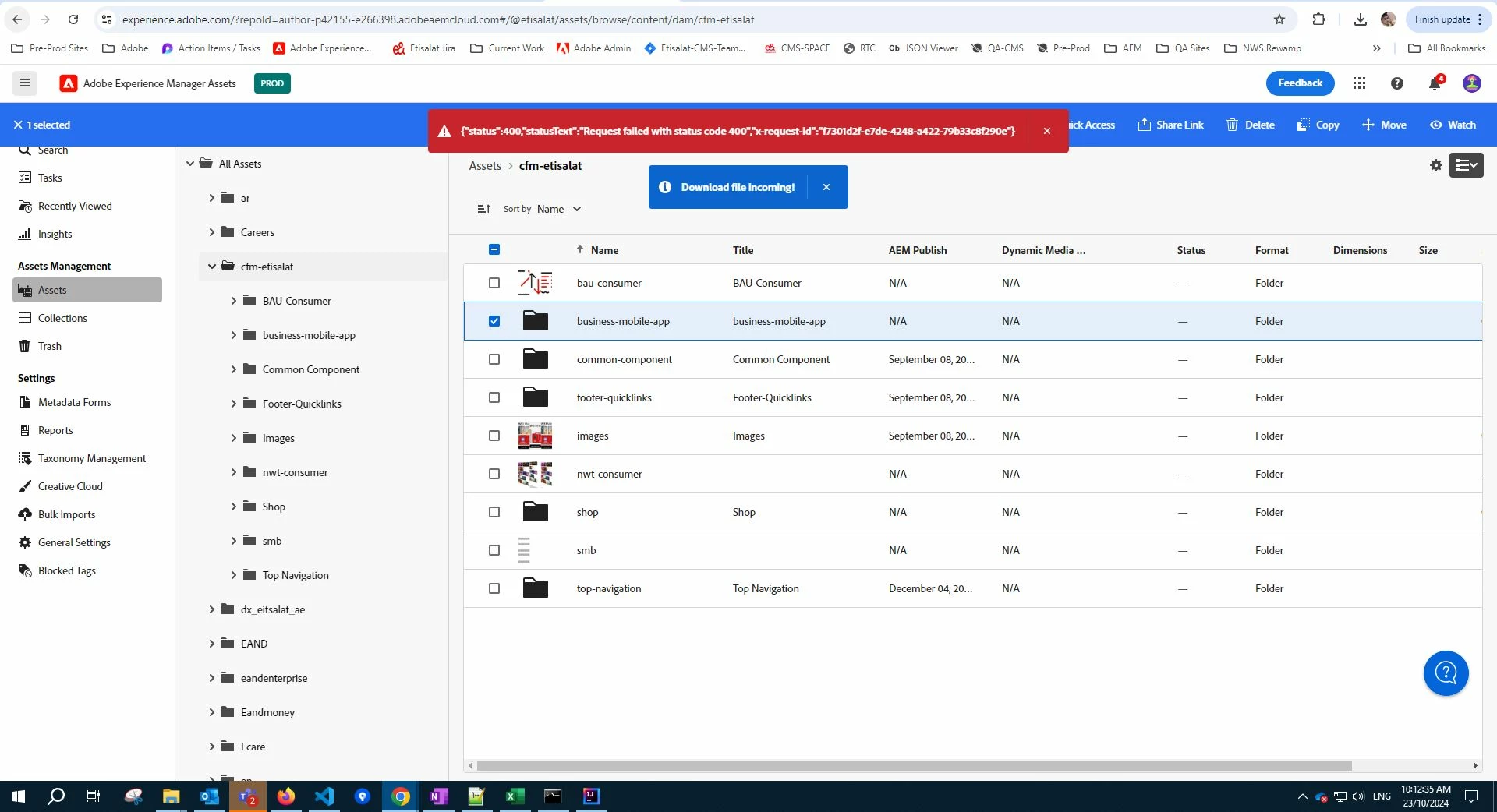
I am trying to download Assets using Adobe Experience manager Assets console from experience.adobe.com. other than content fragment it is working fine for all other file types like images, CSS, JS. But when I was trying to download content fragment it hits status 400 error. 

Content fragment also a asset but it is not downloadable from Experience Manager Assets. 
 

This post is no longer active and is closed to new replies. Need help? Start a new post to ask your question.
Best answer by EstebanBustamante

Hi,


You're right; I now cannot see Content Fragments in the Assets Console, I think you should not see it either, and the reason may be related to the license terms where it seems CF are not part of those products, please check the section "AEM Assets: Product Limitations" and "AEM Assets Essentials: Product Limitations" in this link: https://helpx.adobe.com/legal/product-descriptions/aem-cloud-service.html 


Alternatively, you should download them using the traditional UI.


Hope this helps!

3 replies

kautuk_sahni
Employee
November 5, 2024

@mohamedvalith Did you find the suggestions helpful? Please let us know if you require more information. Otherwise, please mark the answer as correct for posterity. If you've discovered a solution yourself, we would appreciate it if you could share it with the community. Thank you!

Kautuk Sahni
EstebanBustamante
EstebanBustamanteAccepted solution
New Participant
October 28, 2024

Hi,


You're right; I now cannot see Content Fragments in the Assets Console, I think you should not see it either, and the reason may be related to the license terms where it seems CF are not part of those products, please check the section "AEM Assets: Product Limitations" and "AEM Assets Essentials: Product Limitations" in this link: https://helpx.adobe.com/legal/product-descriptions/aem-cloud-service.html 


Alternatively, you should download them using the traditional UI.


Hope this helps!

Esteban Bustamante
New Participant
November 5, 2024

Thank you for your response.

New Participant
October 23, 2024

hi @mohamedvalith ,

Can you please check if you have enough permissions to download.


Thanks

New Participant
October 23, 2024

i have download permission. i can download all other assets. only CFM now getting download