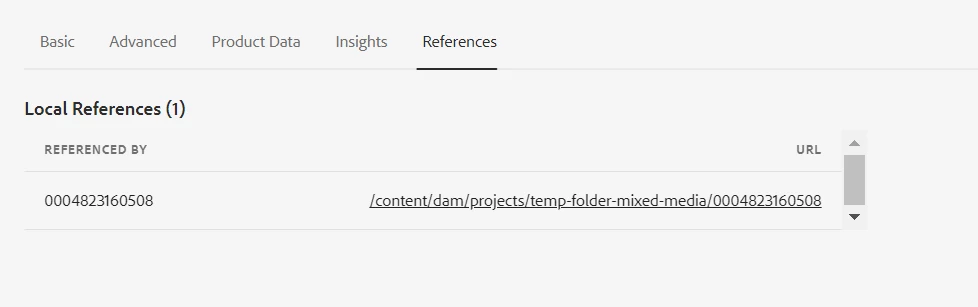
How to get dam asset references in aem programmatically? | Community
Skip to main content

3 replies

kautuk_sahni
Employee
January 27, 2025

@keerthana_h_n Did you find the suggestions helpful? Please let us know if you require more information. Otherwise, please mark the answer as correct for posterity. If you've discovered a solution yourself, we would appreciate it if you could share it with the community. Thank you!

Kautuk Sahni
BrianKasingli
New Participant
January 22, 2025

What @estebanbustamante  said, and here's some very simple example code, this is sandbox code for learning only:

package com.sourcedcode.core.services.impl; import com.day.cq.commons.ReferenceSearch; import com.day.cq.commons.ReferenceSearch.Info; import com.example.core.services.AssetReferenceFinder; import org.apache.sling.api.resource.Resource; import org.apache.sling.api.resource.ResourceResolver; import org.osgi.service.component.annotations.Component; import java.util.List; import java.util.Map; @Component(service = AssetReferenceFinder.class, immediate = true) public class AssetReferenceFinderImpl implements AssetReferenceFinder { @Override public List<Info> getReferences(ResourceResolver resourceResolver, String assetPath) { Resource assetResource = resourceResolver.getResource(assetPath); if (assetResource == null) { throw new IllegalArgumentException("Asset not found at path: " + assetPath); } ReferenceSearch referenceSearch = new ReferenceSearch(); Map<String, String> params = ReferenceSearch.getDefaultParams(); return referenceSearch.search(assetResource, params); } } import com.google.gson.Gson; import com.google.gson.JsonArray; import com.google.gson.JsonObject; .... List<Info> references = assetReferenceFinder.getReferences(resourceResolver, assetPath); // Use Gson to build JSON response Gson gson = new Gson(); JsonArray referencesJsonArray = new JsonArray(); for (Info info : references) { JsonObject referenceJson = new JsonObject(); referenceJson.addProperty("nodePath", info.getNodePath()); referenceJson.addProperty("propertyName", info.getPropertyName()); referenceJson.addProperty("type", info.getType()); referencesJsonArray.add(referenceJson); } // Write JSON array to the response response.setContentType("application/json"); response.getWriter().write(gson.toJson(referencesJsonArray));


EstebanBustamante
New Participant
January 21, 2025
Employee
January 21, 2025

Hi @estebanbustamante ,


Tried both api not getting the result. Which asset path has to passed as params? can you please share the example code snippet.