How to stop showing some workflows when multiple assets are selected? | Community
Skip to main content
New Participant
September 27, 2023
Solved

How to stop showing some workflows when multiple assets are selected?

  • September 27, 2023
  • 1 reply
  • 511 views

Hi All,

We have a requirement where we need to stop showing some workflows in the create button that comes in the top in AEM Author instance when multiple assets are selected in our certain DAM path.
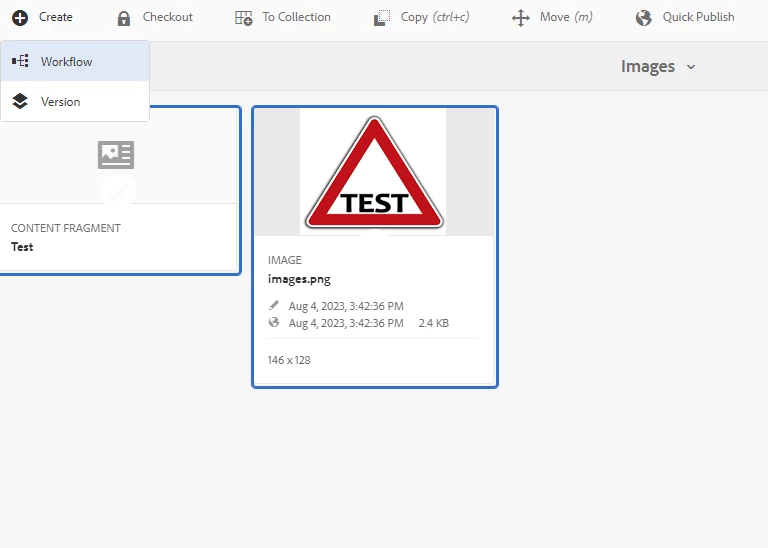
So, when we select Multiple assets those workflows should not be visible but when we select a single asset then it should be visible.
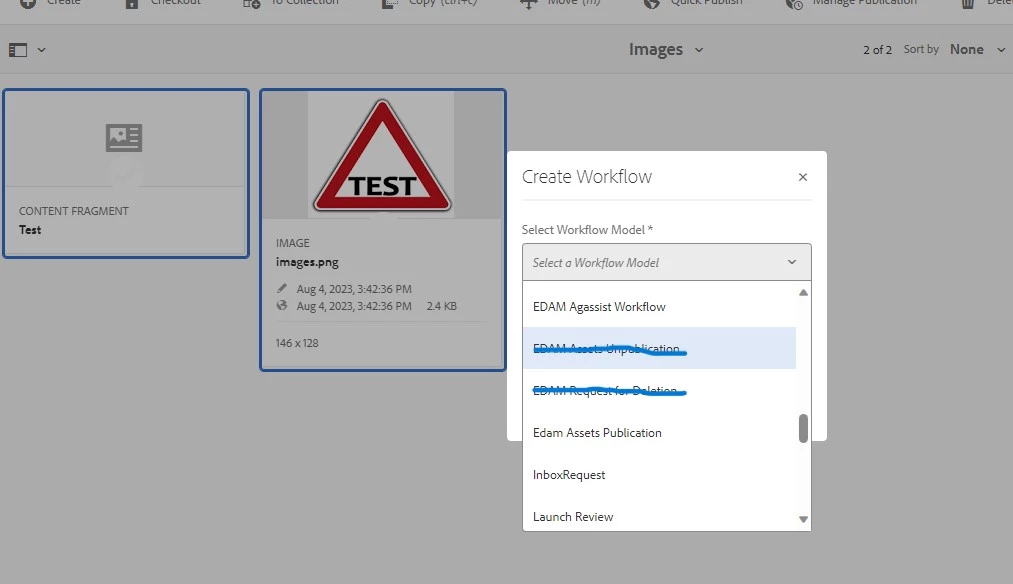
We run AEM 6.5 on premise.

Thanks.

This post is no longer active and is closed to new replies. Need help? Start a new post to ask your question.
Best answer by EstebanBustamante

There is no an OOTB way to do this, at least that I am aware of, so you will have to customize this, overlay the console, and add your logic to filter based on your requirements.

1 reply

EstebanBustamante
EstebanBustamanteAccepted solution
New Participant
October 2, 2023

There is no an OOTB way to do this, at least that I am aware of, so you will have to customize this, overlay the console, and add your logic to filter based on your requirements.

Esteban Bustamante