Hi,
I wouldn't call the solution easy but you can do this with a bit on JS.
The component which is being used to render the date is <foundation-time> (as you pointed out) which is documented here. As you can see from the documentation, there is a type attribute which must be set to "datetime" in order for the time to be displayed.
Let's now find the source of the preview. If you jump into CRX DE you will find a JSP at /libs/cq/gui/components/coral/admin/page/columnpreview/columnpreview.jsp and as suspected, you will find the following line:
<foundation-time value="<%= xssAPI.encodeForHTMLAttr(cqPage.getLastModified().toInstant().toString()) %>"></foundation-time>
So how do we force the <foundation-time> elements to display time then?
You can do so a clientlib and MutationObserver.
- Create a new clientlib and give it a custom category (eg: demo.datetime)
- Add the following JS to the clientlib:
(function ($) {
$(document).on("foundation-contentloaded", function () {
const TARGET_SELECTOR = "coral-columnview";
const PREVIEW_TAG_NAME = "CORAL-COLUMNVIEW-PREVIEW";
const callback = function (mutations) {
// Check if the preview was updated
const preview = mutations
.find(record => [...record.addedNodes]
.find(node => node.tagName === PREVIEW_TAG_NAME));
if (preview) {
// Update all foundation-time to datetime
$('foundation-time').each(function () {
this.setAttribute("type", "datetime");
});
}
};
const observer = new MutationObserver(callback);
// Observe the while column view
const target = document.querySelector(TARGET_SELECTOR);
// Listen only to updates in children
const config = {childList: true};
// Start observation
if (target) {
observer.observe(target, config);
} else {
console.error("Could not observe " + TARGET_SELECTOR);
}
});
})(Granite.$);
I've been generous with the comments 😉
- Load the clientlib onto the desired page. eg: for sites.html (the Sites page browser)
- Overlay /libs/wcm/core/content/sites/jcr:content/head/clientlibs to /apps/wcm/core/content/sites/jcr:content/head/clientlibs
- Add the demo.datetime category to the list of clientlibs
Tada! Every time we click on a page, the observer triggers the callback which sets all the Modified field to datetime format!
Here is the result:
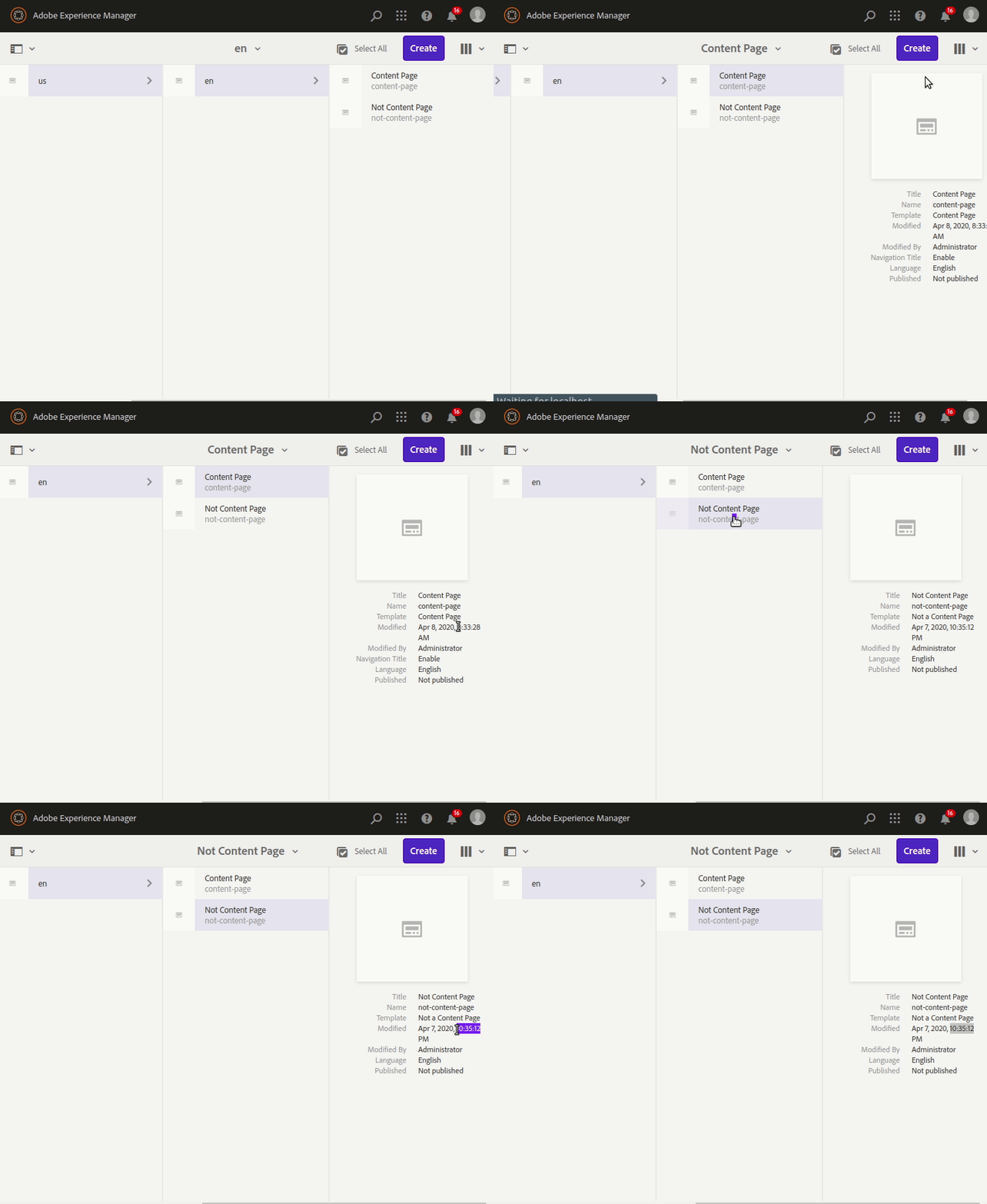
Of course this only works on Sites and in Column View, if you want the same behaviour on a different page and/or view, you'll need to add the clientlib in the right places and change the selectors in the JS 🙂
