Add a new button to assetdetails Screen | Community
Skip to main content
mozzvinod
Level 2
Sep 17, 2019 5:27 AM UTC
Solved

Add a new button to assetdetails Screen

Hi All,

I need to add a new button on to the "assetdetails" screen below. Click action on this would open a new tab with URL like

https://<author-instance>/content/aemreview/en/documentreview.

html/content/dam/review/assets.jpg

It would be very help if someone can share a document or pointer on how to achieve this.

This post is no longer active and is closed to new replies. Need help? Start a new post to ask your question.
Theo_Pendle
Theo_PendleAccepted solution
Level 8
Sep 19, 2019 5:05 AM UTC

Hi Vinod,

Im happy it was useful!

To manipulate the order of overlaid nodes (or any node actually) you can add the following property to your custom action node:

sling:orderBefore - String - annotate

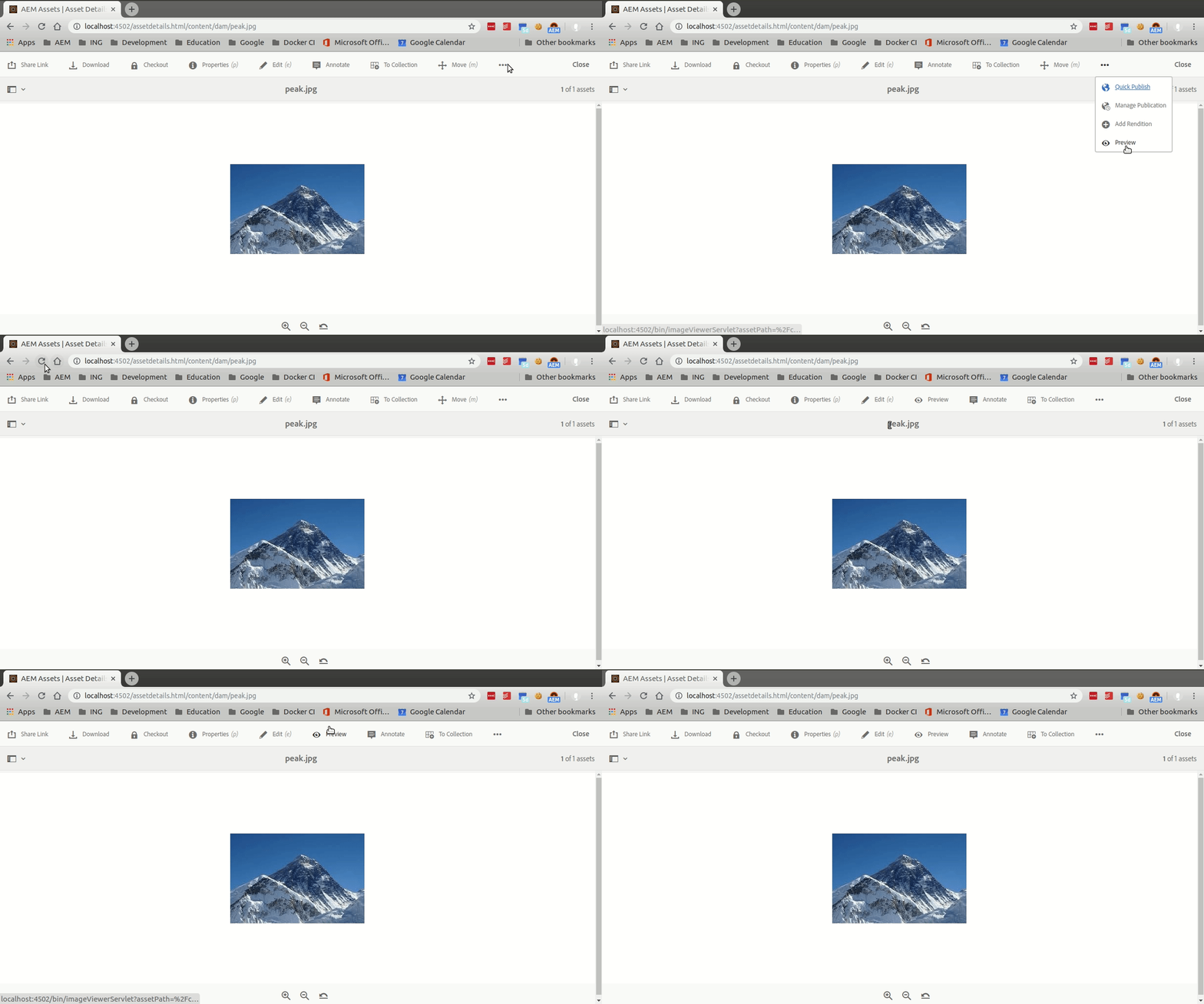
Here's the result when you refresh the page after making this change:

For more cool tips and tricks on overlaying and overriding nodes in AEM, have a look at this page: Using the Sling Resource Merger in AEM

4 replies

Theo_Pendle
Theo_PendleAccepted solution
Level 8
Sep 19, 2019 5:05 AM UTC

Hi Vinod,

Im happy it was useful!

To manipulate the order of overlaid nodes (or any node actually) you can add the following property to your custom action node:

sling:orderBefore - String - annotate

Here's the result when you refresh the page after making this change:

For more cool tips and tricks on overlaying and overriding nodes in AEM, have a look at this page: Using the Sling Resource Merger in AEM

Translate
mozzvinod
mozzvinodAuthor
Level 2
Sep 19, 2019 3:27 AM UTC

Thanks, this is great help.

QQ : I was able to create button using the information you shared. But I need to place this new button after Annotate link. If possible, how can it be done.

Thanks

Vinod

Translate
Theo_Pendle
Level 8
Sep 18, 2019 7:00 PM UTC

Hi,

Sorry for the slow reply, but your question inspired me to make a tutorial Here it is: https://medium.com/@theopendle/aem-adding-a-button-to-a-touchui-toolbar-ae1d1dc1c530. If you have any questions, don't hesitate!

Translate
Employee
Sep 17, 2019 11:35 AM UTC

Hi,

You can overlay "/libs/dam/gui/content/assetdetails" . Under this you will find all button and their respective action.

Once you overlay and add your new button, you can add variant, rendercondition and etc...

For example have a look at the implementation of move action /libs/dam/gui/content/assetdetails/jcr:content/actions/moveasset

Translate