Add an ability to "Replace a file" from the asset's properties page | Community
Skip to main content
New Participant
May 18, 2023
Investigating

Add an ability to "Replace a file" from the asset's properties page

  • May 18, 2023
  • 12 replies
  • 4680 views
Request for Feature Enhancement (RFE) Summary:

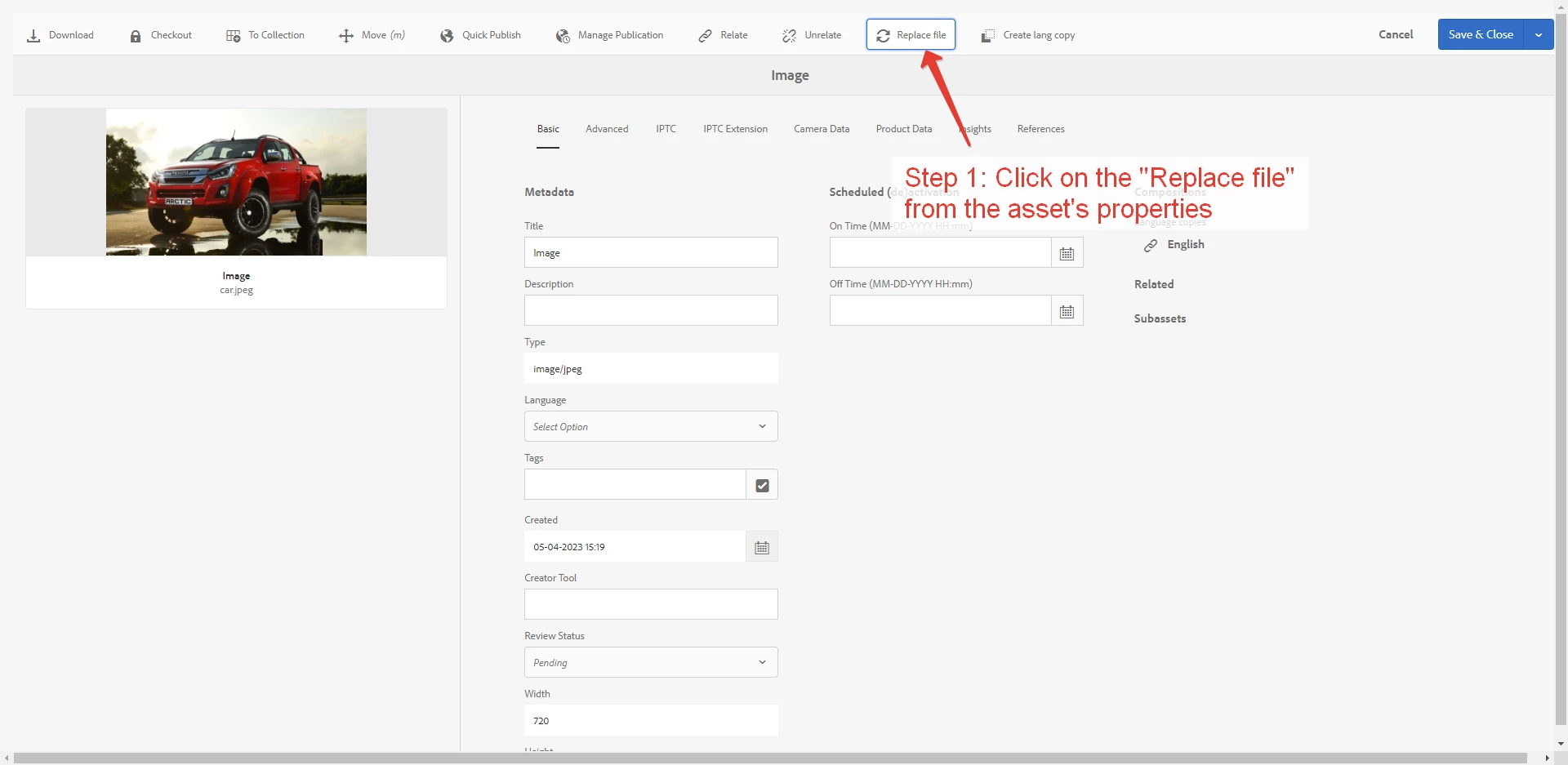
Content managers need an ability to "Replace a file" from the asset's properties.

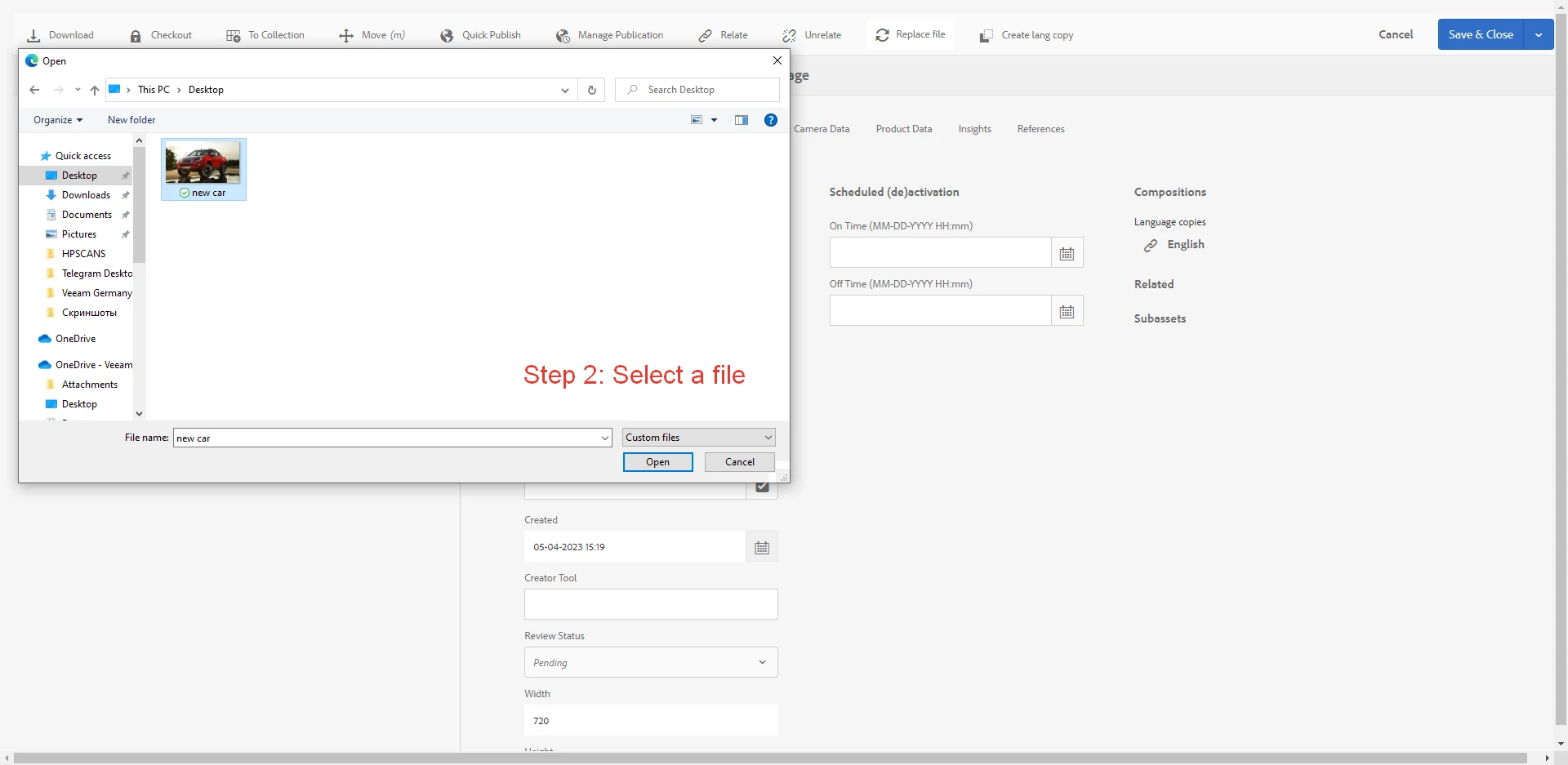
We implemented an override for them (pictures attached). In future we'd like to have this feature as Out-of-the-box functionality.

Use-case: Content manager creates an asset's language copy, then "Reveal in Asset", then goes to the asset's properties and need to Replace the original file by translated version of file, having stored it on local computer with different name.
Current/Experienced Behavior:

Content manager can update an asset's file by one of the 2 ways:

  1. Create a Version:
    Open the folder in the DAM. Find his/her asset file. Select it and click on the "+ Create" button, then select "Version" button.
  2. Replace an original file OR Create a version:
    Save a future image with the SAME name as an original asset's file in the DAM. Drag and drop the future image to the DAM. System suggests "Create a version" or "Replace".
Improved/Expected Behavior:

User Story:

As a Content manager, I want to be able to "Replace a file" from the asset's properties to avoid walking through assets listing and files renaming.


Acceptance criteria:

  1. Content manager can update an asset's file from the asset's properties by uploading the file from his/her local computer.
  2. Content manager can choose 2 options: "Create version" or "Replace".
  3. If "Replace" option is selected, AEM saves the file to the same directory and automatically rename uploaded file to the same name as the original asset (original file is deleted).
  4. If "Create version" option is selected, AEM creates a version of the file (original file is saved).
  5. Uploading file with different extension than original asset is not uploaded and the error is displayed.
  6. The button "Replace file" is displayed on menu above asset properties page.
Environment Details (AEM version/service pack, any other specifics if applicable): AEM Managed Services, v6.5.14
Customer-name/Organization name: Veeam Software
Screenshot (if applicable):

We implemented an override for Content managers:

Code package (if applicable):  

12 replies

PolinaAbAuthor
New Participant
June 1, 2023

@kautuk_sahni thanks for the update!

kautuk_sahni
Employee
June 1, 2023

@polinaab 

Thanks for proposing this idea
 
This has been reported to the engineering under the internal reference ASSETS-25160. The product team will triage this request to verify feasibility based on the prioritization model. This post will be updated according to the Jira request status.
Kautuk Sahni