Add Policy to the custom components | Community
Skip to main content
Mar 1, 2019 1:03 PM UTC
Solved

Add Policy to the custom components

Hello All,

I have created one custom component and allow that component in my editable template.

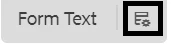
But now I am not able to see policy options for my custom component.

In my custom component I have created cq:dialog and cq:editConfig and one HTML file

should I need to make any configuration or anything?

please help me with this

Thank you :-)

This post is no longer active and is closed to new replies. Need help? Start a new post to ask your question.
Gaurav-Behl
Gaurav-BehlAccepted solution
Level 10
Mar 3, 2019 12:38 AM UTC

If you're talking about the 'settings/policy' icon, then you'd need to add cq:design_dialog node. Otherwise extend your component from one of core components that already has the policy and thereafter you can customize it following the link shared by Arun above.

8 replies

New Participant
Mar 1, 2020 6:25 AM UTC

Please create design dialog for that component then you have see the policy option for that component in editable template 

Translate
Mar 4, 2019 12:56 PM UTC

Thank you so much.

But still we have to use core components :-(

Translate
Gaurav-Behl
Level 10
Mar 4, 2019 11:30 AM UTC

yes, check the core components for reference.

Translate
Mar 4, 2019 6:04 AM UTC

gauravb10066713​ smacdonald2008​

Thank you so much it worked for me.

If I am editing its policy and take an image component as my core components but it is showing me the policy screen of image component

so my question is can we build our own policy page and our own fields for our custom components?

Thank you.

Translate
Nitin_laad
New Participant
Dec 9, 2020 3:12 PM UTC
Hi @15116516, I have the same requirement, did you get the answer on this question. Could you please share if any. Thanks
Translate
smacdonald2008
Level 10
Mar 3, 2019 7:23 PM UTC

Great responses!

Translate
Gaurav-Behl
Gaurav-BehlAccepted solution
Level 10
Mar 3, 2019 12:38 AM UTC

If you're talking about the 'settings/policy' icon, then you'd need to add cq:design_dialog node. Otherwise extend your component from one of core components that already has the policy and thereafter you can customize it following the link shared by Arun above.

Translate
arunpatidar
New Participant
Mar 1, 2019 8:43 PM UTC

Hi,

Please check component level policy at below:

AEM Developer Learning : Dynamic (Editable) Templates in AEM 6.3 : Part-1

Translate
Arun Patidar