Added id attribute in AEM Editor for container is not displayed in rendered HTML | Community
Skip to main content
Level 3
Sep 6, 2022 9:45 PM UTC
Solved

Added id attribute in AEM Editor for container is not displayed in rendered HTML

Hi,


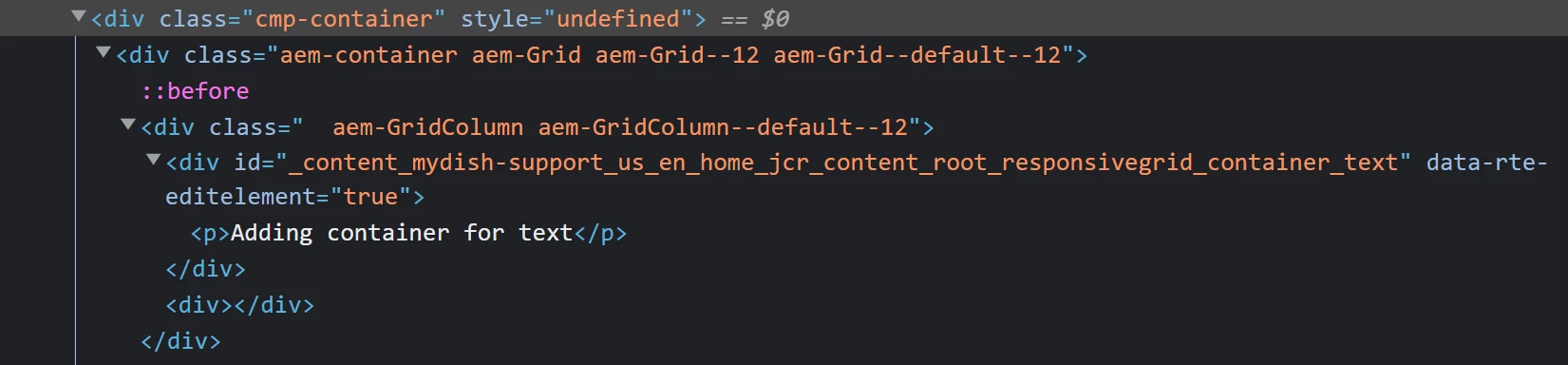
I'm trying to add an "id" attribute to the container component but I do not see that in the HTML that is rendered when "View as published". Also, it shows style="undefined" on the container. Below are the screenshots for the same.
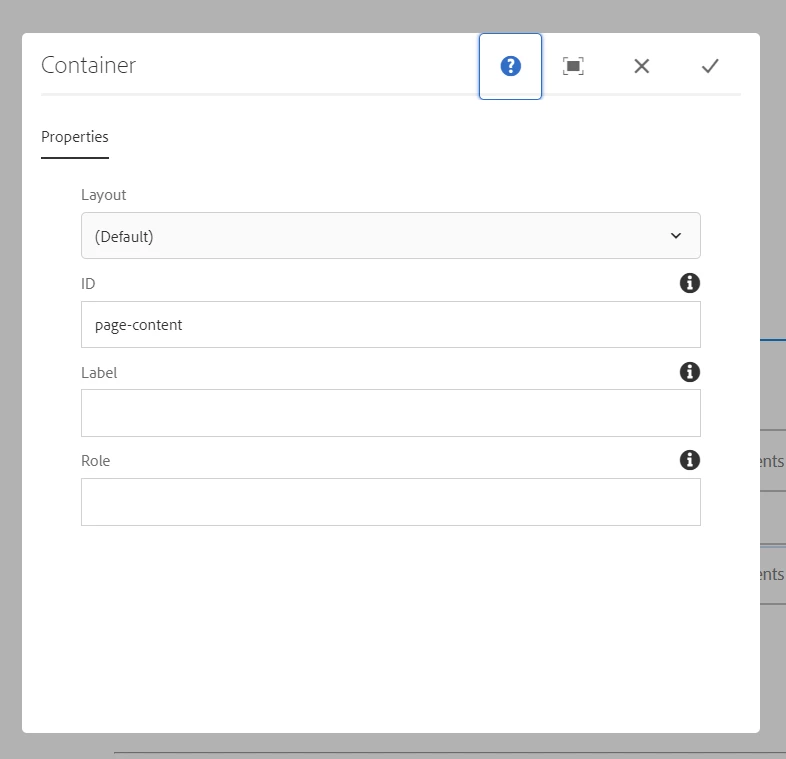


I'm using AEM 6.5.13 and core components 2.20.6 and running it as AEM SPA(react). Can someone assist if something is missing or worng?

This post is no longer active and is closed to new replies. Need help? Start a new post to ask your question.
AsifChowdhury
AsifChowdhuryAccepted solution
New Participant
Jun 20, 2023 7:54 AM UTC

Hello @manasabojja7 

please check you have added a name (i.g. idField) for the id field in the dialog xml and call it in sightly in this way "${properties.idField}" where you need it.

3 replies

AsifChowdhury
AsifChowdhuryAccepted solution
New Participant
Jun 20, 2023 7:54 AM UTC

Hello @manasabojja7 

please check you have added a name (i.g. idField) for the id field in the dialog xml and call it in sightly in this way "${properties.idField}" where you need it.

Translate
New Participant
Aug 6, 2023 8:47 PM UTC

How do I add this fild to dialog if I'm using the container component that comes with the AEM/React project build  I'm facing the same issue.

Translate