Adding a node (component) via Eclipse | Community
Skip to main content
New Participant
August 28, 2019
Solved

Adding a node (component) via Eclipse

  • August 28, 2019
  • 5 replies
  • 30105 views

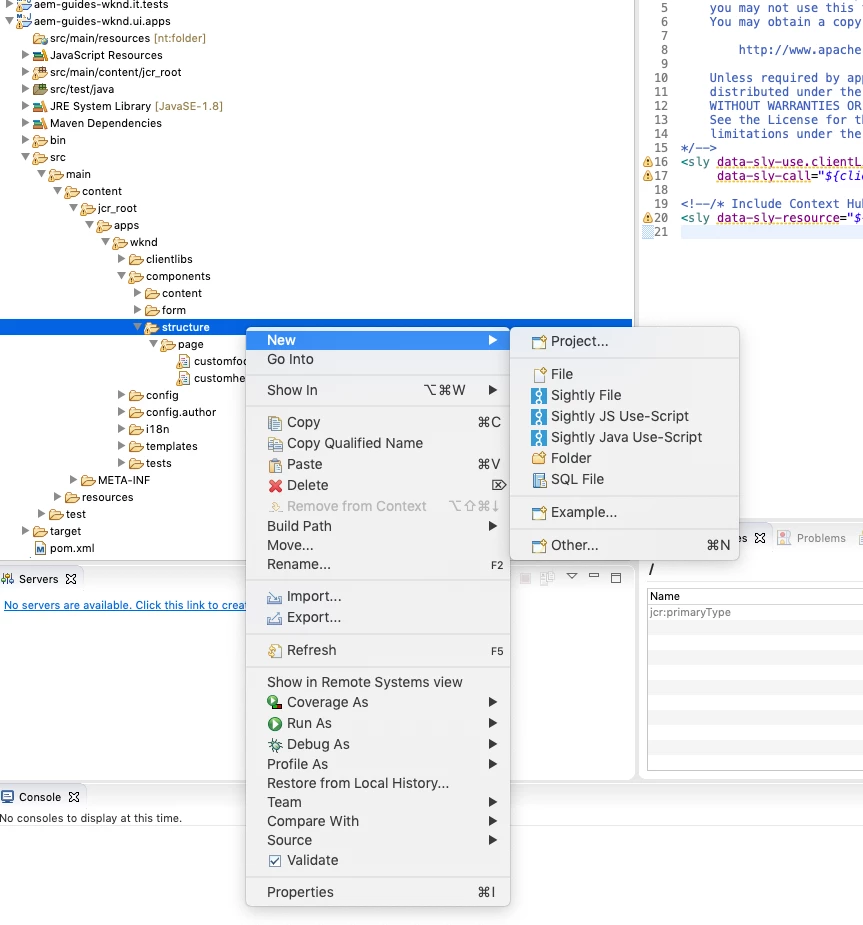
Hi, I'm following the WKND tutorial. On part 2, when adding a header component form Eclipse, I don't have an option to add a new node (right-click > new). Can anyone help here? Additional question, can I use Brackets or VS Code IDEs for this kind of tasks? Thanks.
This post is no longer active and is closed to new replies. Need help? Start a new post to ask your question.
Best answer by rampai

Hi karloe75358780​,

That can be because the AEM plugin is syncing the incorrect root folder.

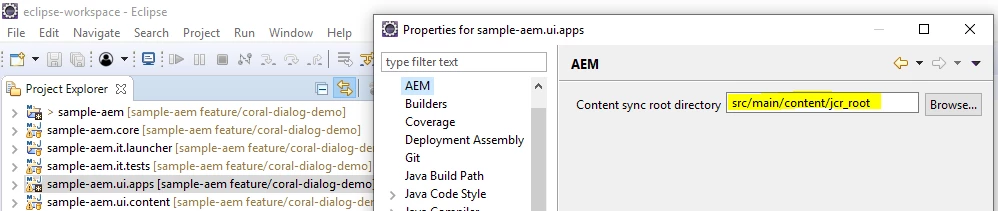
To confirm, right click on the ui.apps directory and click on Properties.

Next in AEM, reset the path to your jcr_root directory as shown below:

If it is the correct path, then navigate to the one where it shows the complete path and not where it only says src.

Regards,

Ram

5 replies

New Participant
October 28, 2019

Hi, Same Issue, even after reproducing your steps above. I have create new node option, any change, someone could make a detailed step-by-step on how to solve this issue. Thanks . (see screen shots)

rampai
rampaiAccepted solution
New Participant
August 29, 2019

Hi karloe75358780​,

That can be because the AEM plugin is syncing the incorrect root folder.

To confirm, right click on the ui.apps directory and click on Properties.

Next in AEM, reset the path to your jcr_root directory as shown below:

If it is the correct path, then navigate to the one where it shows the complete path and not where it only says src.

Regards,

Ram

Umesh_Sondhi
New Participant
August 29, 2019

Hi karloe75358780

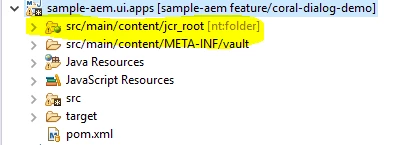
Please change the perspective to AEM and restart your eclipse again, your directories will get the labels like [nt:folder] or [re:root] or [sling:folder].

New Participant
August 28, 2019

Thanks for the response, I think thats the only path I have that I can reach till component/structure. I gone through all the folders but i can find any other.

One thing I suspect causing is that my directories do not have labels like [nt:folder] or [re:root] or [sling:folder]. This probably related to my problem.

Umesh_Sondhi
New Participant
August 28, 2019

Hi  karloe75358780

Please check the following screen shot and the path. I believe you are navigating to the wrong path. You shouldn't select the main->src.....