Adding Anchor Sprite Image to Custom RTE Plugin | Community
Skip to main content
New Participant
December 7, 2022
Solved

Adding Anchor Sprite Image to Custom RTE Plugin

  • December 7, 2022
  • 2 replies
  • 1233 views

Good afternoon,


I have implemented the Custom RTE Plugin from this article into my local AEM instance.


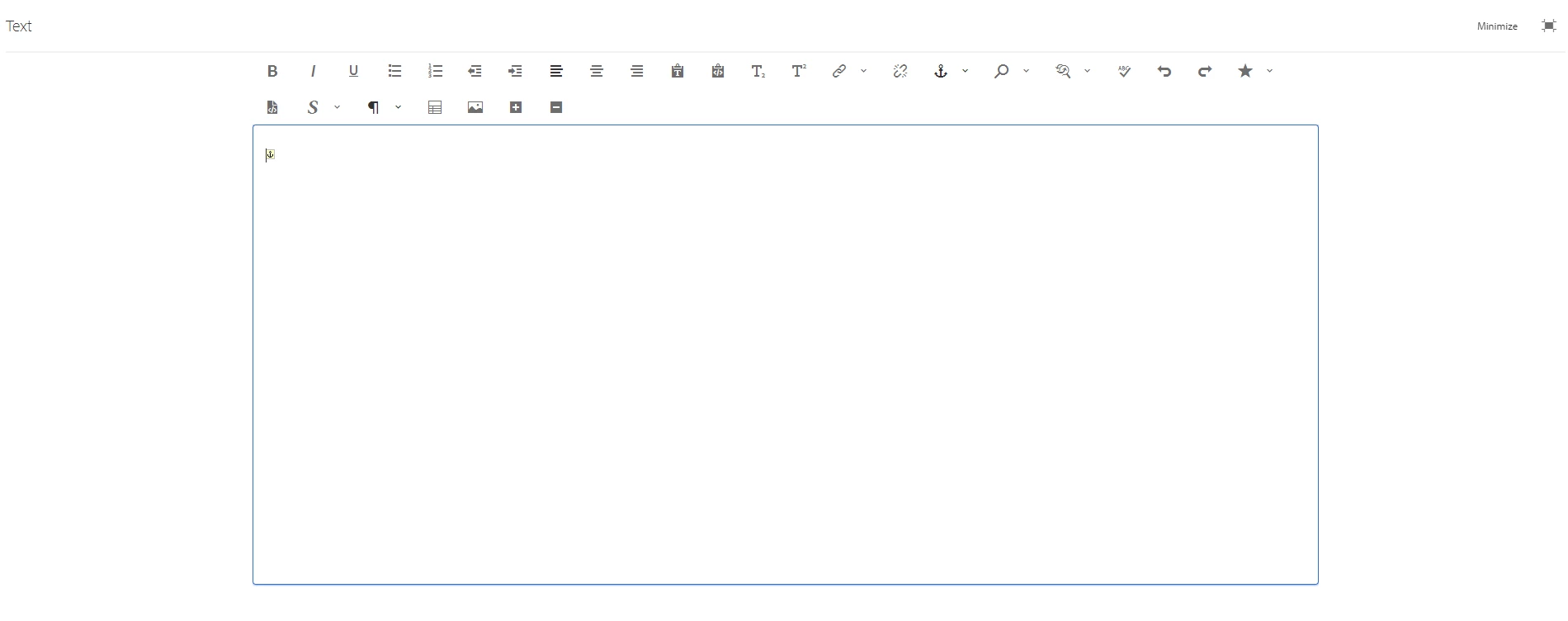
I was wondering if it was possible to add the anchor sprite image in the screenshot below when a new attribute is added using the plugin


This post is no longer active and is closed to new replies. Need help? Start a new post to ask your question.
Best answer by arunpatidar

Example of sample clientlibs which will load for all the components without adding to dialog

https://github.com/arunpatidar02/aemaacs-aemlab/tree/master/ui.apps/src/main/content/jcr_root/apps/aemlab/oneweb/clientlibs/author/clientlib-editdragable 


you can copy this and put in your project inside ui.apps and update draggable.css css or create your own css and add to css.txt

2 replies

arunpatidar
New Participant
December 8, 2022

Hi,

I would say, add a CSS to the RTE dialog, either using extraclientlibs or externalStyleSheets property of RTE.

with CSS you can inject icon based on attribute

example,

I have added an icon if span element has style attribute

.cq-RichText-editable.coral-RichText-editable.coral-RichText.coral-DecoratedTextfield-input span[style]::before {
    content: '⚓';
}


Arun Patidar
benbakosAuthor
New Participant
December 8, 2022

Thanks for the suggestion @arunpatidar. I will give this a try.


Where exactly in CRX would I put this clientlib/external stylesheet?

arunpatidar
arunpatidarAccepted solution
New Participant
December 9, 2022

Example of sample clientlibs which will load for all the components without adding to dialog

https://github.com/arunpatidar02/aemaacs-aemlab/tree/master/ui.apps/src/main/content/jcr_root/apps/aemlab/oneweb/clientlibs/author/clientlib-editdragable 


you can copy this and put in your project inside ui.apps and update draggable.css css or create your own css and add to css.txt

Arun Patidar
SantoshSai
New Participant
December 7, 2022

Hi @benbakos ,

If you are looking to have plugin icon please refer to the blog published by @arunpatidar 

here: https://aemlab.blogspot.com/2019/07/aem-rte-custom-plugins-1.html

Also, worth checking this too: https://mkbansal.wordpress.com/2016/01/09/aem-rte-custom-styles-plugin-touch-ui/

Hope that helps!

Regards,

Santosh

Santosh Sai