Adding locked core tab component to editable template
I'm trying to create an editable template that contains just the core tab component with 2 tabs that are pre-defined by the template authors. I don't want the page authors to be able to change the title or add/remove tabs but they should be able to add content to them. This is what I tried which I thought would work -
1. Add a tab component to the layout container
2. Ensure the default 2 tabs appear
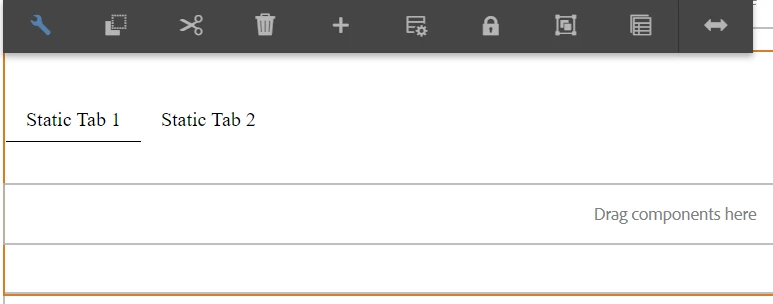
3. Unlock and set the policy for the parsys under each tab *First problem, you don't seem to be able to switch tabs when editing the template
4. Change the name of the tabs to what I want them to be when displayed on the page
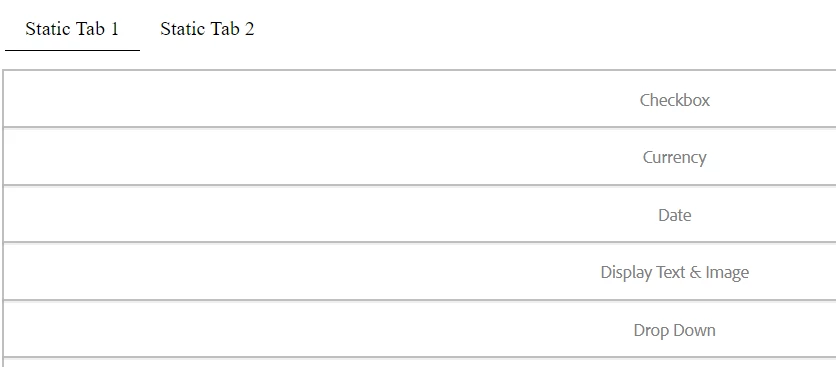
5. Create a new page with this template - Author is unable to change tabs because the component is locked. Parsys under the tabs is listing all components in policy instead of normal drag and drop "Drag components here" box
Am I missing a step or is there any way to get this to work as described? Here is an example of what the authors see on the page, just a list of components and no parsys. Unable to edit anything or switch tabs -
And a screenshot showing that the "switch tab" button is missing on a locked tab component when editing the template -
Thanks